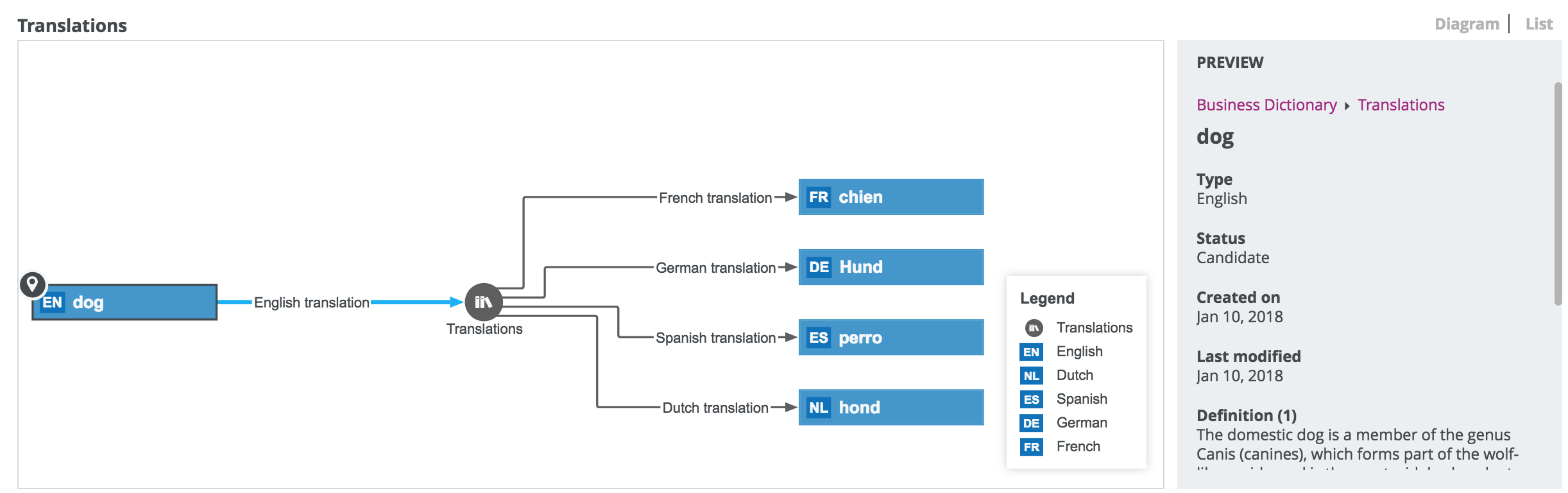
Asset page overview
The asset page provides an overview of information related to an asset, based on its asset type's assignment. The assignment determines which and how many elements are by default added to the asset page.
The content in this section is different for the classic and refreshed navigation.
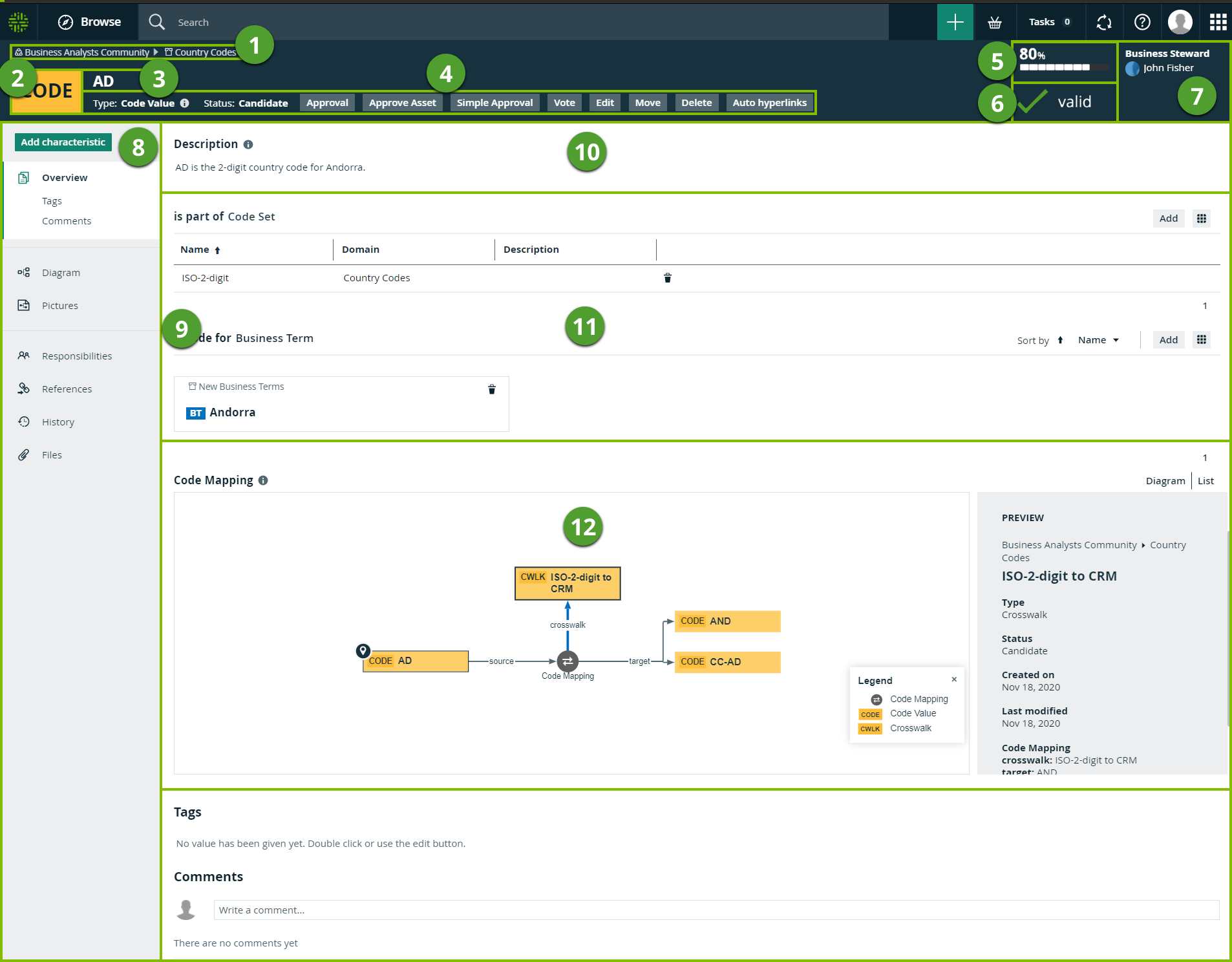
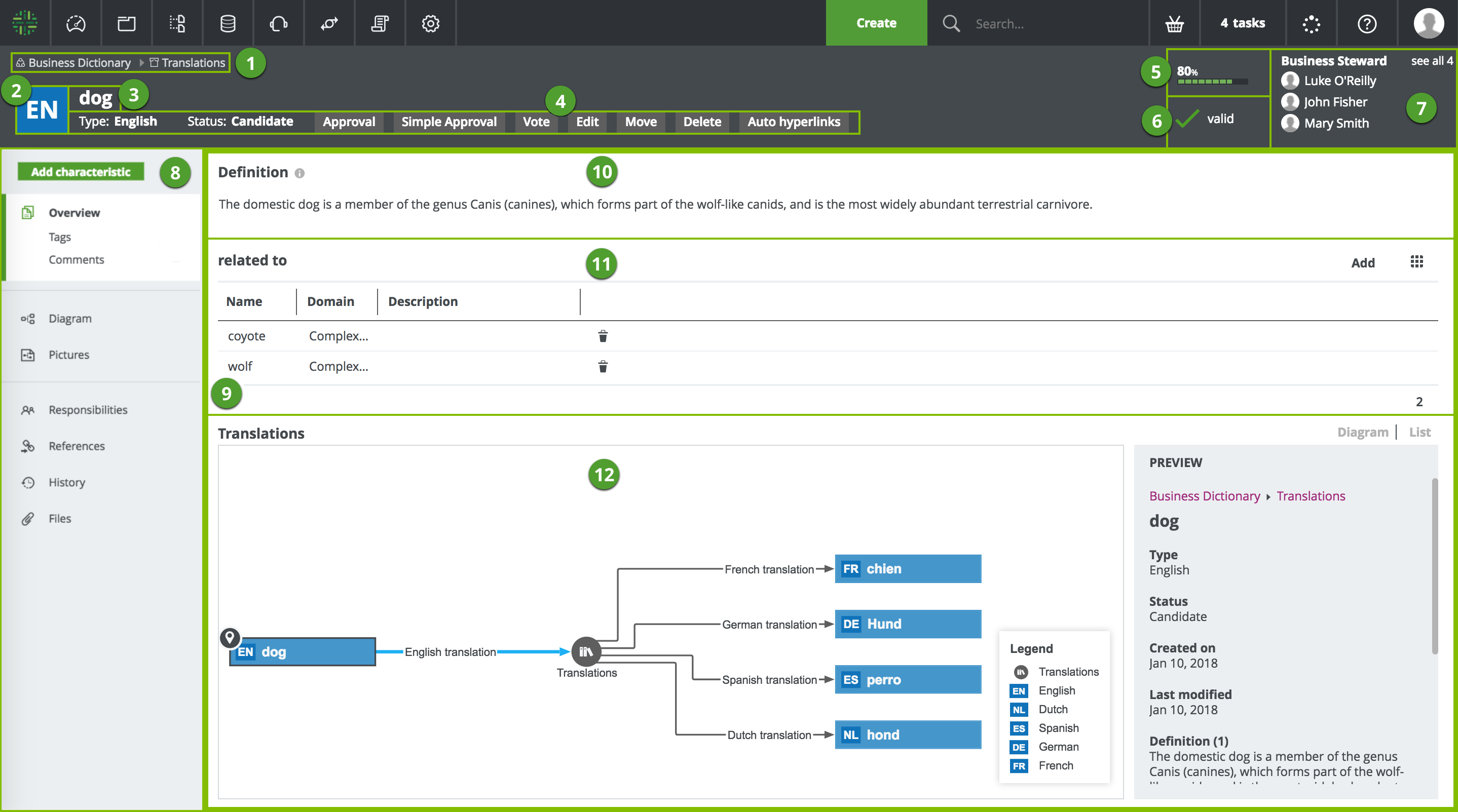
| Number | Section | Description |
|---|---|---|

|
Breadcrumbs |
The breadcrumbs of the current |

|
Asset type representation |
The icon or abbreviation of the Tip You can edit how an asset type is represented. |

|
Asset name |
The name of the |

|
Resource toolbar |
Additional actions, such as editing the |

|
Articulation score
|
The articulation score of the asset. Note If there are no articulation score rules assigned to the asset, the asset page does not show an articulation score. |

|
Asset validation |
The validation result of the validation rules assigned to the asset. |

|
Stewards |
The stewards of the You can see up to three stewards on the |

|
Tab pane |
A collapsible pane that allows you to navigate to other pages of the |
|
|
Editor |
The currently selected page, in this case the Overview page, which contains all the attributes If a certain attribute type has been assigned as mandatory for this asset type, this attribute is shown in the asset's Overview tab, even if no attribute value has been defined yet. Tip If you want to copy and paste text from other sources into a text field, we recommend that you click |

|
Attribute
|
An attribute is a characteristic of an asset containing information about the asset. This information can be in various formats, depending on the attribute kind:
Note If a text attribute does not have any value, it shows the message No value has been given yet. If a text attribute has an empty value, it shows a message Empty value. |

|
Relation
|
Relations of the same type are shown in a list. You can show the list in different display modes: |

|
Complex relation
|
Complex relations of the same type can be shown in different ways:
|

 , and then paste the text into the