OAuth Applications settings page
You can securely authenticate your applications to access Collibra public APIs. The Manage OAuth page allows you to register your applications to obtain a client ID and client secret. Collibra supports two registration types: integration applications, which use the client credentials flow for machine-to-machine access, and user applications, which use the authorization code flow for MCP clients such as Claude and Databricks. Using access tokens for your applications does not require a license, and the actions performed are attributed to an application-specific system user.
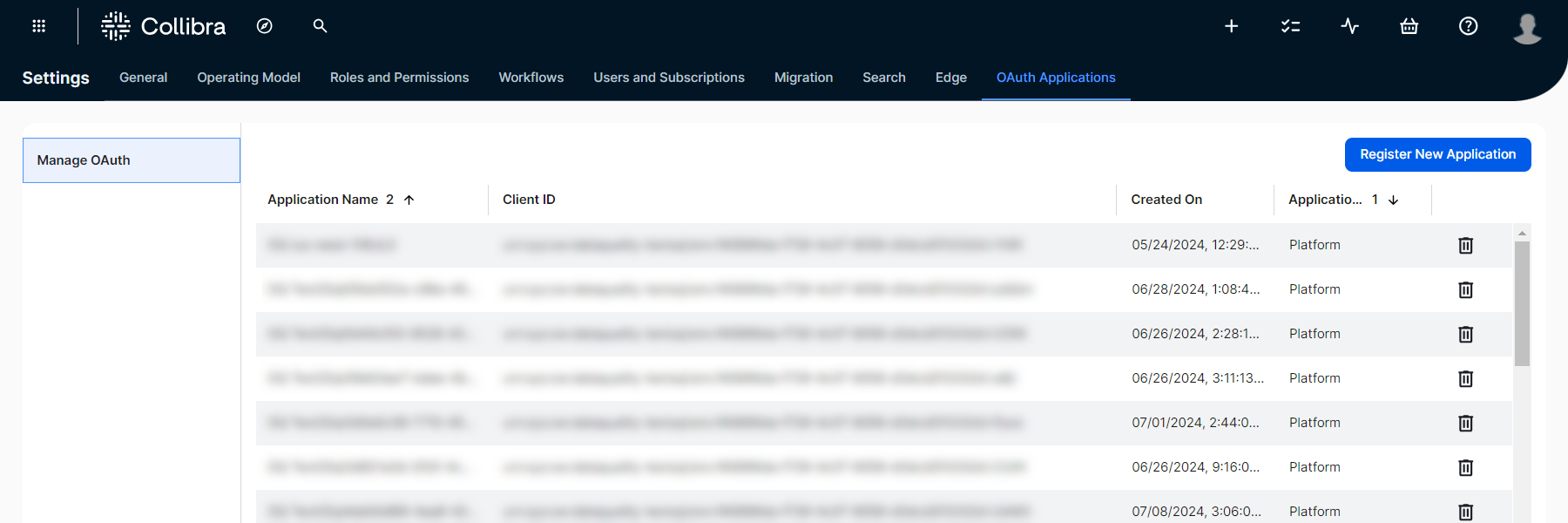
Register an application
- Click + New Application.
The Select your application type dialog box appears.
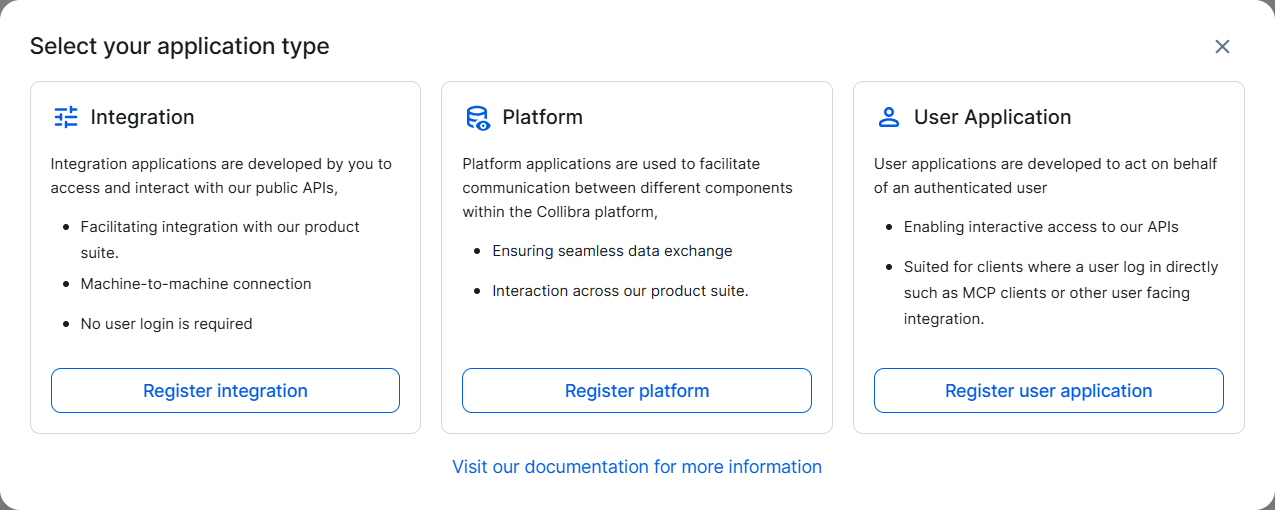
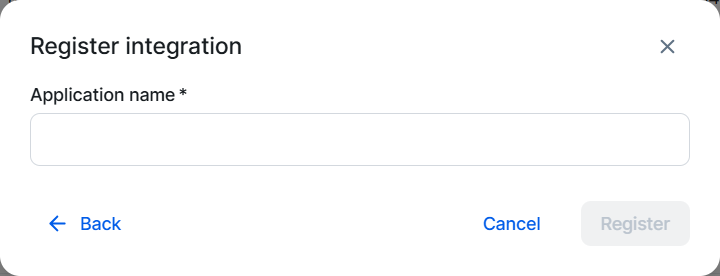
- Select your application type and enter the required information:
Field Description Application name The name of your application, used to identify it in the list of registered applications. Required.
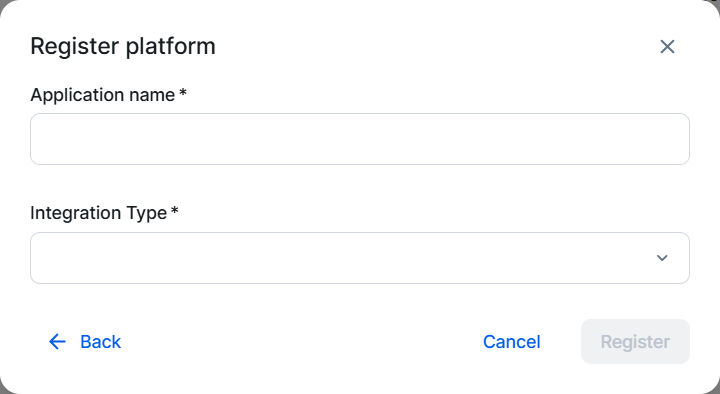
Integration Type The type of integration. Available only for Platform applications.
Select Data Quality Integration to register a Data Quality & Observability (self-hosted) instance.
Required for platforms.
Redirect URI(s) One or more redirect URIs for your MCP client. Available only for User Application applications.
Each URI must be a valid HTTP or HTTPS URL. To add more URIs, click Add URI.
Required for user applications.
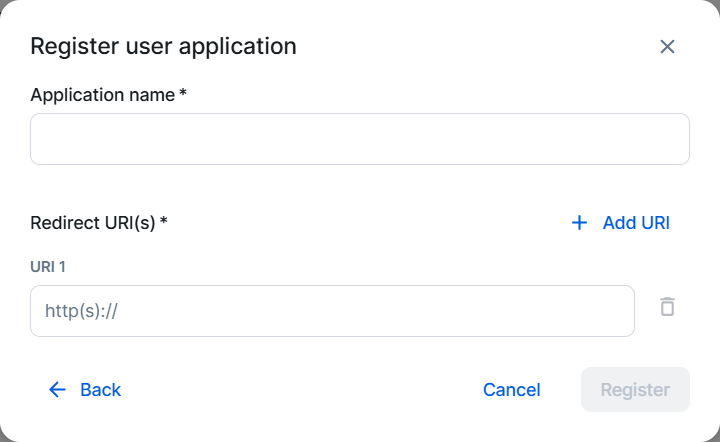
- Click Register.
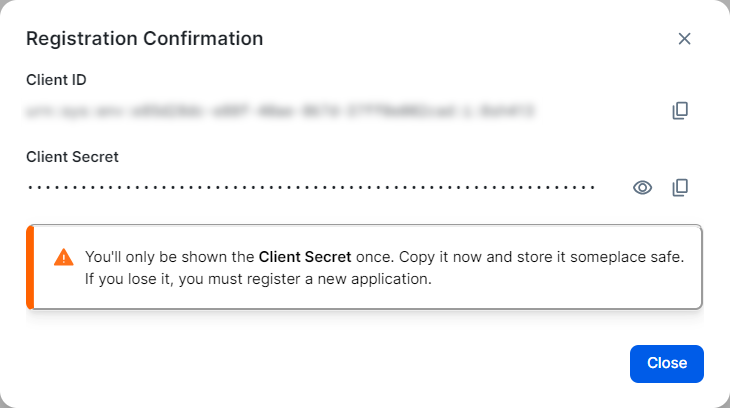
The Registration Confirmation dialog box appears.
-
Copy and safely store the Client ID and Client Secret.
Important This is the only time you are able to see the client secret.
Request an access token
Platform and user applications, such as MCP servers, handle token acquisition automatically. For integration applications, use the client ID and secret to obtain access tokens via the REST OAuth API v2 POST method of the /token endpoint. The endpoint supports two standard OAuth 2.0 client authentication methods: client_secret_basic, where you pass the client ID and secret as a Base64-encoded Authorization header, and client_secret_post, where you include them in the request body. The examples below use client_secret_post:
curl -L -X POST '/rest/oauth/v2/token' \
-H 'Content-Type: application/x-www-form-urlencoded' \
-d 'client_id=<your_client_id>' \
-d 'client_secret=<your_client_secret>' \
-d 'grant_type=client_credentials'import http.client
conn = http.client.HTTPSConnection("")
payload = 'client_id=<your_client_id>&client_secret=<your_client_secret>&grant_type=client_credentials'
headers = {
'Content-Type': 'application/x-www-form-urlencoded'
}
conn.request("POST", "/rest/oauth/v2/token", payload, headers)
res = conn.getresponse()
data = res.read()
print(data.decode("utf-8"))var https = require('follow-redirects').https;
var fs = require('fs');
var qs = require('querystring');
var options = {
'method': 'POST',
'hostname': '',
'path': '/rest/oauth/v2/token',
'headers': {
'Content-Type': 'application/x-www-form-urlencoded'
},
'maxRedirects': 20
};
var req = https.request(options, function (res) {
var chunks = [];
res.on("data", function (chunk) {
chunks.push(chunk);
});
res.on("end", function (chunk) {
var body = Buffer.concat(chunks);
console.log(body.toString());
});
res.on("error", function (error) {
console.error(error);
});
});
var postData = qs.stringify({
'client_id': '<your_client_id>',
'client_secret': '<your_client_secret>',
'grant_type': 'client_credentials'
});
req.write(postData);
req.end();Response example:
{
  "access_token": "rmzhoBwqYWzkGUO2C5jerPbVObywLq8AUP...",
  "token_type": "Bearer",
  "expires_in": 299
}
Note Collibra assigns all scopes to your client.
Rate limits
Collibra issues tokens from a pool of 100 per client. The pool renews at a rate of 30 tokens per minute. Tokens are valid for 5 minutes. You may encounter a rate limit exception that results in a 429 Too Many Requests error in the following scenarios:
- Excessive token requests by a single client: If a single client requests too many tokens before the current token expires. Ensure that your application reuses a valid issued token instead of requesting a new one with each API call.
- Sharing a client across multiple applications: If each application independently requests a new token, the combined requests may surpass the allowed threshold.