User interface terminology

The Components section on the Custom Theme page contains terms related to the user interface (UI). The following table describes such terms and other UI-related terms used in Customize theme.

Term Description
Primary Button A prominent button for primary actions, designed to capture the user's attention.
Image of a primary button
Primary Button on Dark Background A primary button on a dark background.
Image of a primary button on a dark background
Secondary Button A button for secondary actions, complementing the primary button and often used for less critical functions. Secondary buttons include outline buttons, split buttons, and button groups.
Image of a secondary button
Secondary Button on Dark Background A secondary button when shown on a dark background.
Image of a secondary button on a dark background
Tabs A component for organizing and navigating between different sections.
Image of tabs
Tabs on Dark Background A tab on a dark background.
Image of tabs on a dark background
Switch A component for switching between the enabled state and the disabled state.
Image of a switch
Stepper A component for indicating progress through a sequence of logical steps.
Image of a stepper
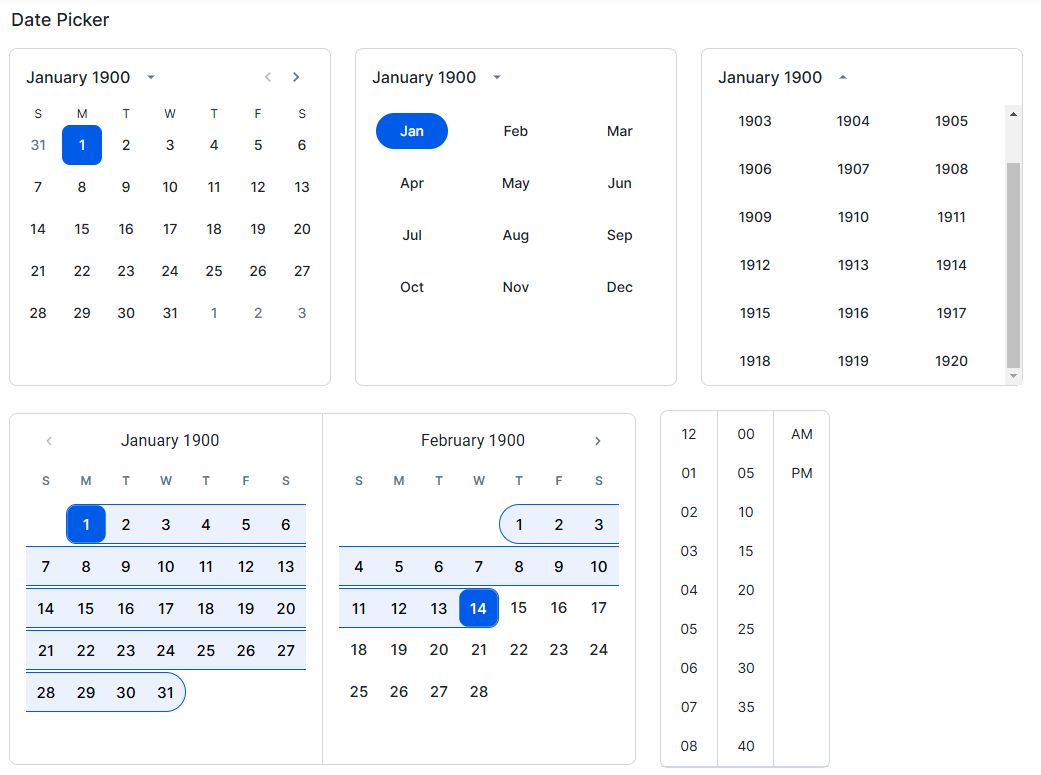
Date Picker A component for selecting a date and time from a calendar.
Image of date pickers