Collibra Protect secures sensitive data and grants varying levels of access to specific groups of people through no-code policies. You can centrally build and manage policies and enforce them across various cloud platforms to help ensure that sensitive data is always protected. You can enforce data protection at the source database level directly from the Protect user interface, and apply advanced data protection through masking, redacting, and hashing.
Protect simplifies access governance and eliminates the need for repetitive actions and approvals. By granting view permissions only to the users who need them, Protect minimizes risk and promotes a safe data culture in your organization. You can also use Protect to provide differential access. For example, you can give everyone access to a data set but allow certain types of access to only specific groups of people based on data categories.
Protect uses data protection standards and data access rules to protect your data. Standards and rules are the basis for data protection. Your environment needs to have at least one Protect group (a collection of users) to create them. Standards create a primary layer of protection for similar types of data by masking the data wherever it is stored. Rules create an additional layer of protection by managing access and enhancing protection for specific usages.
Background
To understand the connection of the data in a database with the physical layer (equivalent assets in Collibra) and the logical layer (out-of-the-box model), consider the following database.
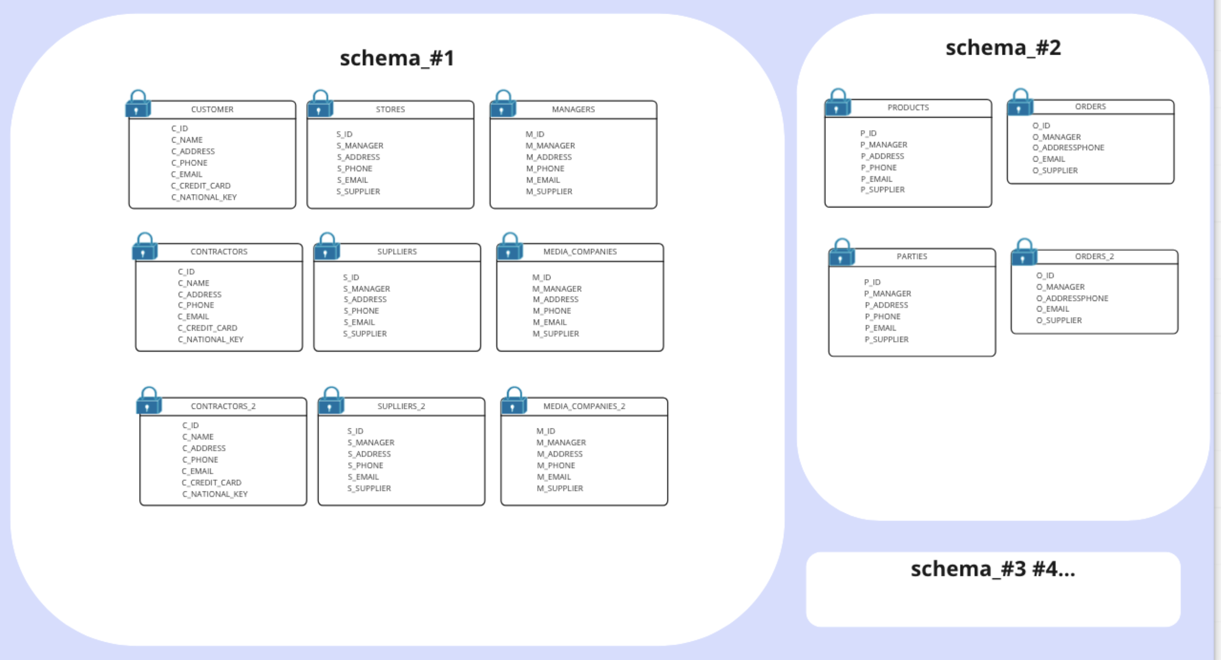
When ingesting this database to Collibra, the physical layer is created, in addition to an asset for each of the schemas, tables, and columns, as depicted in the following image.
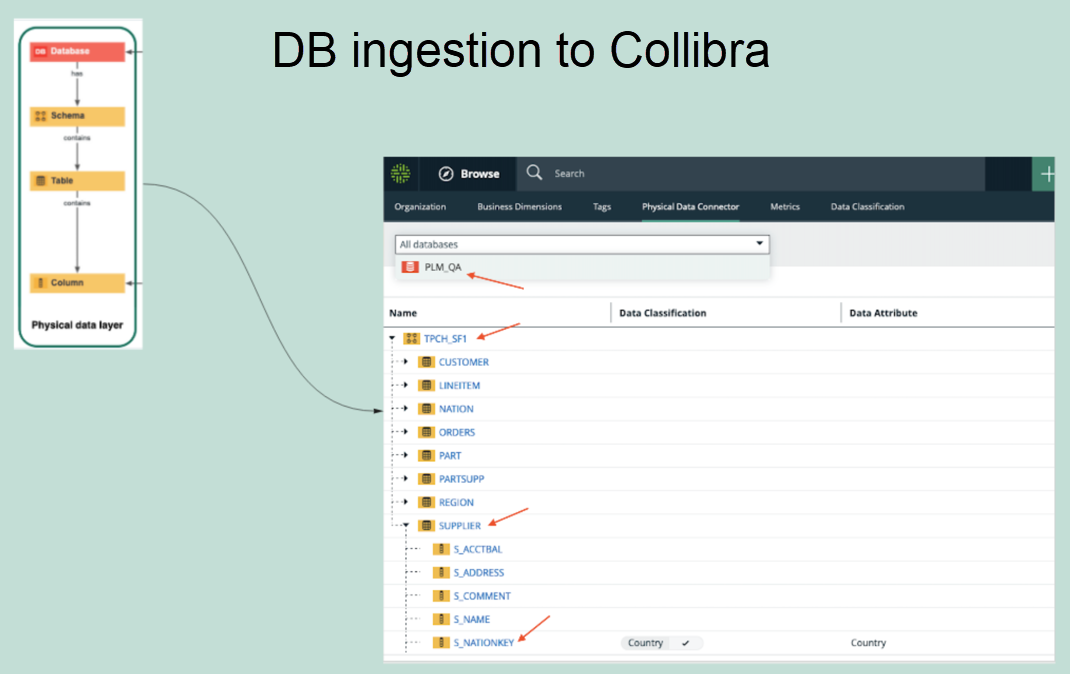
After the physical layer is created in Collibra, the logical layer can be created on top of the physical layer, as follows:
- Select any column and classify it as any available data classification. Alternatively, you can allow Collibra to classify the column for you.
- Assign the column to a data attribute.
- Create additional assets or use the existing assets of different types (Business Process, Data Category, or Data Set) to establish a relation with the columns.
Note Protect supports only those columns that are linked to Table assets. It does not support Database View assets.
Data protection standards
Data protection standards protect data through column-based protection. They mask columns based on the data category or data classification assigned to the columns. Protect applies these standards regardless of how the data is accessed (such as, through query results, APIs, or browsing). Standards apply to specific groups.
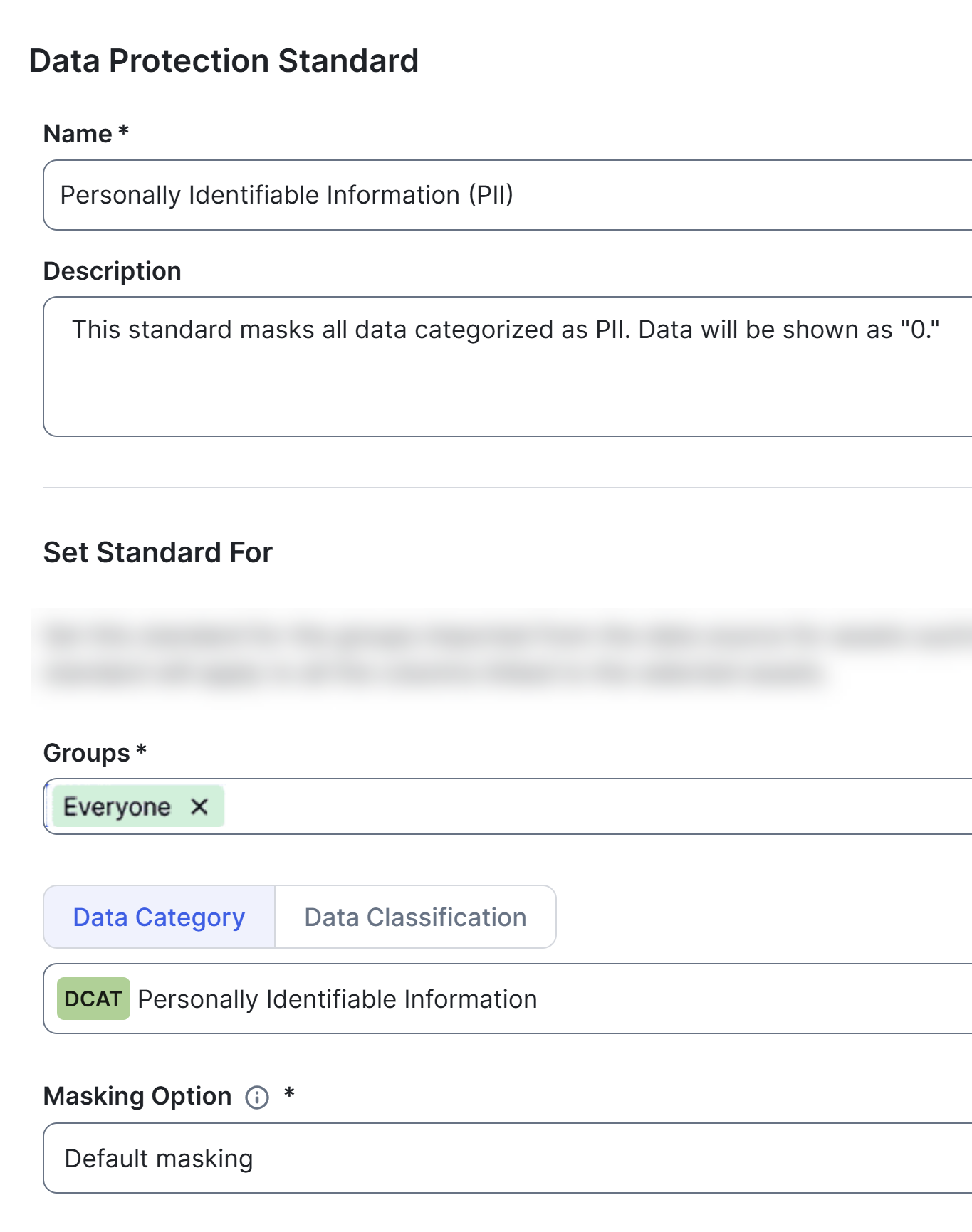
Suppose that you want to protect personally identifiable information (PII). You would first create a data category for PII and assign the category to your data. Then, you can create a standard such as the one shown in the following image. In this example, the standard is set for everyone and protects PII through default masking. This ensures that employees in your organization can find data assets containing PII but cannot access any sensitive information.
Data access rules
Data access rules take precedence over standards and allow you to refine protection. You can use rules to restrict access, mask data, or filter rows. These rules enhance the protection established by standards.
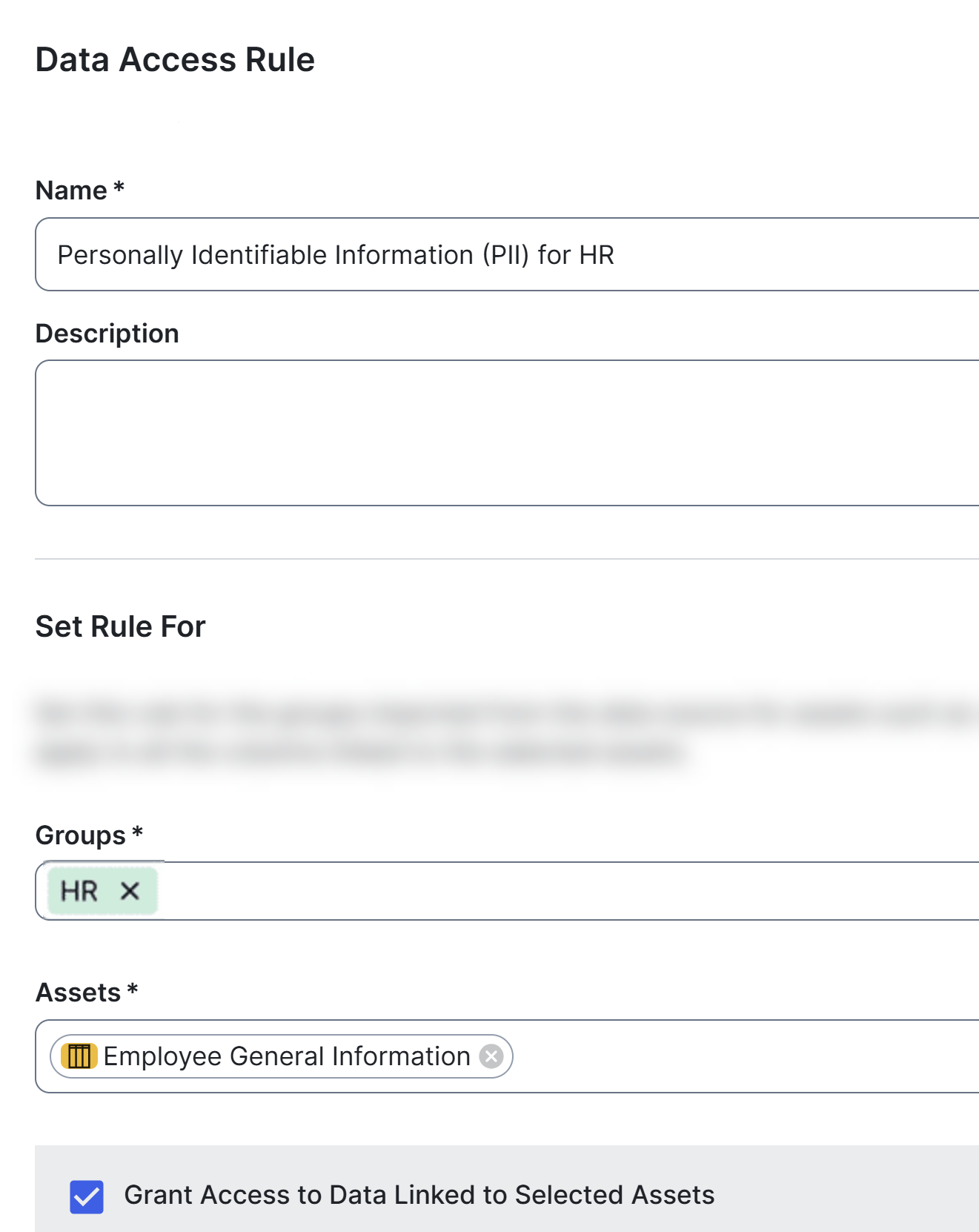
Consider the previous example, where a standard was created to mask personally identifiable information (PII) for everyone in the organization. However, you may need to grant the HR team limited access to employee information. Then, you can create a rule such as the one shown in the following image. In this example, the rule grants the HR team restricted access to a specific asset, such as the Employee General Information data set, even though it is classified as PII.
Standards versus rules
- Suppose that columns containing the first and last names are a part of the Personally Identifiable Information (PII) data category. Then, regardless of the databases, tables, and schemas to which those columns belong, you can create a standard that targets all of those columns by selecting the PII data category in the standard and masking it.
Then, you can create a rule that grants access to a specific group, for a specific data set, while knowing that all PII within this data set will be masked by the data protection standard. - Suppose that a standard is created to mask a column that is classified as PII for everyone. You, however, want to unmask that PII column for a specific group. You can do so by creating a rule for the same group to unmask the classified column. Rules take priority over standards.
- Suppose that you want to grant access to a group, but the protection from the standard is not enough because there might be other sensitive data within a supported asset. Then, you can create a rule to add additional layers of protection over the ones that were set by the standard. You can further protect the data by applying additional masking on the data or by filtering the data using the row-filtering option in the rule.
What to consider when creating standards or rules
When creating standards or rules for assets, consider how the assets are grouped. Suppose that you have a Business Process asset, BP, which contains the following Data Set assets: DS1, DS2, and DS3. Instead of creating a standard or rule for each of the three Data Set assets (DS1, DS2, and DS3), consider creating a standard or rule that targets the Business Process asset (BP), to save your time.
Supported data sources
Protect supports the following data sources:
- APIs are available for building custom integration solutions.
- Protect supports only those columns that are linked to Table assets. It does not support Database View assets.
Synchronization
Open Protect
You can open Protect if you have a global role with the Product Rights > Protect global permission. To open Protect, on the main toolbar, click
 →
Protect.
→
Protect.