A data protection standard creates a primary layer of protection for similar types of data by masking the data wherever it is stored.
When creating a data protection standard, you can do one of the following:
- Create a draft of the standard. This action doesn't start the synchronization (sync), allowing you to work on the standard later. The sync status of a draft standard is Draft.
- Publish the standard. This action starts the sync, sending the standard to the source. The sync status of a published standard is initially Pending, and it changes to Active if the sync is successful.
Prerequisites
- You have a global role that has the Protect > Edit or Protect > Administration global permission.
- You have the Catalog global role. This role is required to view data classifications for selection in a data protection standard.
- Protectgroups are created.
Steps
- OpenProtect.
- Click the Data Protection Standards tab.
- Click Create Data Protection Standard.
The Data Protection Standard dialog box appears. - Enter the required information.
The Summary section shows a summary of the standard.Field Description Name Enter a name to identify the standard. Optional: Description Enter a description for the standard. Groups Select the groups for the standard. Data Category or Data Classification Click Data Category or Data Classification, and then select the data category or data classification that you want to protect.
Tip If the association between the data classification and a column is not yet accepted, the standard ignores the column.Masking Option Select the masking level that you want to apply to the selected category or classification for protection. 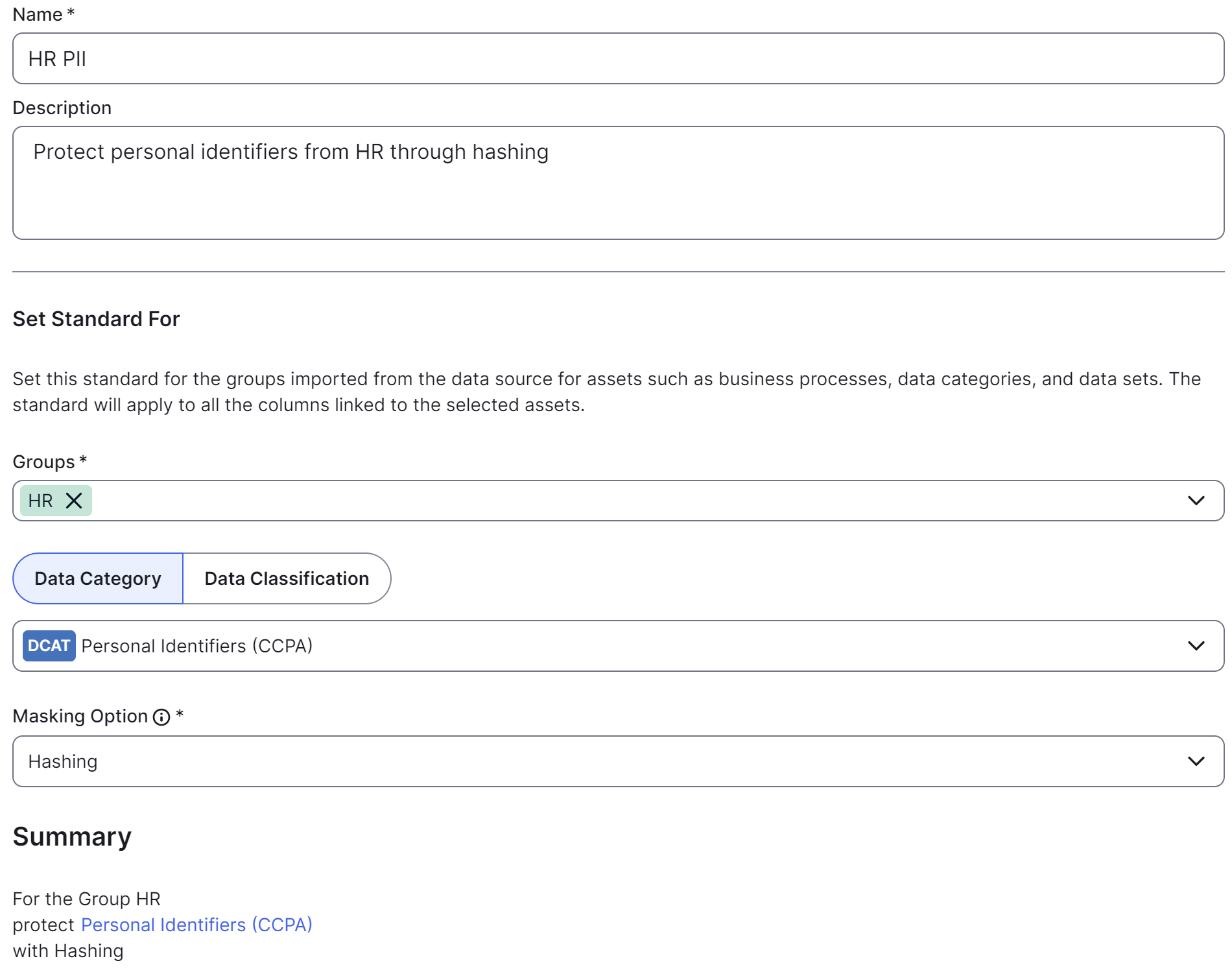
- Click Create Draft or Publish.