Browse pane
You can open a community, domain, asset view, or dashboard directly from the browse pane. The browse pane appears when you click  on the main toolbar. The search box within the browse pane can be used to search for a community, domain, asset view, or dashboard.
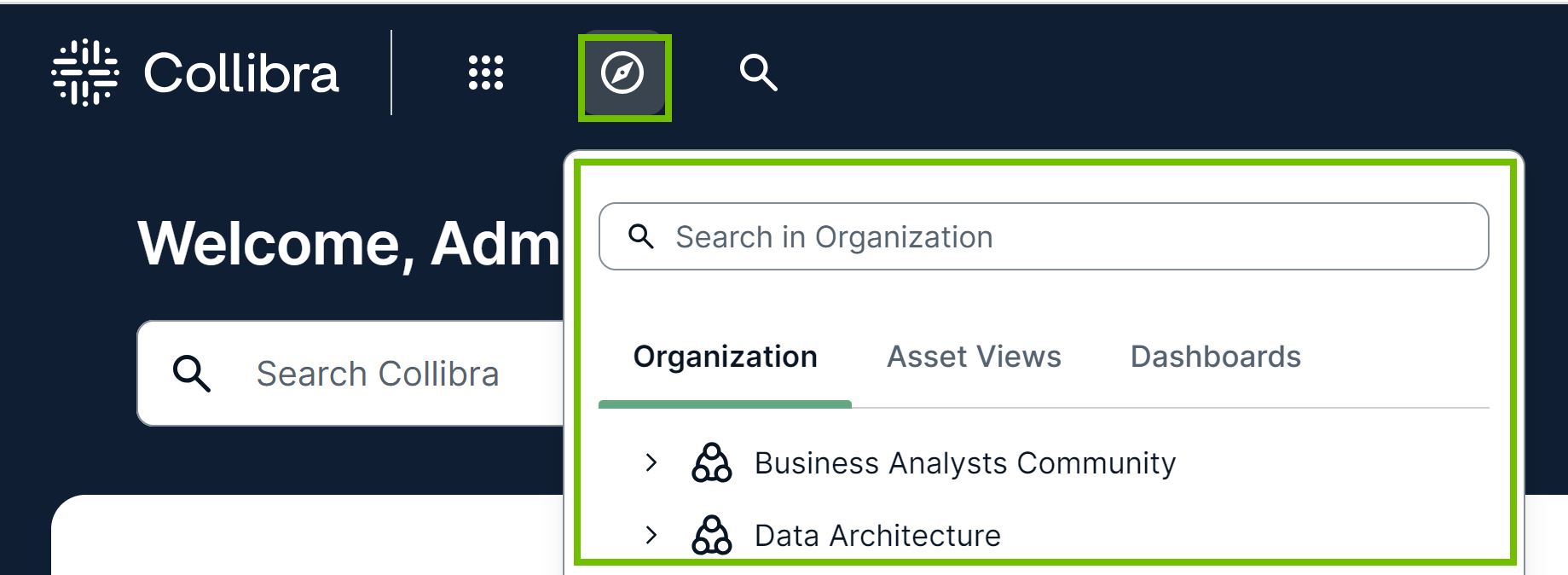
The following table describes the tabs shown in the browse pane.
| Tab | Description |
|---|---|
| Organization |
All communities, subcommunities, and domains, shown in alphabetical order. By default, only top-level communities are shown. To view the subcommunities and domains within a community, click When you click a community or domain, the corresponding community or domain page opens. |
| Asset Views | All pinned asset views to which you have access, shown in alphabetical order. |
| Dashboards |
All dashboards to which you have access, shown in alphabetical order. |
 next to the community.