You can enable automatic upgrade for new or existing Edge sites that use the manual upgrade mode. This mode automatically upgrades your Edge site whenever a new version has been detected.
Prerequisites
- You have a global role with the Install Edge sites and the User Administration global permission, for example Edge site administrator.
- You created an Edge site.
New Edge sites
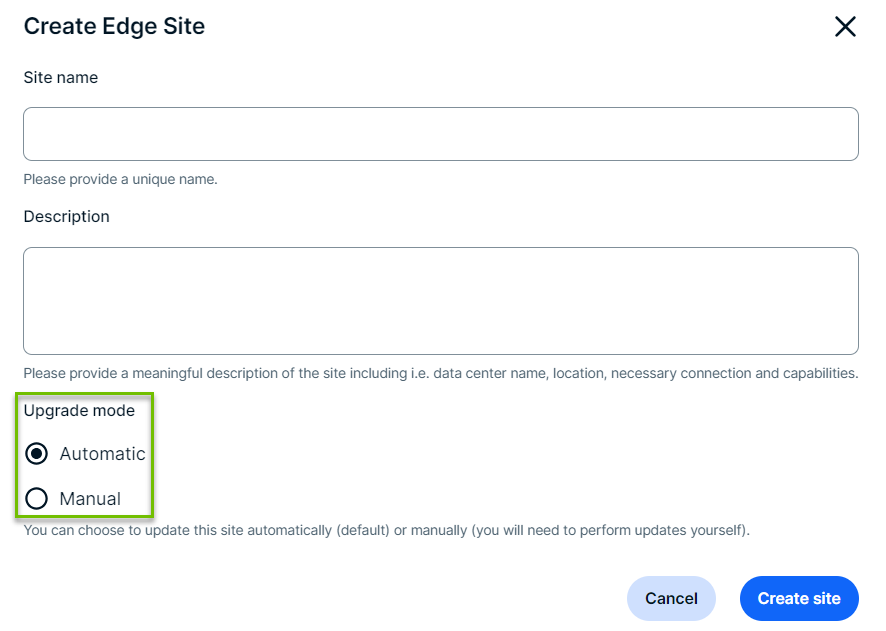
Automatic upgrades are enabled by default for all new Edge sites. When you create a new Edge site, select Automatic under the Upgrade Mode before you click the Create button.
Existing Edge sites
You can change the upgrade mode of existing Edge sites to automatic by following the steps below:
- Open a site.
-
On the main toolbar, click
 →
→
 Settings.
The Settings page opens. -
In the tab pane, click Edge.
The Sites tab opens and shows a table with an overview of your sites. - In the site overview, click the name of a site.
The site page appears.
-
On the main toolbar, click
- In the top right corner, click Site Actions → Change Upgrade Mode.
The Upgrade Mode dialog box appears. - Select Automatic.
- Click Save.

Review the compatibility table to know when you need to either reinstall your Edge site for an upgraded version of k3 or upgrade to the latest Edge supported version of your managed Kubernetes.