To achieve end-to-end lineage and stitching, Collibra Data Lineage must match the full names of data objects in a technical lineage and the full names of their corresponding assets in Data Catalog. However, there are several situations that can impede full-name matching. In such cases, you can include a hostnameMapping section in your Tableau <source ID> configuration file, to map the database, schema or system names that were returned by the Tableau APIs to the actual names of the assets in Data Catalog.
Tip If your data source allows for system mapping, database mapping, schema mapping, or filtering, you can enter those configurations, in JSON format, in the Source Configuration field in the capability template. If you previously used the CLI lineage harvester(deprecated) and a <source ID> configuration file for those configurations, you can copy and paste the JSON code from your <source ID> file into the Source Configuration field.
Tip "Mapping" means changing the full name of data objects as they appear in a technical lineage, so that they match the full names of their corresponding assets in Data Catalog.
The following example scenarios can impede full-name matching:
- Tableau can't derive the schema name. In this case, the schema name in the technical lineage is DEFAULT.
- You have schema-less external data sources, such as HiveQL, MySQL or Teradata. In this case, the database name in the technical lineage is also the schema name.
- You have a data access layer between Tableau and your external data source. In this case, Tableau might incorrectly interpret the data access layer as the database name, and the data source as the schema.
- You have data sources that are created based on tables from other data sources in Tableau. These data sources do not have schemas.
-
The Tableau APIs returned a technical database or server name that is different than the real name of the database or server.
hostnameMappingreplaces the following deprecated properties:- The
databaseMappingproperty. - The
databasessub-section of thecollibraSystemNamessection.
- The
hostnameMapping must not be used in combination with either of these properties.
For descriptions of these properties, go to the Tableau section in the Prepare a <source ID> configuration file topic.
If you use the hostnameMapping section, you can still use the collibraSystemName property in conjunction with the files, connectors or cloudfiles sub-sections.
Example configurations
- The following configuration:
- Changes the found database name "Test" to "CData".
- Changes the found schema name “DEFAULT” to “Jan_1_2022”.
- Adds the Collibra system name "TV_testing".Important The system name must match the name you specified for the
idproperty in the lineage harvester (deprecated) configuration file, including for case-sensitivity.
"hostnameMapping": { "found_dbname=Test;found_hostname=*;found_schema=DEFAULT": { "dbname": "CData", "schema": "Jan_1_2022", "dialect": "spark", "collibraSystemName": "TV_testing" } } - The following configuration:
- For all found databases on the host "abc.net", changes their names to "CData".
- Changes the found schema name “DEFAULT” to “Jan_1_2022”.
"hostnameMapping": {
	"found_dbname=*;found_hostname=abc.net;found_schema=DEFAULT": {
		"dbname": "CData",
		"schema": "Jan_1_2022",
		"dialect": "spark",
		}
	}
- The following configuration:
- Changes the found database name "Test" to "CData" .
- Changes the found schema name “DEFAULT” to “Jan_1_2022”.
"hostnameMapping": { "found_dbname=Test;found_hostname=*;found_schema=DEFAULT": { "dbname": "CData", "schema": "Jan_1_2022", "dialect": "spark", } } - The following configuration:
- Changes the found database name "Test" to "CData".
"hostnameMapping": {
  "found_dbname=Test;found_hostname=*;found_schema=DEFAULT": {
        "dbname": "CData",
        }
    }
Complete host name mapping example
In the following example, let's assume that in Tableau we have the following two databases:
- sqldep-oracle-dev.cyabw7m3dyo4.eu-central-1.rds.amazonaws.com (ID: 2b16e3b0-7727-a268-a36a-5350f531e85f)
- sqldep-oracle-dev.cyabw7m3dyo4.eu-central-1.rds.amazonaws.com:1521 (ID: ecc61fd0-cc1d-c05b-b3a3-bda9d31db96a)
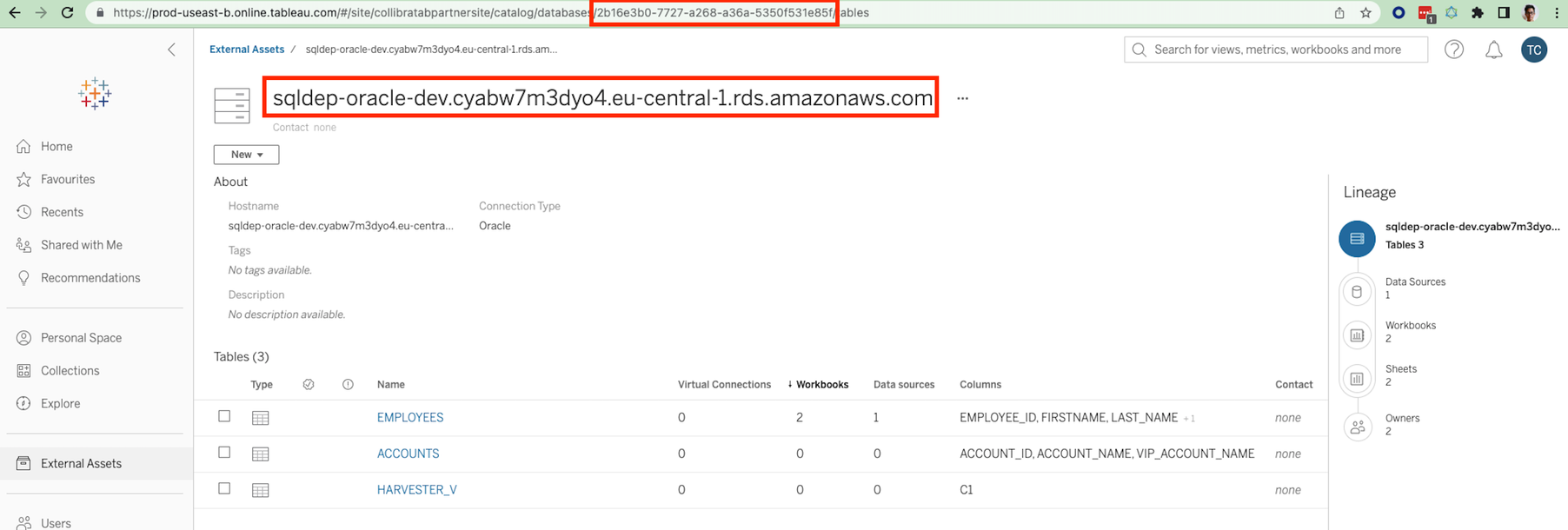
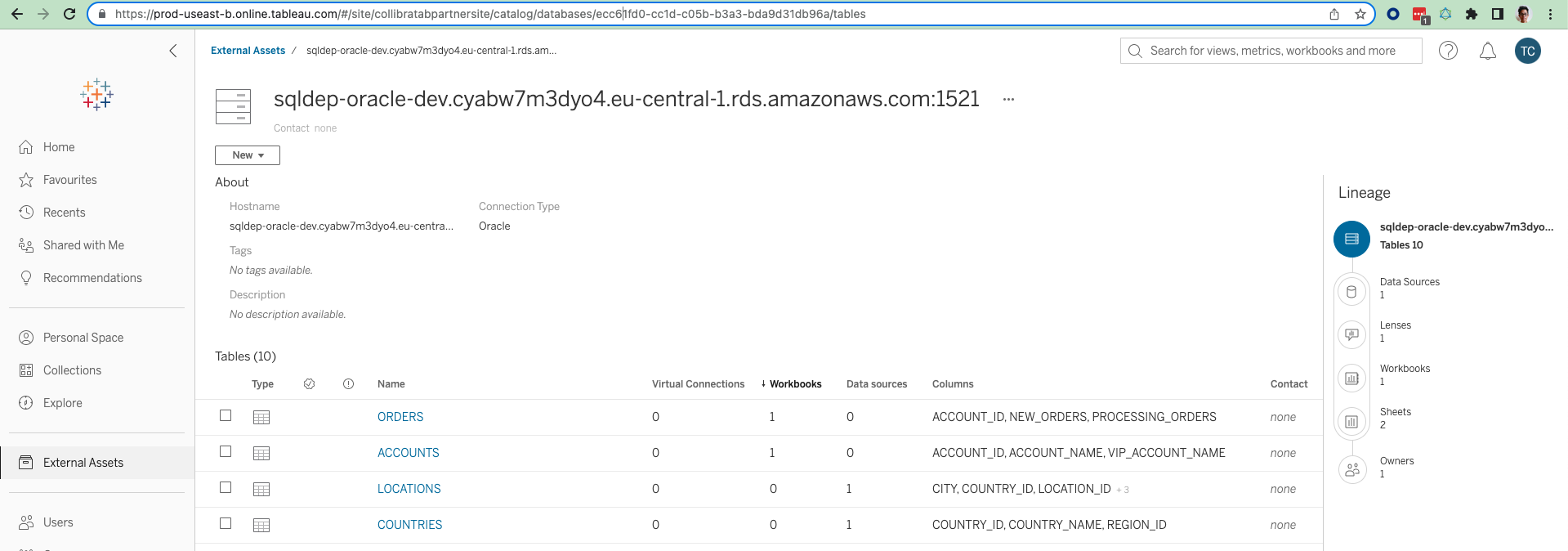
If we unzip the Tableau source zip file and search in the databases file on the site (collibratabpartnersite)
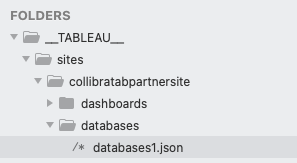
We can see that the databases are described:
{
    "__typename": "DatabaseServer",
    "connectionType": "oracle",
    "description": "",
    "hostName": "sqldep-oracle-dev.cyabw7m3dyo4.eu-central-1.rds.amazonaws.com",
    "id": "2b16e3b0-7727-a268-a36a-5350f531e85f",
    "isEmbedded": false,
    "luid": "9aa67374-0d08-4b91-85b6-2e6f6aec90cb",
    "name": "sqldep-oracle-dev.cyabw7m3dyo4.eu-central-1.rds.amazonaws.com",
    "port": -1,
    "service": "ORCL_A"
},
{
    "__typename": "DatabaseServer",
    "connectionType": "oracle",
    "description": "",
    "hostName": "sqldep-oracle-dev.cyabw7m3dyo4.eu-central-1.rds.amazonaws.com",
    "id": "ecc61fd0-cc1d-c05b-b3a3-bda9d31db96a",
    "isEmbedded": false,
    "luid": "00b7bd61-4151-4f08-b449-164a88087c0e",
    "name": "sqldep-oracle-dev.cyabw7m3dyo4.eu-central-1.rds.amazonaws.com:1521",
    "port": 1521,
    "service": "ORCL_A"
}
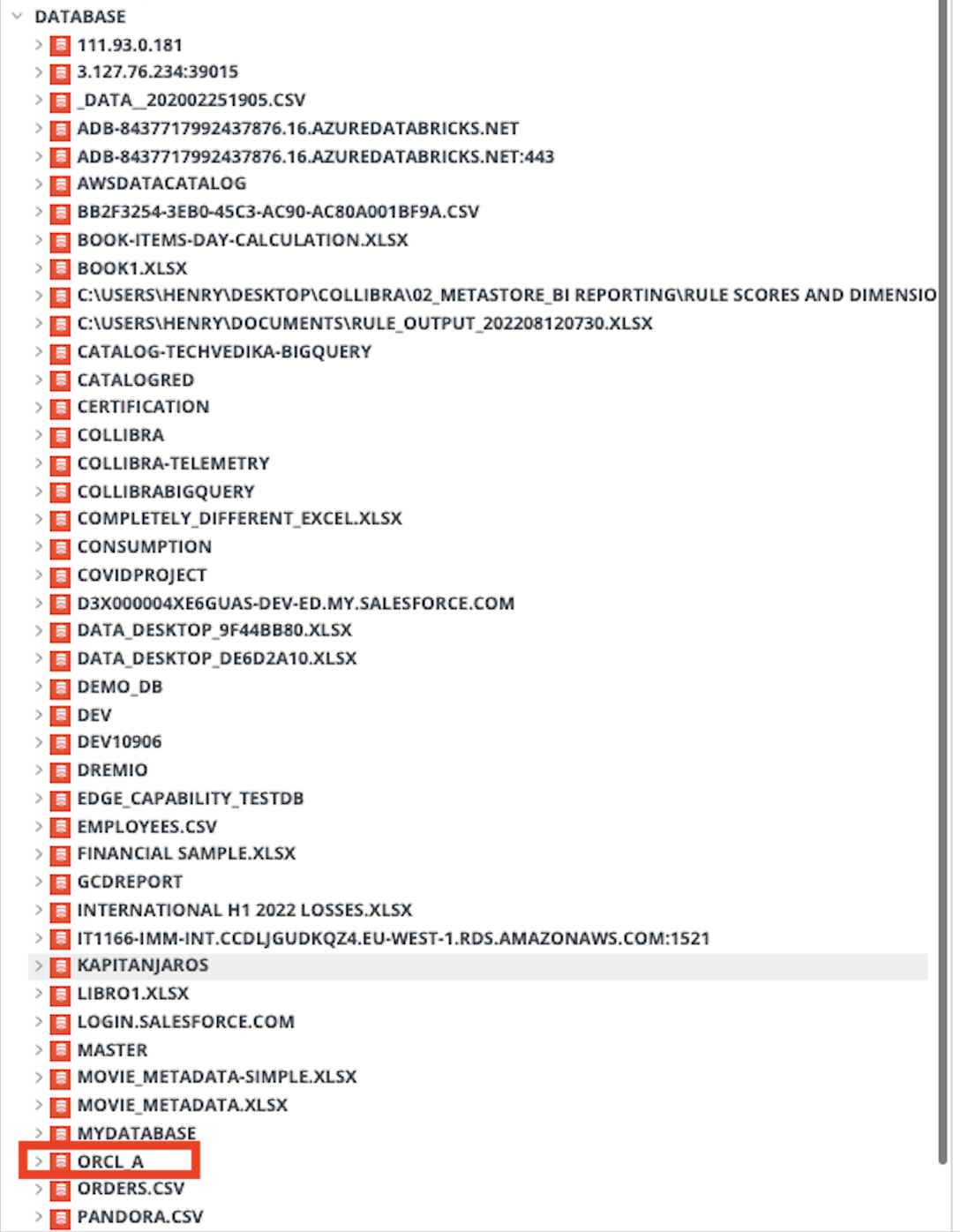
If we run a full-sync of the Tableau source without a <source ID> configuration file, the databases are shown as follows:
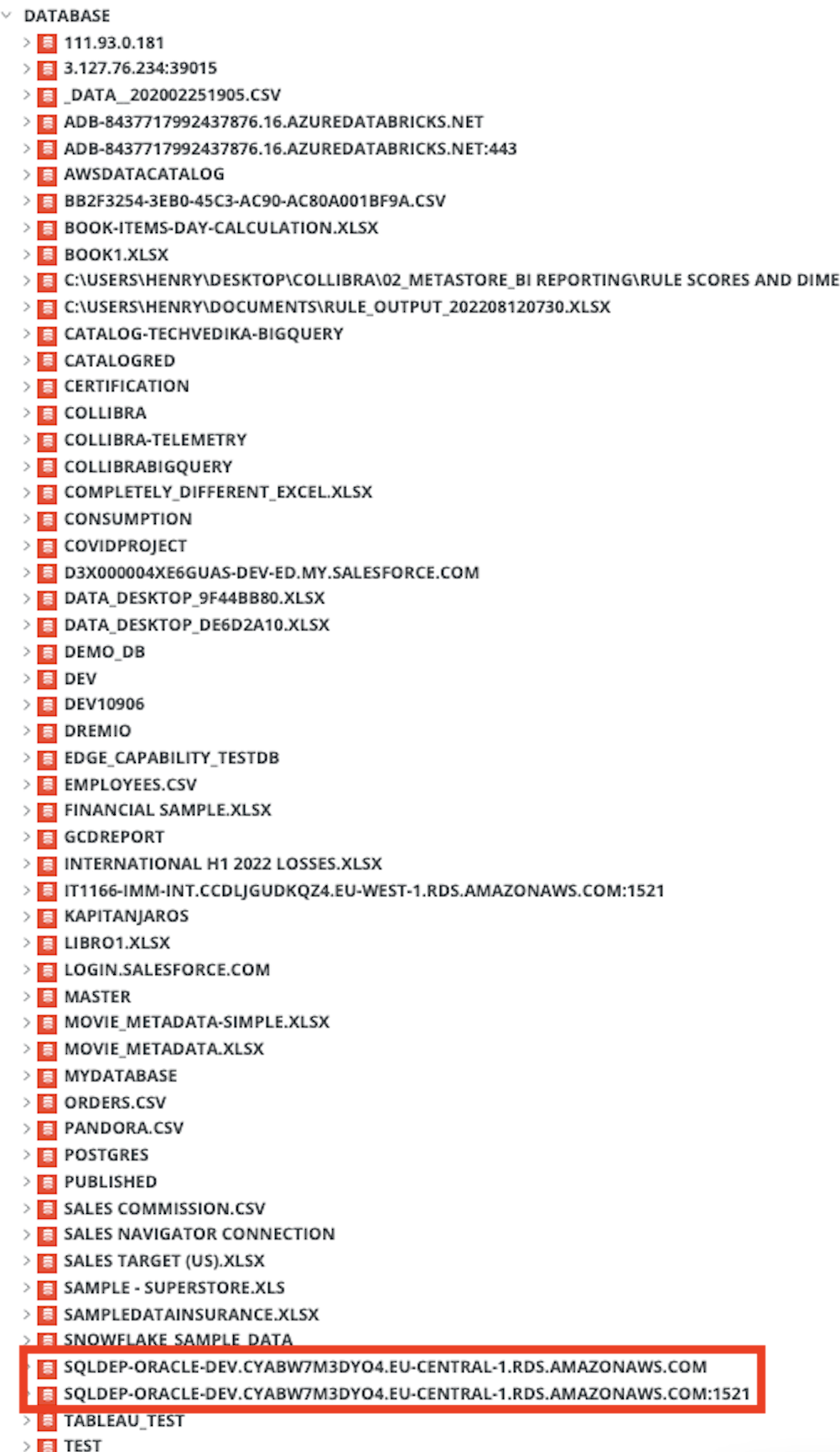
Now use a <source ID> configuration file to map the two databases to the name "ORCL_A".
{
  "hostnameMapping": {
    "found_dbname=sqldep-oracle-dev.cyabw7m3dyo4.eu-central-1.rds.amazonaws.com*;found_hostname=sqldep-oracle-dev.cyabw7m3dyo4.eu-central-1.rds.amazonaws.com;found_schema=*": {
		"dbname": "ORCL_A",
		"dialect": "oracle"
		}
	}
  }
}
After running a full-sync, we can see that both found database names:
- sqldep-oracle-dev.cyabw7m3dyo4.eu-central-1.rds.amazonaws.com; and
- sqldep-oracle-dev.cyabw7m3dyo4.eu-central-1.rds.amazonaws.com:1521
have been replaced by the mapped ORCL_A name: