An asset type can have any one of the following types of layout:
- Dynamic
- Out-of-the-box (OOTB)
- Published (custom)
Layout descriptions
The following table describes the layout types.
| Layout type | Description | Behavior |
|---|---|---|
| Dynamic |
No specific page layout is defined for the asset type. The asset type automatically generates a dynamic layout based on the characteristic types in the asset type assignment. That is, a dynamic layout is one that is created based on the assignment, and it includes all the characteristic types from the assignment. You can, however, remove characteristic types from the layout or change their order. |
The dynamic layout is automatically applied to asset pages. When characteristic types are added, removed, or reordered in the assignment, the dynamic layout is automatically updated and applied to asset pages. Note
If you edit and publish a dynamic layout, it becomes a published type of layout. Then, the asset type will stop automatically generating the layout. You will need to manually edit and publish the layout each time you add or reorder the characteristic types in the assignment. You can, however, restore the dynamic layout using Restore Default.
|
| OOTB |
The asset type has a default, OOTB layout defined by Collibra. Note Collibra provides OOTB layouts for most asset types. To identify whether your asset type has an OOTB layout, see How to identify the layout type. |
The OOTB layout is automatically applied to asset pages. When characteristic types are added or reordered in the assignment, the OOTB layout needs to be edited and published for it to be applied to asset pages. If you edit and publish an OOTB layout, it becomes a custom type of layout. You can, however, restore the OOTB layout using Restore Default. Note
|
| Custom (published) |
The asset type layout is published. Note Once a dynamic or OOTB layout is published, it becomes a custom layout.
|
The custom layout is applied to asset pages. When characteristic types are added or reordered in the assignment, the custom layout needs to be edited and republished for it to be applied to asset pages. Note
|
How to identify the layout type
The following message appears in the asset layout editor depending on the layout type:
- Dynamic layout: Not edited or published by anyone.
- OOTB layout: Not edited or published by anyone.
- Custom layout: Last published...
- Draft layout: Draft saved less than...
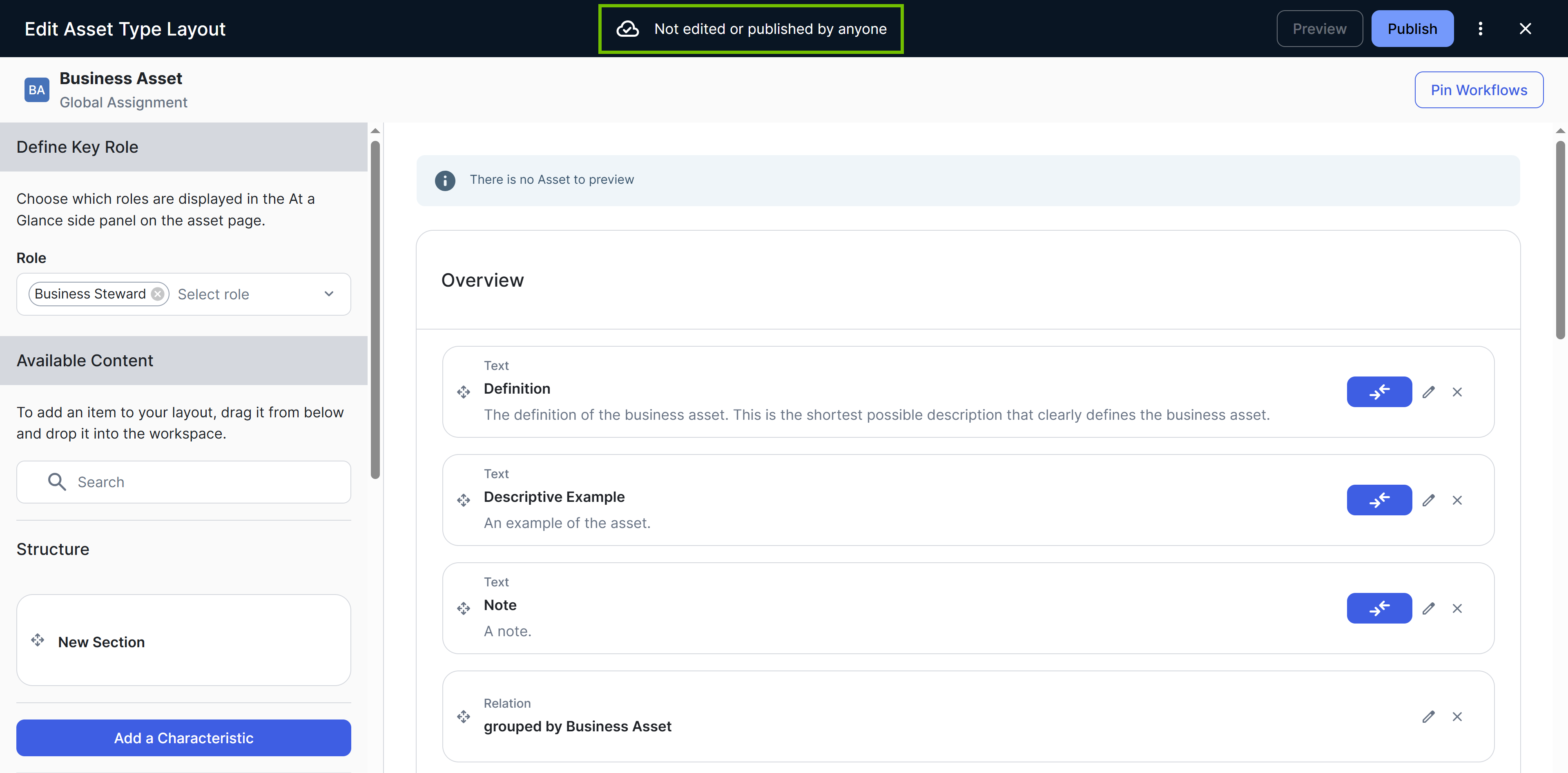
To differentiate between a dynamic layout and an OOTB layout, note the following:
- Dynamic layout: All characteristic types are already included in the layout. There are no sections or characteristic types available in the left pane to add to the layout.
- OOTB layout: Sections are typically included in the layout, each with a name and grouped characteristic types. You may find some characteristics types in the left pane to add to the layout.
Layout priority order
When Collibra shows an asset page, it applies layouts in the following priority order:
- Published (custom)
- OOTB
- Dynamic
The dynamic layout is only available for asset types that do not have an OOTB layout. Collibra is expanding OOTB layout coverage with each release, so some asset types that previously used dynamic layouts may now use OOTB layouts instead.