Opening a ERP/CRM Integrator Repository
The Repository Manager is not only the means by which ERP/CRM Integrator Repositories are created and maintained, it is also the mechanism for opening and switching between repositories.
To Open an existing Repository
When ERP/CRM Integrator is started, the Repository Manager is automatically displayed. If ERP/CRM Integrator is already started and you wish to switch to a different repository, click the  button on the ERP/CRM Integrator toolbar.
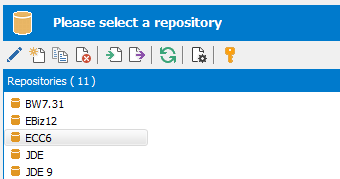
To open a repository, select the required entry from the list and click the ‘Open’ button.
For an empty repository (where no extraction has yet been performed), the following message will be displayed.
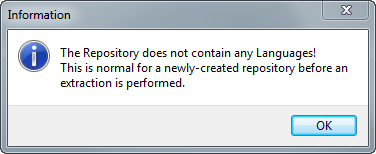
This indicates that there are no data definitions stored in the repository as yet. The population of the repository occurs when you perform an extraction from your chosen Enterprise Application. This is described in the next chapter.
If the database for the repository exists, but the tables and other object required for ERP/CRM Integrator have not yet been created then a warning message will appear.
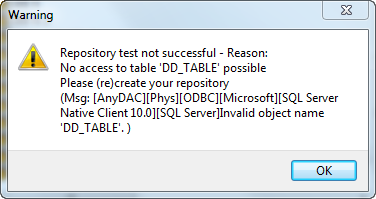
This is as a result of ERP/CRM Integrator looking for the required tables. Clicking the ‘OK’ button on this message will display the following:
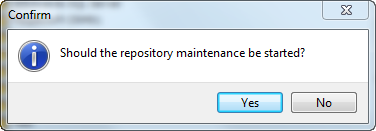
Clicking the ‘Yes’ button will then display the Repository maintenance screen to allow the Repository tables to be created. See ‘Repository Maintenance’ earlier in this chapter for more details of this feature.