This documentation explains the connection of the data in a database with the physical layer (equivalent assets in CPSH) and the logical layer (out-of-the-box model).
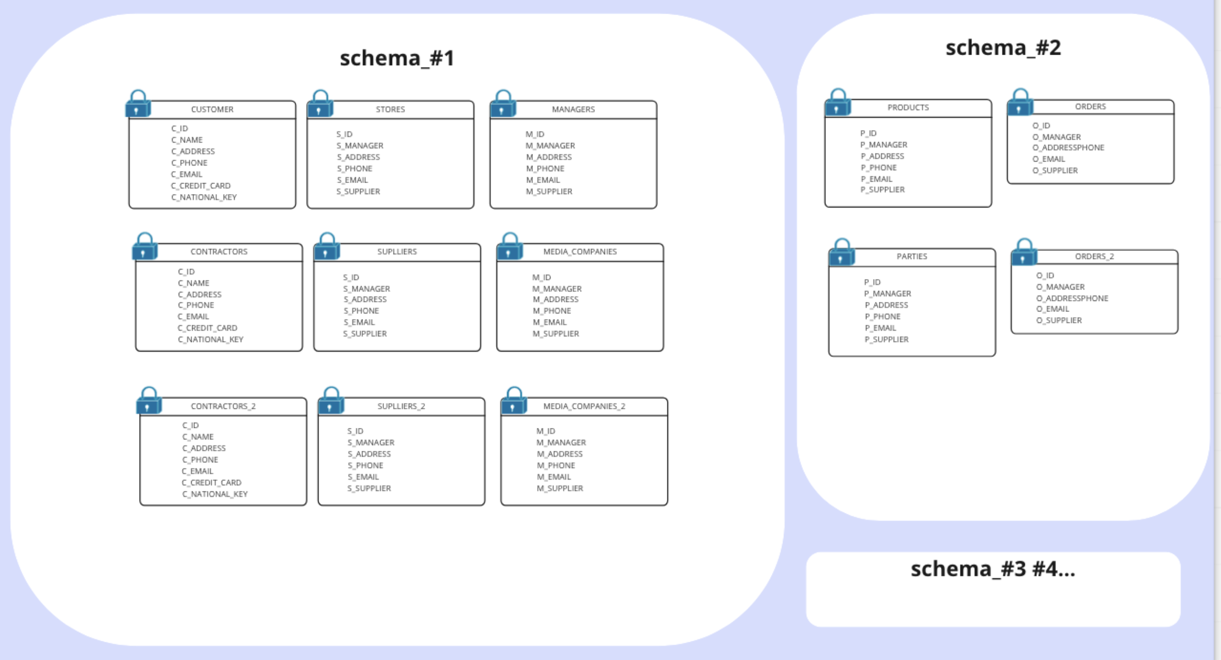
Consider the following database.
When ingesting this database to CPSH, the physical layer is created, in addition to an asset for each of the schemas, tables, and columns, as depicted in the following image.
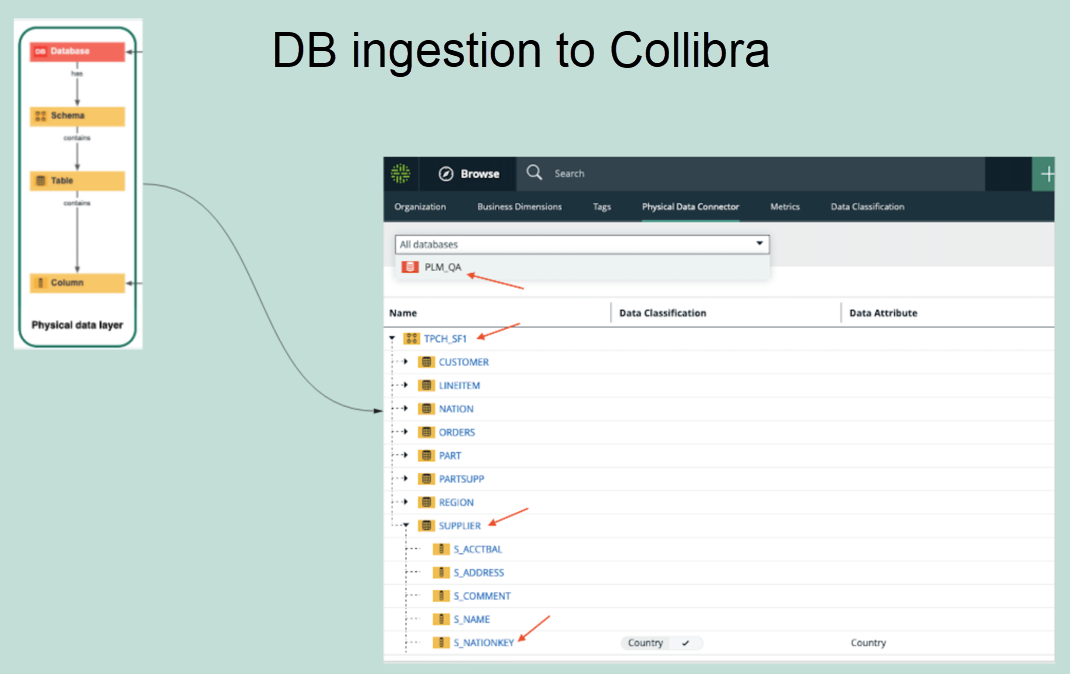
After the physical layer is created in CPSH, the logical layer can be created on top of the physical layer, as follows:
- Select any column and classify it as any available data classification. Alternatively, you can allow CPSH to classify the column for you.
- Assign the column to a data attribute.
- Create additional assets or use the existing assets of different types (Business Process, Data Category, or Data Set) to establish a relation with the columns.
Note Protect supports only those columns that are linked to Table assets. It does not support Database View assets.