Example | Implementing technical lineage for Databricks Unity Catalog via Edge
This use case uses Global Logistics as an example business scenario to demonstrate the value of technical lineage for Databricks Unity Catalog.
As the Global Logistics footprint expands, analysts and data engineers must be able to understand and trust the data published in Databricks Unity Catalog. Inventory, shipment, and fulfillment data is transformed across multiple pipelines, making it difficult to assess downstream impact when changes occur or to quickly identify the source of data issues.
Technical lineage provides end-to-end visibility into how logistics data flows from upstream sources to curated, business-ready “Gold-tier” datasets. This enables teams to perform impact analysis, accelerate root-cause diagnosis, and provide compliance teams with a traceable view of critical logistics assets.
Scenario
This use case assumes that the Databricks Unity Catalog Integration is already complete and your physical assets are visible in the Data Catalog.
Your goal is to generate technical lineage that stitches to these existing assets. To maintain a high security posture, you will configure the Edge site to connect to the Collibra Data Lineage service via basic authentication. Additionally, rather than granting Collibra direct access to the system.query.history tables, you will point Collibra Data Lineage to a dedicated custom catalog in Databricks where lineage-related views have been curated for governance.
Collibra Data Lineage currently extracts logic for Databases, Schemas, Tables, Columns, Volumes (in preview), and Notebooks. It does not ingest other assets such as Workflows or Job Clusters at this time.
In this guide, you will do the following:
- Review and confirm that your environment meets the minimum requirements for Collibra Data Lineage.
- Enable technical lineage via Edge in Collibra settings using basic authentication.
- Add the technical lineage for Databricks Unity Catalog capability to your Databricks Workspace connection established during your initial metadata integration.
- Synchronize the capability to generate technical lineage for your Gold-tier inventory data, automatically stitching it to your existing Catalog assets.
Prerequisites
On your local server
- You can confirm, or know who to reach out to in your organization that can confirm, that your server meets all system requirements outlined in this use case guide.
- You installed an Edge site.
Network
- Confirm that outbound traffic is allowed over HTTPS (Port 443).
- Use DNS names for all firewall rules. If static IPs are required, use a command-line utility such as nslookup to resolve current mappings, as IPs are dynamic.
- Allow outbound traffic to the
techlin-us-east-1.collibra.comCollibra Data Lineage service instance.
Within Collibra
- You created an Edge site.
- You have integrated Databricks Unity Catalog.
- You have the Catalog Authorglobal role with the following global permissions:
- Catalog > Advanced Data Type > Add
- Catalog > Advanced Data Type > Remove
- Catalog > Advanced Data Type > Update
- Catalog > Technical lineage
- To add the technical lineage for Databricks Unity Catalog capability:
- A connection to Databricks exists in your Edge site.
- You have a global role that has the Manage connections and capabilities global permission, for example, Edge integration engineer, and the and View Edge connections and capabilities global permission.
Within Databricks
- The CAN ATTACH TO and CAN RESTART permissions for your compute resource.
You can create a dedicated compute resource for generating technical lineage, or use an existing compute resource with Unity Catalog support. For details, go to Compute permissions in Databricks documentation.
To prevent clusters from running for the entire synchronization duration, you can also configure the Terminate after ... minutes of inactivity setting in Databricks. The setting ensures that clusters automatically stop after a period of inactivity. For more information, go to the Databricks documentation. -
To maintain a high security posture, create a dedicated custom catalog in Databricks for governance purposes for example,
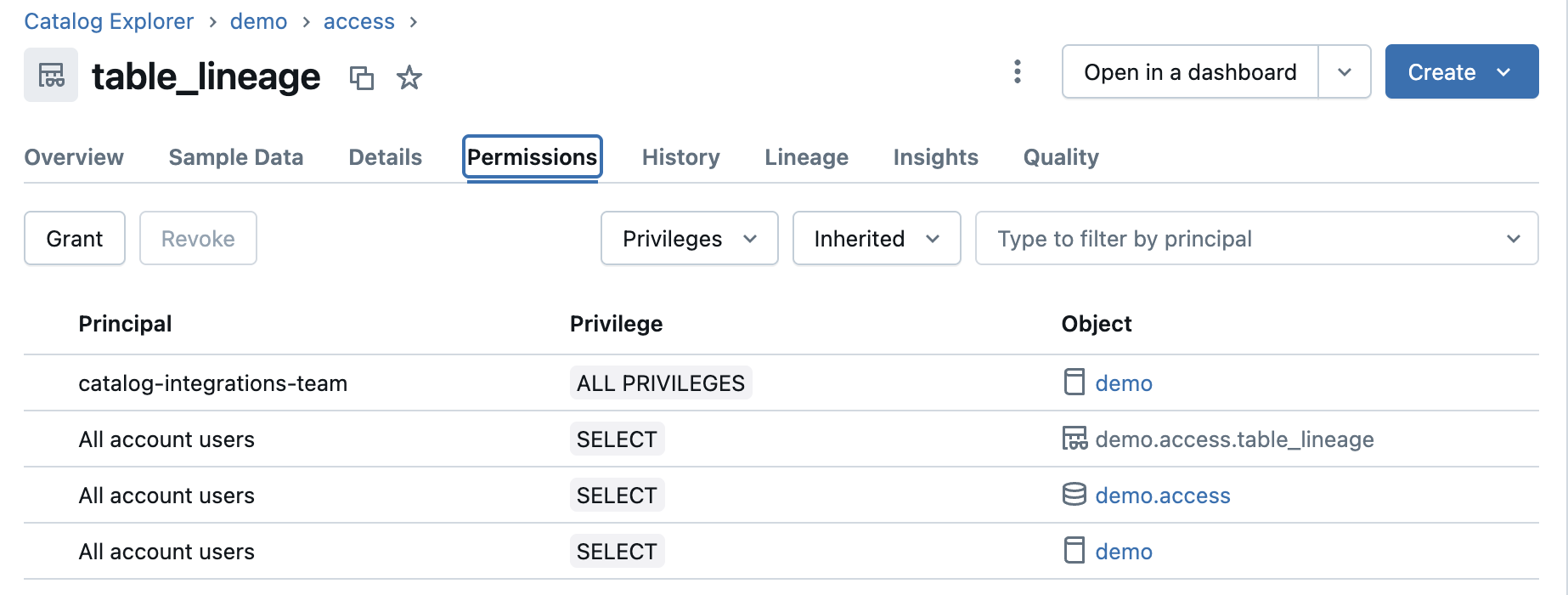
collibra_lineage_metadata. This ensures the Collibra service principal only interacts with the metadata required for lineage.Create a custom catalog with proper permissions- Create a catalog and grant the following privileges: BROWSE, EXECUTE, READ VOLUME, SELECT, USE CATALOG, and USE SCHEMA.
Show an example
This example shows a custom catalog named
demowith its associated privileges.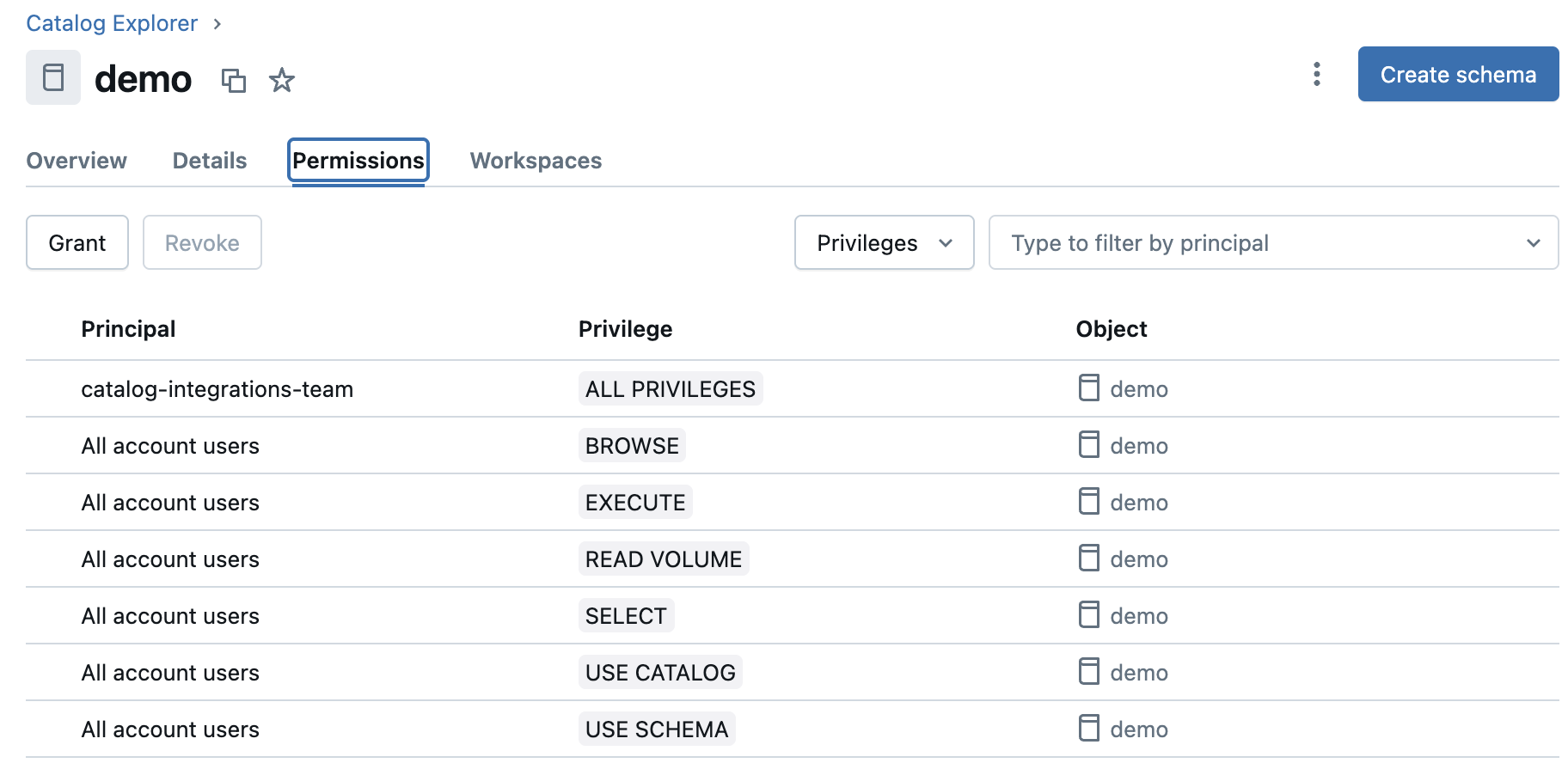
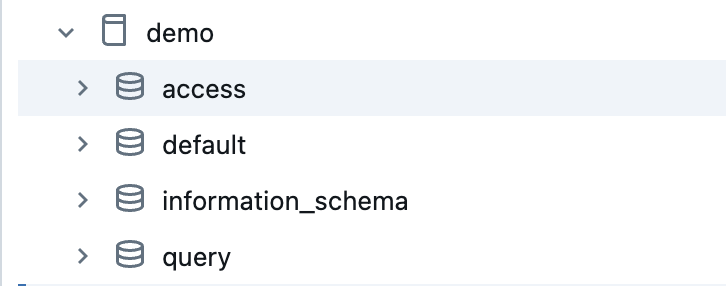
- Create two schemas in the catalog:
accessandquery. - Grant the following privileges on the
accessandqueryschemas: EXECUTE, READ VOLUME, SELECT, and USE SCHEMA.
Some privileges might be inherited from the catalog privileges granted in step 1.Show examplesThis example shows the privileges for the
accessschema.
This example shows the privileges for the
queryschema.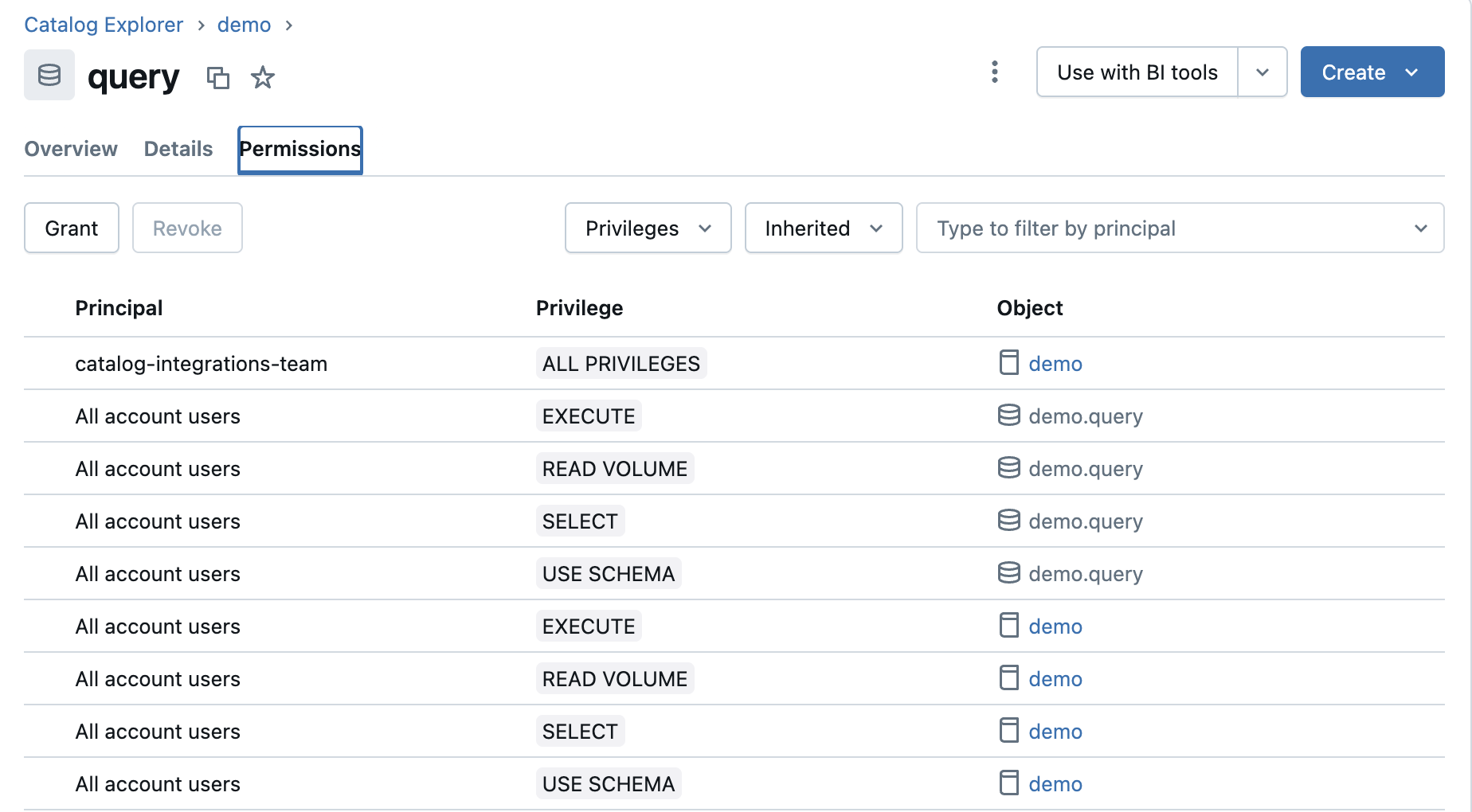
- In the
accessschema in thedemocatalog, create the following views:- A
column_lineageview based on thesystem.access.column_lineagetable. - A
table_lineageview based on thesystem.access.table_lineagetable.
- A
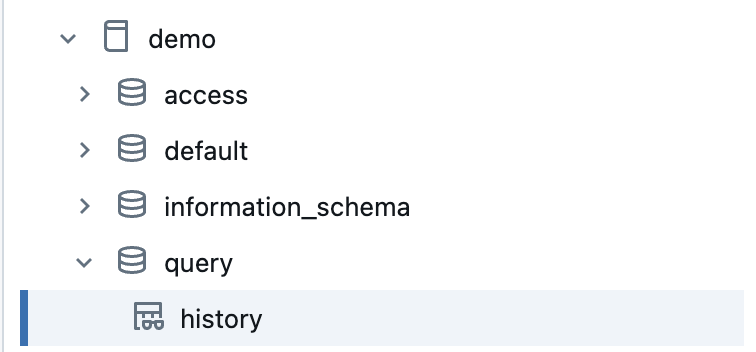
- In the
queryschema in thedemocatalog, create ahistoryview based on thesystem.query.historytable. - Grant the SELECT privilege on the following views created in steps 4 and 5:
column_lineage,table_lineage, andhistory.
- Create a catalog and grant the following privileges: BROWSE, EXECUTE, READ VOLUME, SELECT, USE CATALOG, and USE SCHEMA.


Enable technical lineage via Edge
This step activates Collibra Data Lineage on your Edge site and prepares it for stitching.
- Open the Services Configuration tab:
-
On the main toolbar, click
 →
→
 Settings.
The Settings page opens. - Click Services Configuration.
- Click Edit configuration.
-
On the main toolbar, click
- In the Lineage on Edge section, enter the following information:
- DGC user name:
edge_system_user. - DGC user password:
**************. - Collibra system name:
 True
True
- DGC user name:
- Click Add.
Add a technical lineage Databricks capability
- Open a site.
-
On the main toolbar, click
→
Settings.
The Settings page opens. -
In the tab pane, click Edge.
The Sites tab opens and shows a table with an overview of your sites. - In the table, click the name of the site whose status is Healthy.
The site page opens.
-
On the main toolbar, click
- In the Capabilities section, click Add capability.
The Add capability page appears. - Select the Technical Lineage for Databricks Unity Catalog capability template.
- Enter the required information.
- Name:
Logistics_Inventory_Tech_Lineage - Description:
Technical lineage for Gold-tier Logistics data, stitching to assets in the Databricks_Logistics_Production system. - Databricks Connection:
Databricks_Logistics_Production. We use the same connection created for the Databricks Unity Catalog integration. - Compute Resource HTTP Path):
/sql/1.0/warehouses/a1b2c3d4e5xxxxxx - Source ID:
Databricks_Logistics_Production - TechLin Admin Connection: Leave blank
- Time Frame:
30 - Property: Leave blank
- Processing Level:
Sync - Active: Checked
- Save Input Metadata: Unchecked
- Ingest lineage from external tables:Checked
- Also ingest lineage from table_lineage: Checked
- (Deprecated) Filters: Leave blank
- Logging configuration: Leave blank
- Memory: Leave blank.
- JVM arguments: Leave blank.
- Debug: false
- Log level: Leave blank.
- Name:
- Click Add.
The capability is added to the Edge site.
The fields become read-only.
Manually synchronize your technical lineage
-
On the main toolbar, click
→
 Catalog.
The Catalog homepage opens. -
In the tab bar, click
Integrations.
The Integrations page opens. - Click the
Integration Configuration tab.
- Locate the Databricks Workspace connection that you used when you added the technical lineage capability, and click the link in the Capabilities column. If multiple capabilities exist for the Databricks Workspace connection, expand them to locate your technical lineage capability. The technical lineage capability configuration page opens.
- In the Synchronization Configuration section, click the Edit icon.
- Complete the fields as needed.
- System:
Databricks_Logistics_Production - Catalog name:
collibra_lineage_metadata - Include filter:
* > Inventory_Gold > * - Exclude filter:
* > * > tmp_* - SQL sources limit:
5 - Include SQL transformations: Checked
- Include external locations: Checked
- Include volumes (In preview): Checked
- Include notebooks: Checked
- System:
- Click Save.
- Click Synchronize.A notification indicates synchronization has started.The synchronization job is started. Collibra Data Lineage ingests the metadata from Databricks Unity Catalog and processes the metadata to create technical lineage.
Sources
- Integrate Databricks Unity Catalog via Edge on k3s
- Steps overview: Create technical lineage for Databricks Unity Catalog via Edge