To generate lineage, Collibra must connect your Tableau reports to your data sources. It does this by "matching" full names. The harvester looks at the source name in Tableau and tries to find an exact match in the Collibra Data Catalog. If the names do not match exactly, lineage is missing. You can use hostname mapping to fix these naming gaps without changing your actual data.
You specify mapping in:
- The Source configuration field in the Tableau Edge capability.
- A
hostnameMappingsection in a Tableau <source ID> configuration file, if you are using the CLI lineage harvester (deprecated).
Common name matching issues
You need mapping if Tableau sees a source differently than Collibra does. Common examples include:
- Missing schemas: Tableau often doesn't show schema names. If your Collibra assets include a schema name, the harvester won't see a match.
- Technical names: Tableau might use a long technical server name (such as "db-prod-01.internal"), while Collibra uses a simple name (such as "Production").
- Case sensitivity: If one system uses uppercase and the other uses lowercase, matching fails.
- The data access layer: If your reports connect through a tool like SAP BW, the internal names can be very complex.
Example configurations
- The following configuration:
- Changes the found database name "Test" to "CData".
- Changes the found schema name “DEFAULT” to “Jan_1_2022”.
- Adds the CPSH system name "TV_testing".
"hostnameMapping": { "found_dbname=Test;found_hostname=*;found_schema=DEFAULT": { "dbname": "CData", "schema": "Jan_1_2022", "dialect": "spark", "collibraSystemName": "TV_testing" } } - The following configuration:
- For all found databases on the host "abc.net", changes their names to "CData".
- Changes the found schema name “DEFAULT” to “Jan_1_2022”.
"hostnameMapping": {
	"found_dbname=*;found_hostname=abc.net;found_schema=DEFAULT": {
		"dbname": "CData",
		"schema": "Jan_1_2022",
		"dialect": "spark",
		}
	}
- The following configuration:
- Changes the found database name "Test" to "CData" .
- Changes the found schema name “DEFAULT” to “Jan_1_2022”.
"hostnameMapping": { "found_dbname=Test;found_hostname=*;found_schema=DEFAULT": { "dbname": "CData", "schema": "Jan_1_2022", "dialect": "spark", } } - The following configuration:
- Changes the found database name "Test" to "CData".
"hostnameMapping": {
  "found_dbname=Test;found_hostname=*;found_schema=DEFAULT": {
        "dbname": "CData",
        }
    }
Complete host name mapping example
In the following example, let's assume that in Tableau we have the following two databases:
- sqldep-oracle-dev.cyabw7m3dyo4.eu-central-1.rds.amazonaws.com (ID: 2b16e3b0-7727-a268-a36a-5350f531e85f)
- sqldep-oracle-dev.cyabw7m3dyo4.eu-central-1.rds.amazonaws.com:1521 (ID: ecc61fd0-cc1d-c05b-b3a3-bda9d31db96a)
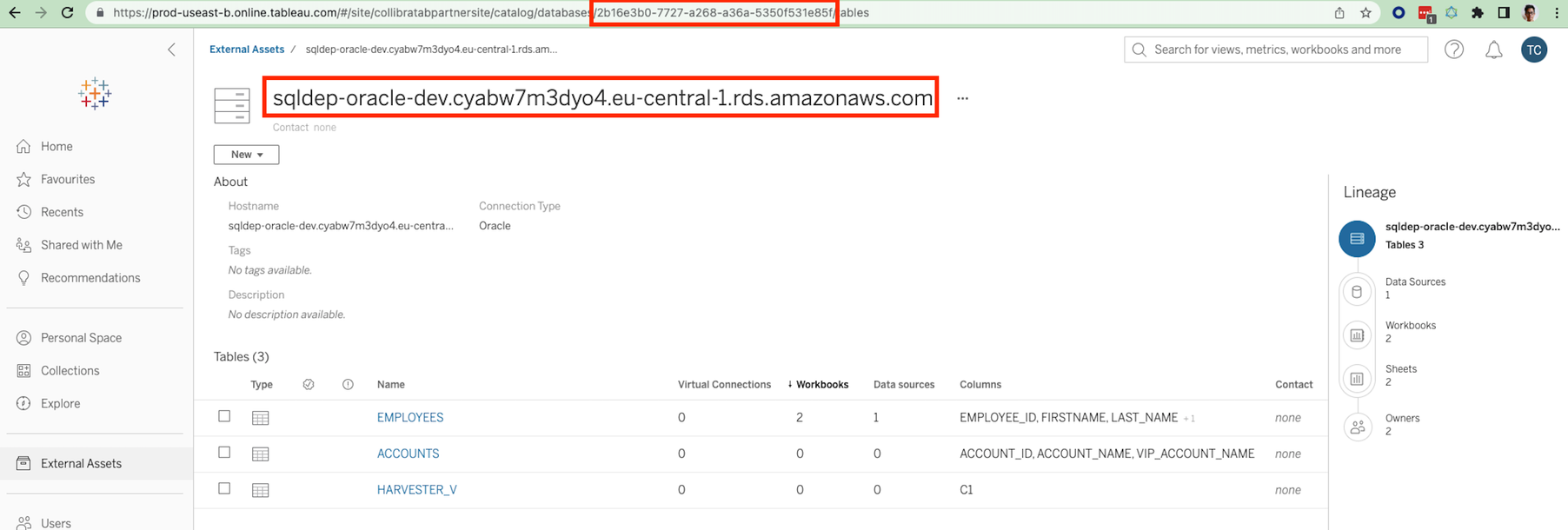
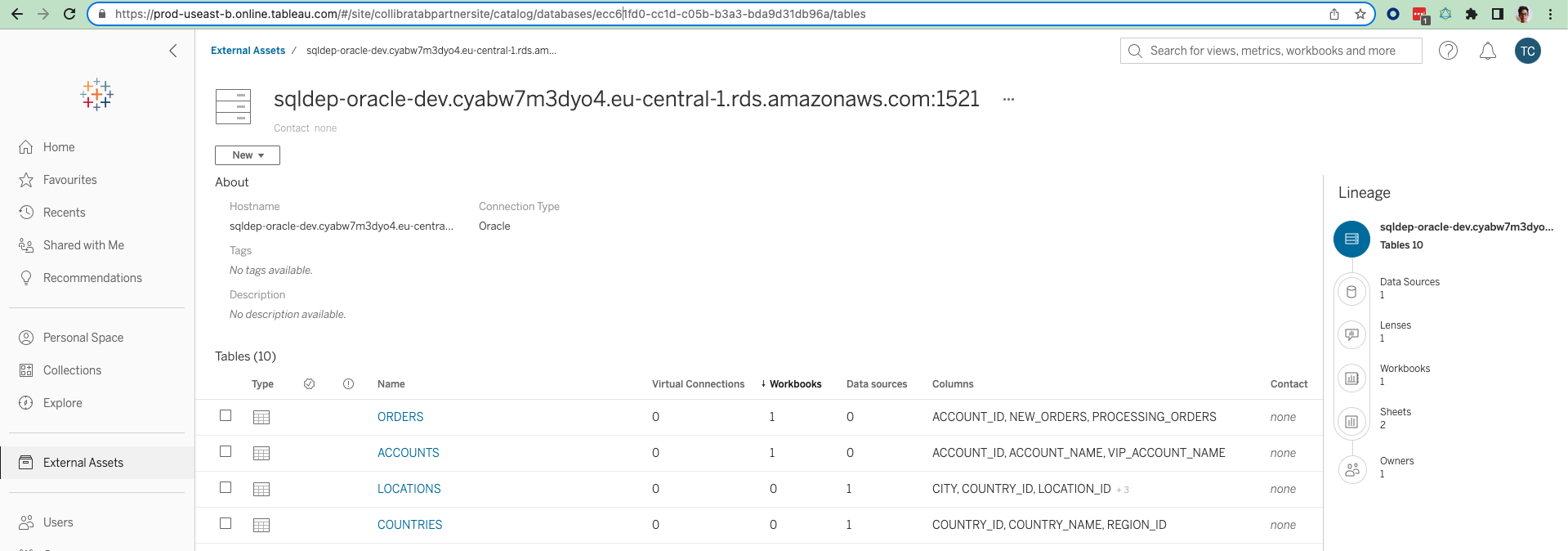
If we unzip the Tableau source zip file and search in the databases file on the site (collibratabpartnersite)
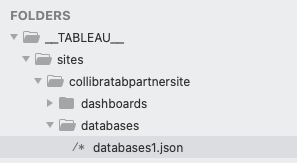
We can see that the databases are described:
{
    "__typename": "DatabaseServer",
    "connectionType": "oracle",
    "description": "",
    "hostName": "sqldep-oracle-dev.cyabw7m3dyo4.eu-central-1.rds.amazonaws.com",
    "id": "2b16e3b0-7727-a268-a36a-5350f531e85f",
    "isEmbedded": false,
    "luid": "9aa67374-0d08-4b91-85b6-2e6f6aec90cb",
    "name": "sqldep-oracle-dev.cyabw7m3dyo4.eu-central-1.rds.amazonaws.com",
    "port": -1,
    "service": "ORCL_A"
},
{
    "__typename": "DatabaseServer",
    "connectionType": "oracle",
    "description": "",
    "hostName": "sqldep-oracle-dev.cyabw7m3dyo4.eu-central-1.rds.amazonaws.com",
    "id": "ecc61fd0-cc1d-c05b-b3a3-bda9d31db96a",
    "isEmbedded": false,
    "luid": "00b7bd61-4151-4f08-b449-164a88087c0e",
    "name": "sqldep-oracle-dev.cyabw7m3dyo4.eu-central-1.rds.amazonaws.com:1521",
    "port": 1521,
    "service": "ORCL_A"
}
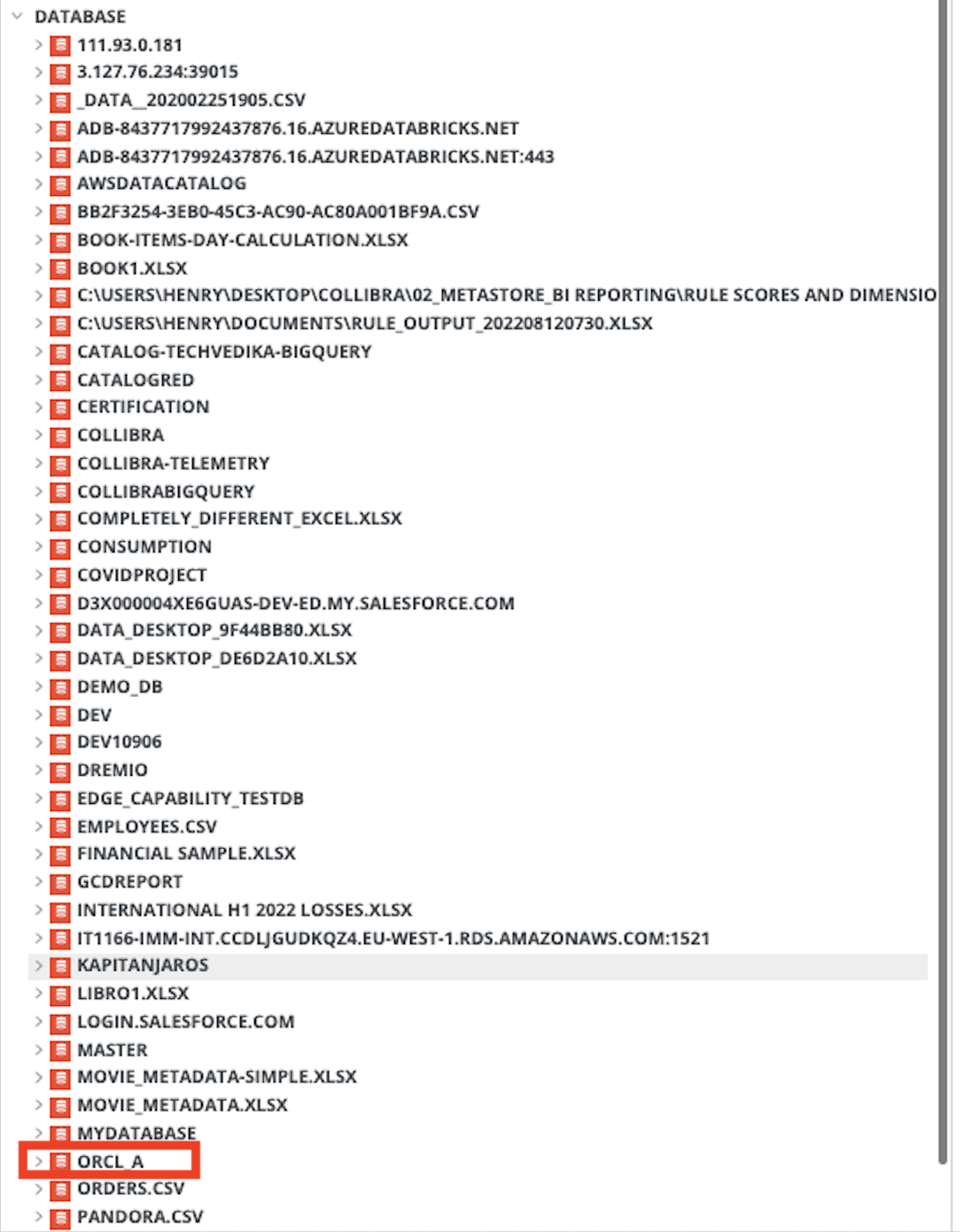
If we synchronize the Tableau technical lineage without mapping, the databases are shown as follows:
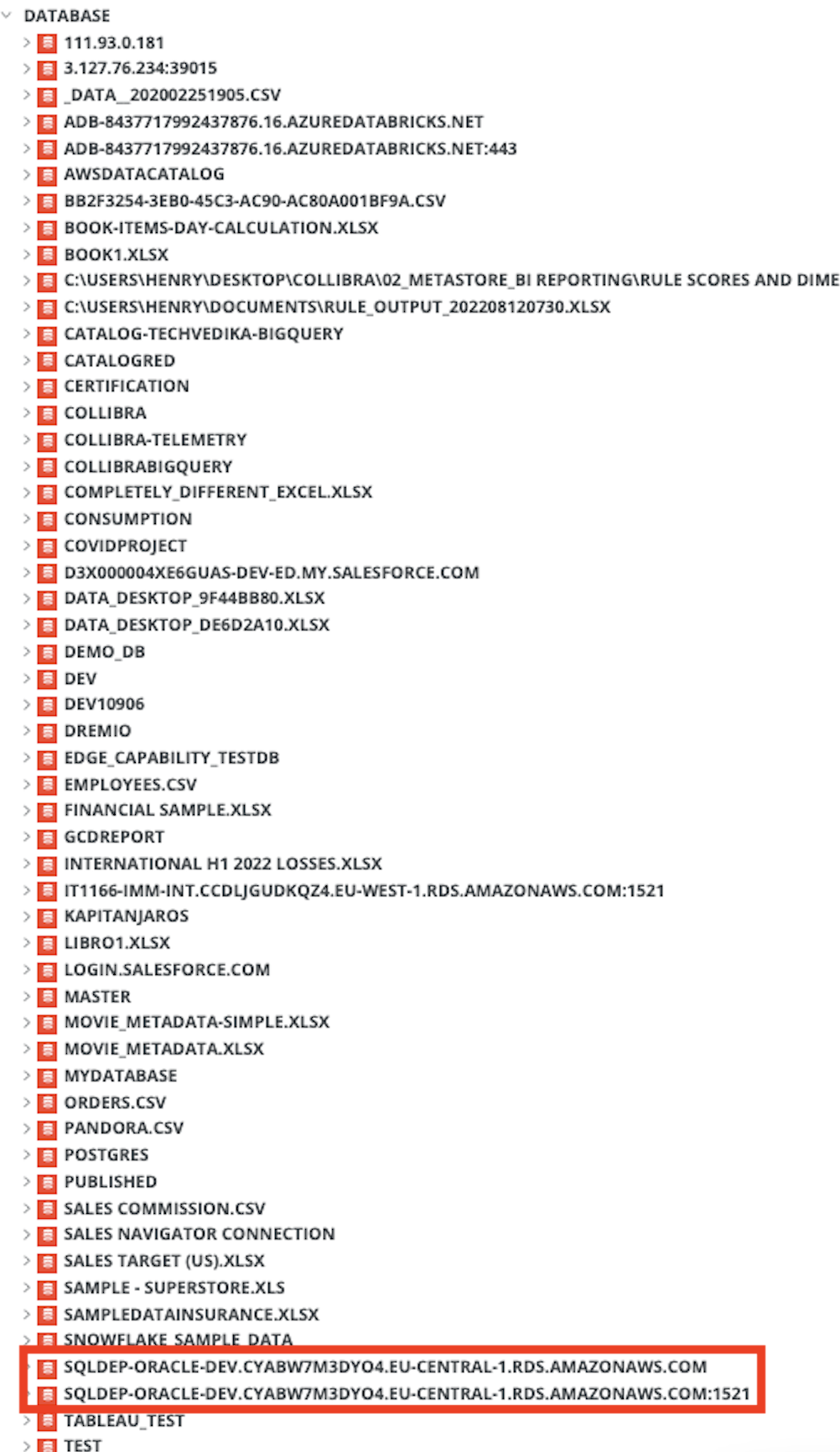
Now, in the Source configuration field in the Edge capability, map the two databases to the name "ORCL_A".
{
  "hostnameMapping": {
    "found_dbname=sqldep-oracle-dev.cyabw7m3dyo4.eu-central-1.rds.amazonaws.com*;found_hostname=sqldep-oracle-dev.cyabw7m3dyo4.eu-central-1.rds.amazonaws.com;found_schema=*": {
		"dbname": "ORCL_A",
		"dialect": "oracle"
		}
	}
  }
}
After synchronizing the technical lineage, we can see that both found database names:
- sqldep-oracle-dev.cyabw7m3dyo4.eu-central-1.rds.amazonaws.com; and
- sqldep-oracle-dev.cyabw7m3dyo4.eu-central-1.rds.amazonaws.com:1521
have been replaced by the mapped ORCL_A name: