Before you can synchronize Databricks Unity Catalog via Edge, you need to prepare your Edge site. If you have defined an outbound (forward) proxy on your Edge site, the integration considers that configuration when connecting to the data source.
Ensure that you have completed all the prerequisites in your Databricks Unity Catalog and CPSH environments. Once you have created a connection, you can then proceed with metadata ingestion.
- Tip
-
- If you're looking for information on how to create technical lineage for Databricks Unity Catalog via Edge, go to the technical lineage for Databricks Unity Catalog documentation.
Do you use a vault?
|
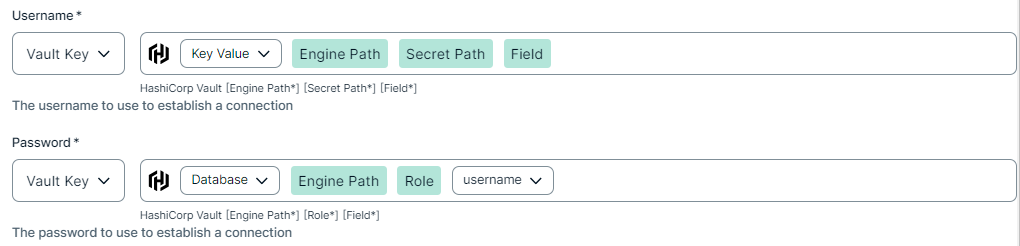
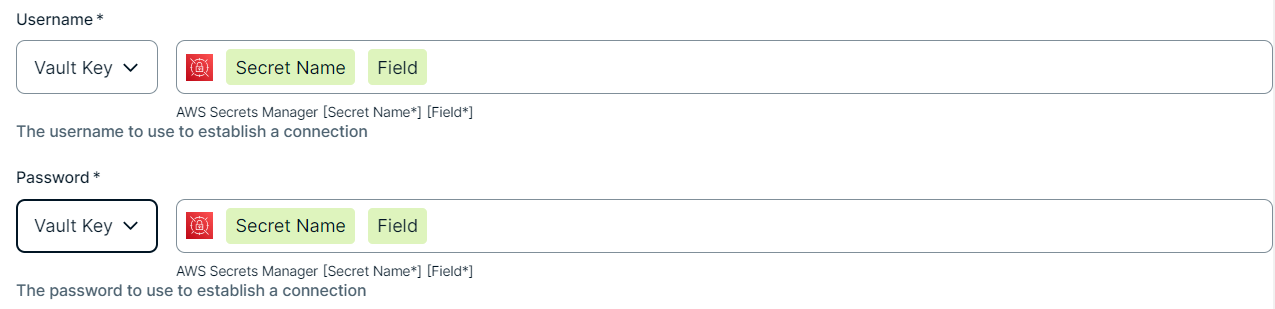
You can use a vault to add your data source information to your Edge site connection. Check the connection property table below to see which information is available for your vault. Vaults are not available for Collibra Cloud sites. |

No vault

AWS Secrets Manager

Azure Key Vault

CyberArk Vault

Google Secret Manager

HashiCorp Vault
|
|
|
|
||
|
How to use your vault...
To use your vault, do the following:
To use your vault, do the following:
To use your vault, do the following:
To use your vault, do the following:
To use your vault, do the following:
|
||



Prerequisites
In your Collibra environment
- You created and installed an Edge site.
- You have added a vault to your Edge site.
- If your data source connection requires a file from your vault, the file must be encoded into Base64 and stored as a regular secret in your vault.
- You have a global role that has the Manage connections and capabilities global permission, for example, Edge integration engineer.
In your Databricks environment
- Your Databricks access token or OAuth client must have the
BROWSEpermission on the catalogs in Databricks Unity Catalog from which you want to integrate metadata. For more information on theBROWSEpermission, go to the Databricks documentation. - If you want to integrate source tags, additional permissions are needed.
- The metadata synchronization for Databricks Unity Catalog uses compute clusters (SQL query compute warehouse) to collect source tags. To allow this, grant the following permissions:
CAN ATTACH TOCAN RESTART
- To integrate source tags from specific tables in
system.information_schema, grant the following permissions:USE CATALOGpermission onsystemcatalogUSE SCHEMApermission onsystem.information_schema
SELECTpermission on the following:system.information_schema.catalog_tagssystem.information_schema.schema_tagssystem.information_schema.table_tagssystem.information_schema.column_tags
- The metadata synchronization for Databricks Unity Catalog uses compute clusters (SQL query compute warehouse) to collect source tags. To allow this, grant the following permissions:
Steps
- Open a site.
-
On the main toolbar, click
 →
→
 Settings.
The Settings page opens. -
In the tab pane, click Edge.
The Sites tab opens and shows a table with an overview of your sites. - In the table, click the name of the site whose status is Healthy.
The site page opens.
-
On the main toolbar, click
- In the Connections section, click Create connection.
- Select Databricks Workspace to connect to your Databricks workspace.
The Create connection page appears. - Enter the required information.
Field Description Required Available for Vaults? Name The name of the Edge site connection for Databricks.
 Yes
Yes No
No
Description The description of the connection.
No
No
Vault The vault where you store your data source values. No
No
Workspace URL Enter the URL of any Databricks workspace connected to Unity Catalog that you want to integrate.
To retrieve the URL, log into Databricks and copy the URL. For example:https://123.cloud.databricks.com. Yes
Yes
Authentication TypeSelect the type of authentication that you want to apply. You can select any of the following values:
- Personal Access Token
- OAuth
For information on OAuth-based authentication in Databricks Unity Catalog, go to the Databricks documentation. - Microsoft Entra ID
For information, go to Microsoft Entra service principal authentication in the Azure Databricks documentation.
Yes
No
Access Token The security token that was generated in Databricks for the workspace. The access token must be a personal access token (PAT).
It is possible to generate a PAT for service principals. For information on the service principal token, go to the Databricks documentation.Note Ensure that your Databricks access token has been granted the required permissions in your Databricks environment.
Yes, if you select
Personal Access Tokenas the authentication type. Yes
Client IDThe client ID for OAuth-based authentication in Databricks, or the client ID of the Microsoft Entra ID service principal.
For information on OAuth-based authentication in Databricks Unity Catalog, go to the Databricks documentation.
For information on the Microsoft Entra ID service principal, go to Microsoft Entra service principal authentication in the Azure Databricks documentation.
Note Ensure that your Databricks OAuth client or Microsoft Entra ID service principal has been granted the required permissions in your Databricks environment.
Yes, if you select
OAuthorMicrosoft Entra IDas the authentication type. No
Client SecretThe client secret generated for the OAuth-based authentication on Databricks, or the client secret of the Microsoft Entra ID service principal.
Yes, if you selectOAuthorMicrosoft Entra IDas the authentication type. No
Tenant ID The Directory (tenant) ID for the related application registered in Microsoft Entra ID.
For information, go to Microsoft Entra service principal authentication in the Azure Databricks documentation.
Yes, if you select Microsoft Entra IDas the authentication type. No
- Click Create.
The connection is added to the Edge site.
CPSH validates the credentials when synchronizing Databricks Unity Catalog.
If you want to allow for sampling, profiling, and classification, create a Databricks JDBC connection. If you created a Databricks JDBC connection, you can use that JDBC connection when you configure the synchronization page. You can then add the Databricks Unity Catalog capability to an Edge site.
To create technical lineage for Databricks Unity Catalog, go to Create a technical lineage via Edge.