Review the logs
Overview of the Logs tab user interface
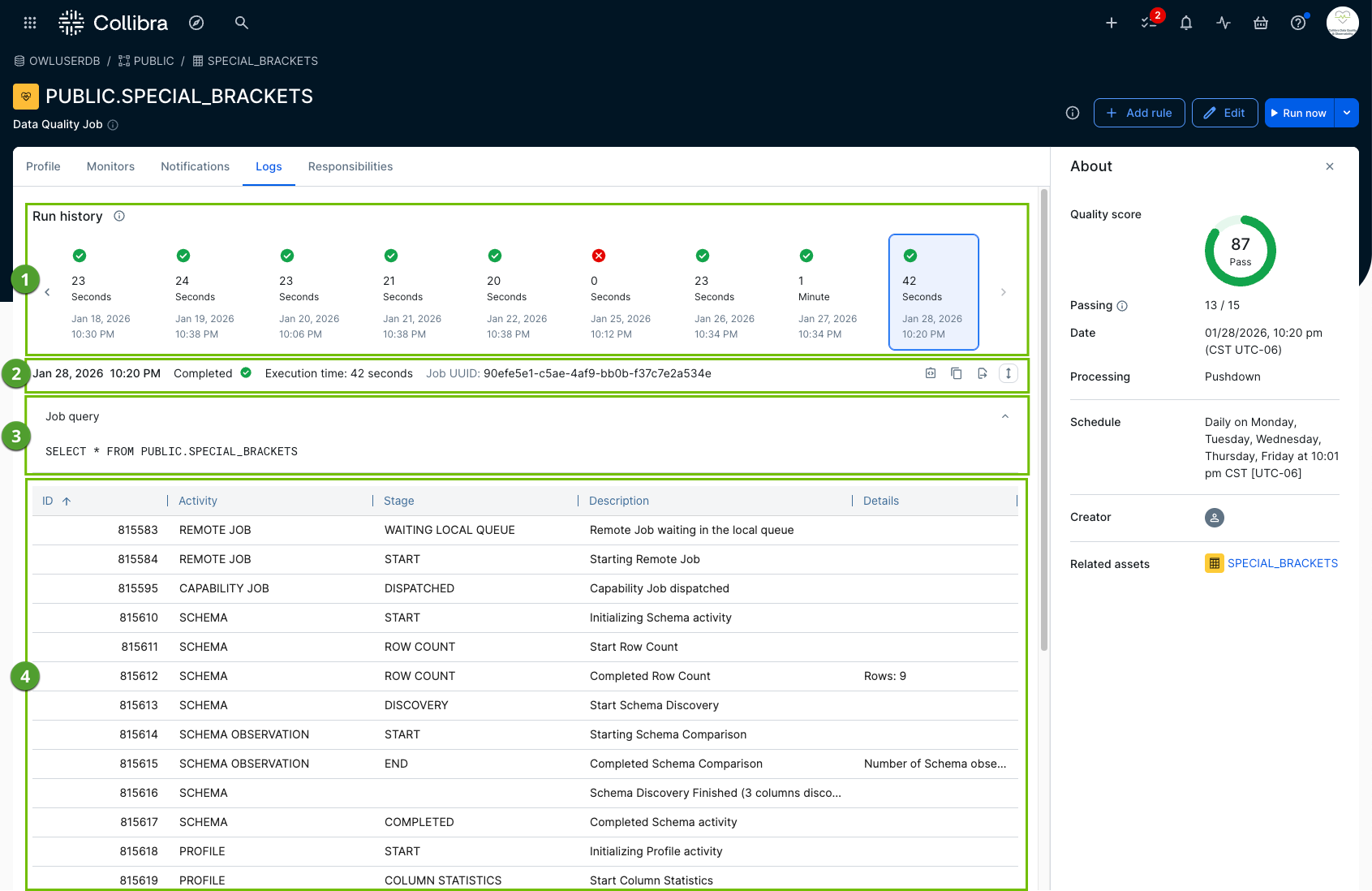
The following image and sections describe the key functional areas of the Logs tab.
Run history
Run history ( ) shows the success and failure history of your job runs in a chart or list display. It also indicates the execution time for each run.
Job query
The job query ( ) shows the specific SQL query that the system executes for the selected run.
Run metadata, Job UUID, copy, and export
This section ( ) provides the various metadata of a job run log, including the Job UUID. It also offers options to copy the log table contents to your clipboard or export the contents as a CSV file.

Log details table
The log details table ( ) shows the job log for the selected run. It includes insightful details, such as the specific activities the system performs during the execution of a job and any errors or exceptions that occur.