For every failed asset, the name of the failed asset is shown on the Failed Assets tab of the Managed Control asset page.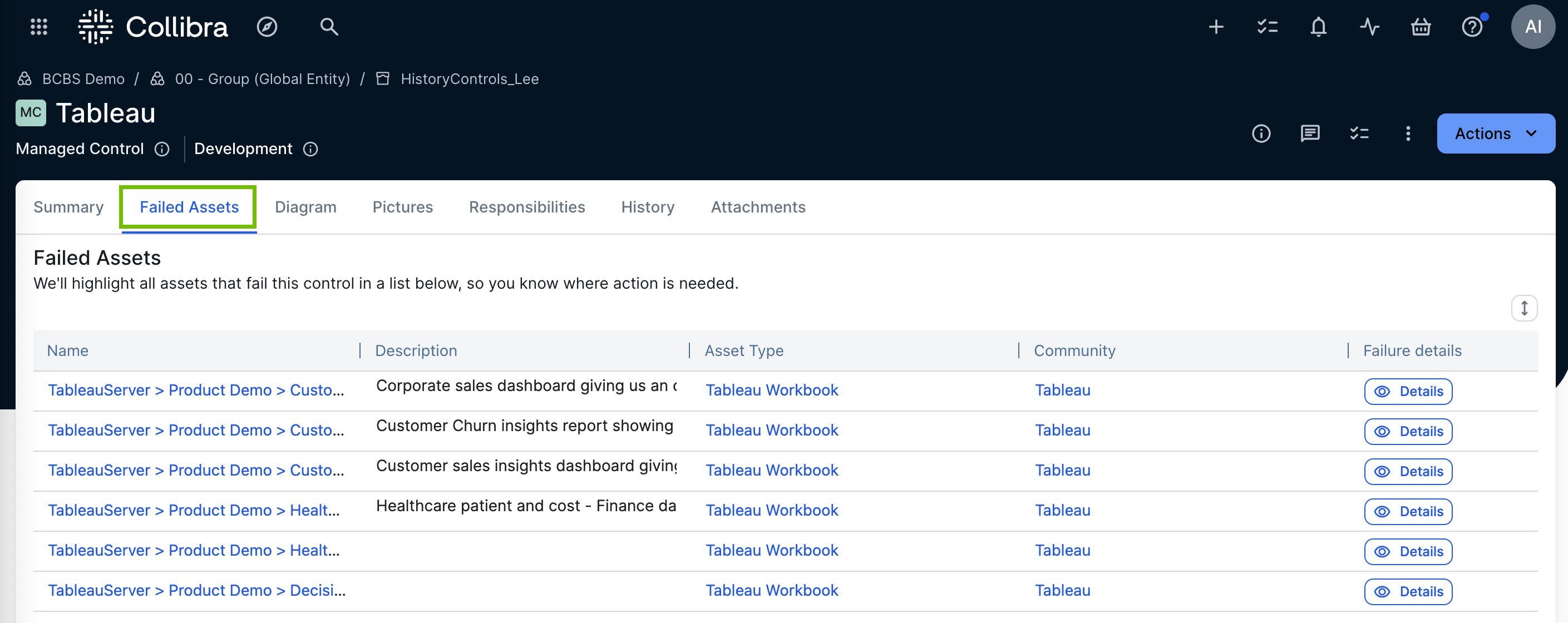
| Column | Description |
|---|---|
| Name | The name of the failed asset. |
| Description | The failed asset's description, if populated. |
| Asset Type | The failed asset's asset type. |
| Community | The community that contains the failed asset. |
| Failure details | Click Details to view the root-cause assets for the failure. For more information, go to View root-cause assets. |
The controls that the asset failed - specifically the name or names of the Managed Control asset - are shown on the asset page of the failed asset, via the Failed controls widget.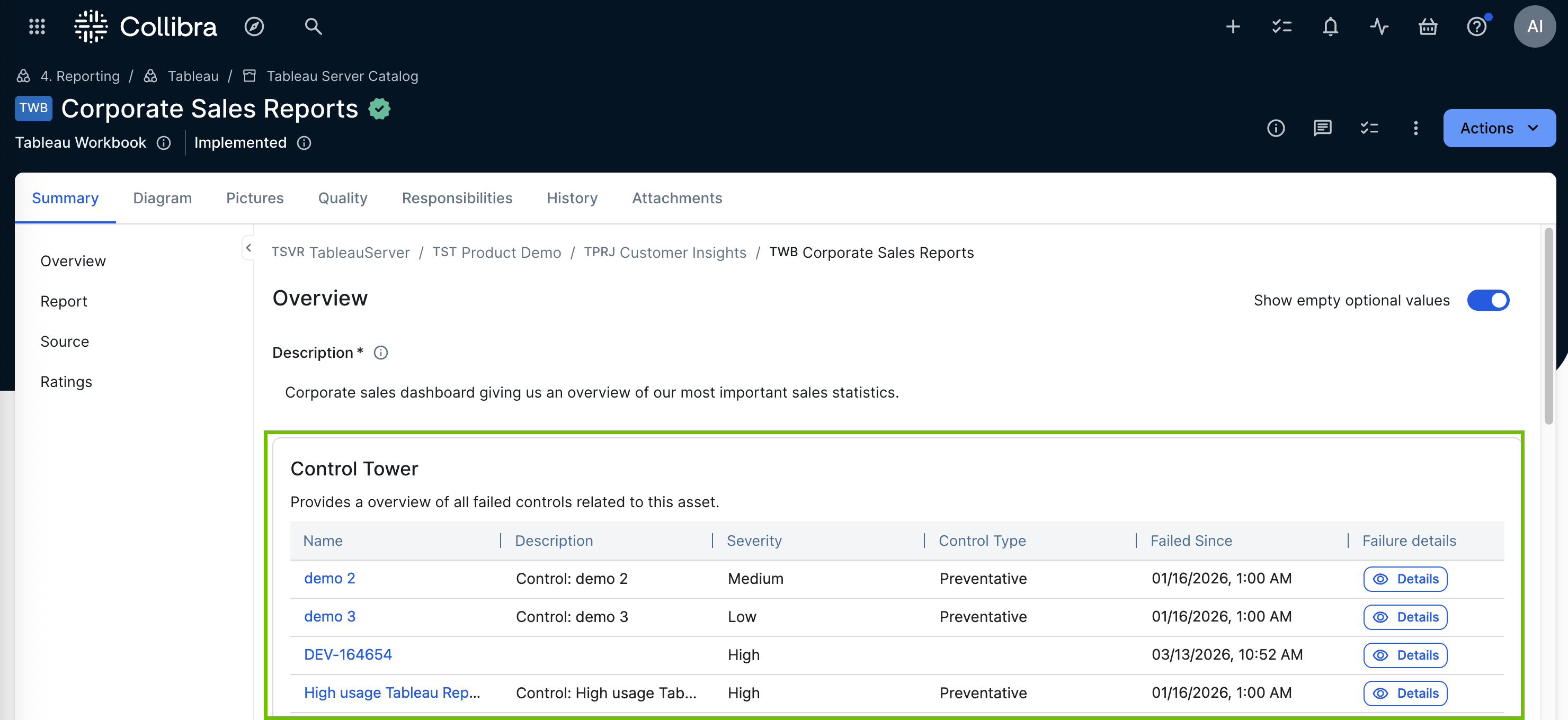
| Column | Description |
|---|---|
| Name | The name of the Managed Control asset that the asset failed. |
| Description | The control's description, if populated. |
| Severity | The control's configured severity: High, Medium, or Low. |
| Control Type | Preventative or Detective. |
| Failed Since | The date the asset first failed this control. |
| Failure details | Click Details to view the root-cause assets for the failure. For more information, go to View root-cause assets. |
Note Once a failing asset is fixed, the control must run again for the asset to be removed from the failing assets list.
View root-cause assets
Click Details in the Failure details column to open a side panel on the same page, listing the root-cause assets for that failure. A root-cause asset is an underlying asset that directly contributes to the failure. For example, if a table fails a data quality control, the root causes might be specific columns in that table.
The panel groups root-cause assets under the specific condition of the control's query that each one violates. Each asset is shown with its asset type icon, its name as a link to its own page, and its domain.
Note The Details button is only available when a row is linked to both an asset and a control, and only on the Summary and Failed Assets tabs of the asset page. Elsewhere, the cell shows plain text instead.
Note You only see root-cause assets that you have permission to view.
Note If the panel's results are based on data older than 15 minutes, a banner at the top of the panel states when the data was last updated.
Notifications and alerts
When an asset fails a control, users receive actionable alerts via email, Slack, or Microsoft Teams, based on their notification preferences. These alerts provide immediate context to shorten resolution times, including:
- The specific policy violated.
- The severity of the risk.
- A link to the failed asset, where you can view the root-cause assets for the failure.
Note To avoid alert fatigue, an initial alert is sent when an asset first fails a control. No additional alerts are sent for the same failing asset in subsequent control runs. A new alert is only triggered if the asset is fixed and then fails again in a later run.
This topic covers assets that fail a control. For information about a control itself becoming invalid, go to Identifying invalid controls.