Tip You can set up this integration in the unified integrations experience (in preview). This feature is in public preview and applies to metadata, AI, SAP, and lineage integrations. In one guided flow, you select an Edge site, create the connection, add the integration, and configure it. To get started, in the banner on the Integration configuration tab, click Try the new Integrations page. For more information, go to About the unified integrations experience (in preview).
Microsoft Fabric is an end-to-end data analytics platform with a suite of cloud services and tools for every data lifecycle stage—ingestion, preparation, storage, analysis, and visualization. When you integrate Fabric, you integrate the metadata from Fabric to Collibra Platform.
The Fabric integration creates the following assets in Collibra, depending on the item type:
- SQL Server: databases, schemas, tables, and columns from SQL Server databases.
- Fabric data lakehouse: data lakehouses, files and tables from Fabric lakehouses.
- Fabric data warehouse: data warehouses, schemas, tables, views, and columns from Fabric warehouses.
- Mirrored Azure Databricks Unity Catalog: databases, schemas, tables, and columns from mirrored Azure Databricks Unity Catalog items in Fabric.
- Fabric notebooks (in preview): notebooks from Fabric workspaces. Notebook ingestion is optional and turned off by default.
- Fabric semantic models (in preview): Fabric semantic models, tables, columns, and measures.
Column-level metadata for lakehouses, warehouses, and mirrored Azure Databricks Unity Catalog items is directly integrated by the Fabric synchronization capability. Column-level metadata for SQL Server databases additionally requires a JDBC connection.
For comprehensive coverage of your Microsoft Fabric environment, also integrate Power BI. The Power BI integration ingests additional asset types that are relevant to Fabric, such as reports, dashboards, and datasets. For more information, go to Steps overview: Integrate Power BI via Edge.
Important Only one Microsoft Fabric synchronization capability per Microsoft Azure tenant is supported. Running multiple capabilities against the same tenant causes external ID collisions. Since the integration builds external IDs from Fabric data, each Fabric asset can only be represented once in Collibra.
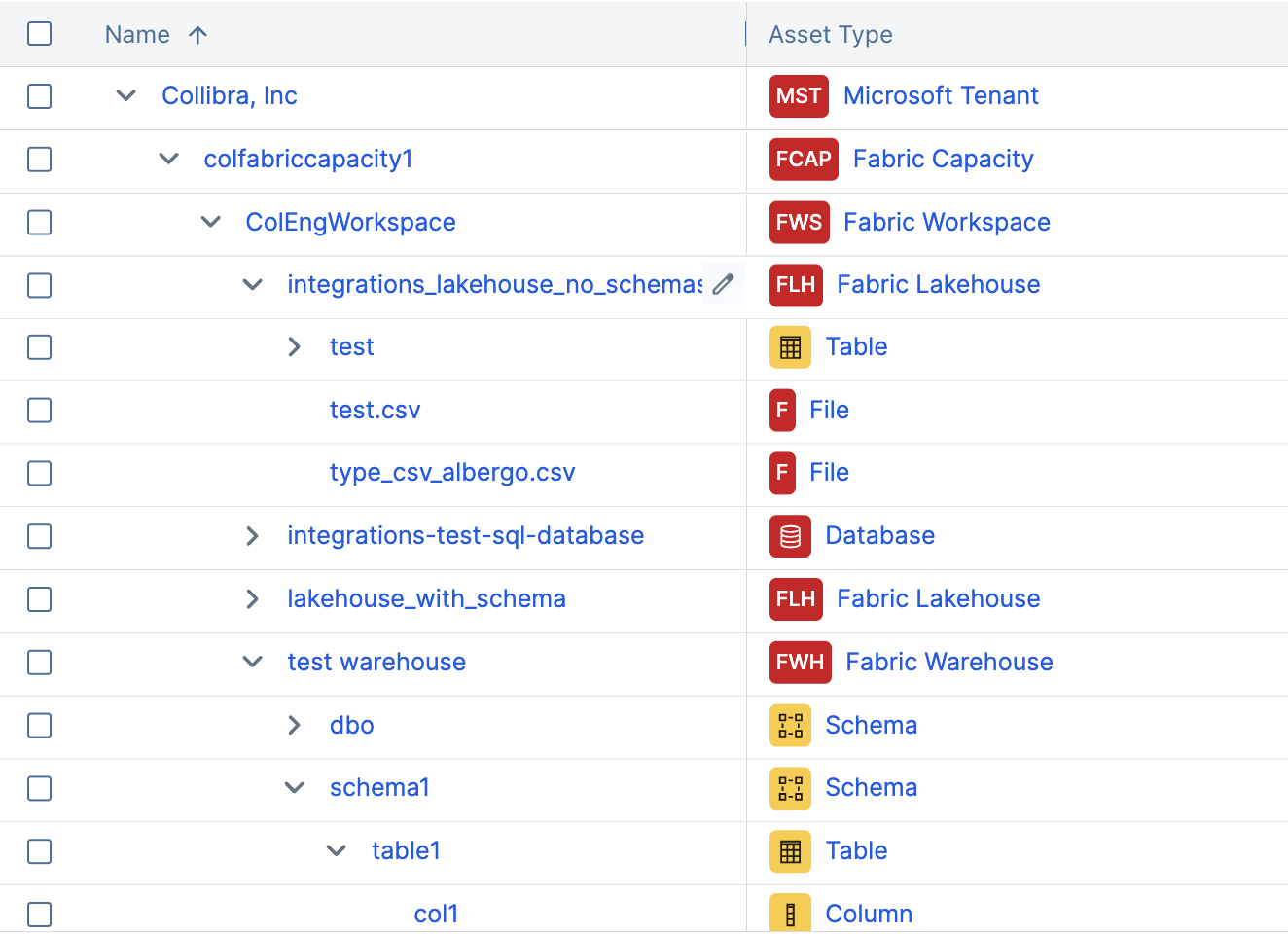
The following image shows the asset types in Collibra after the integration of Fabric.
Helpful resources
For more information about Fabric, go to the Microsoft Fabric documentation.