Resetting dataset integrations
This section shows you how to reset automatic integrations of metadata from datasets in Collibra DQ into Collibra Platform. Resetting the integration may help if you received an error message when aligning your mappings.
Steps
- Open a dataset-level page, such as Findings or Profile.
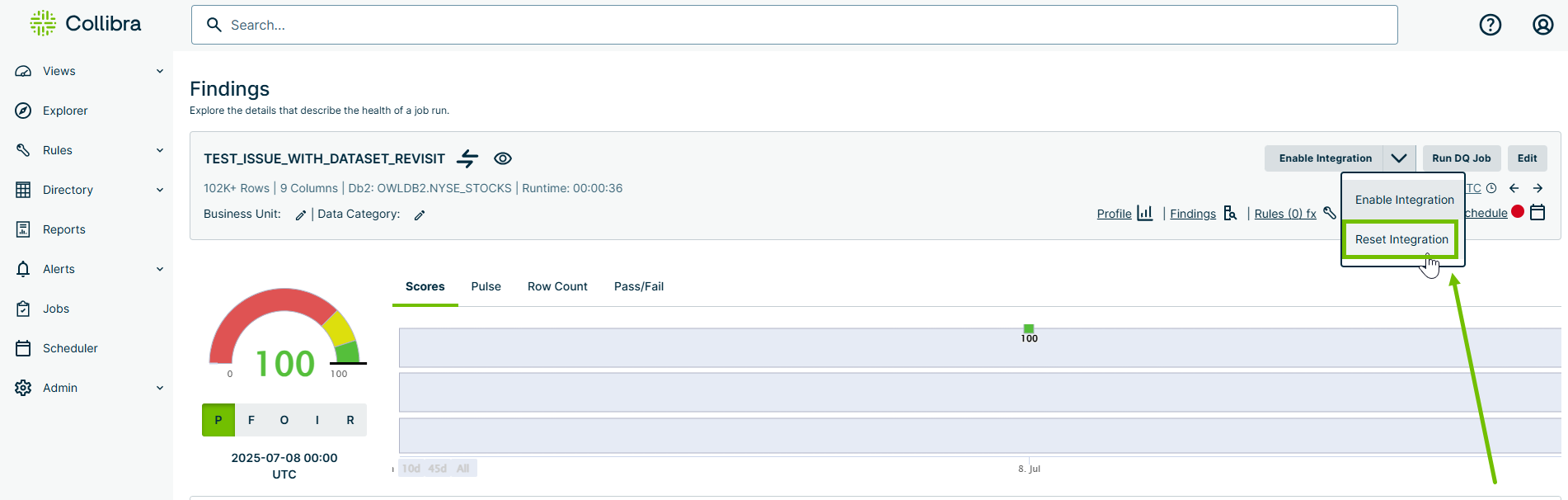
- In the metadata ribbon at the top of the page, click the drop-down next to the Enable/Disable Integration button and select Reset Integration.
The button name changes to Reset Integration. - Click the Reset Integration button to the left of the drop-down.
Collibra DQ realigns mappings that may have changed in Collibra Platform.