SAML Security Settings Overview
SAML Security Settings lets administrators manage Security Assertion Markup Language (SAML) configurations. Data Quality & Observability (self-hosted) uses SAML protocol in order to support single sign-on (SSO) for users to sign into the application with a single identity provider (IdP).
Data Quality & Observability (self-hosted) supports both Service Provider (SP) and IdP in single-tenant mode. In multi-tenant mode, only IdP is supported due to a limitation regarding the sharing of tenant information to and from IdP via SAML requests.
Note Data Quality & Observability (self-hosted) supports only one IdP across all tenants. If you have a multi-tenant deployment, all tenants must authenticate through the same IdP. Configuring different IdPs for different tenants, for example, Azure Entra for one tenant and ADFS for another, is not supported.
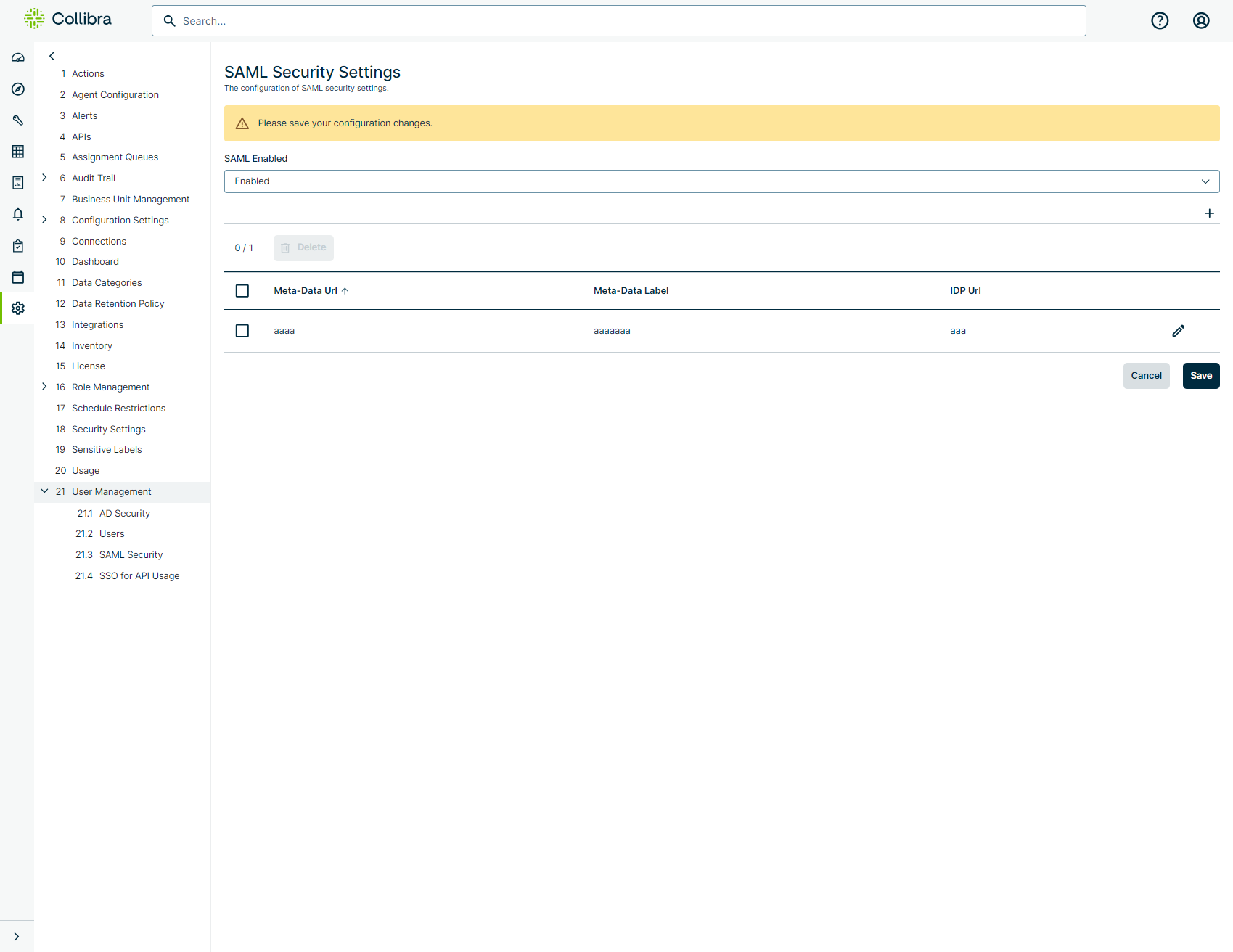
| Field | Description |
|---|---|
| Meta-Data URL | The Identity Provider HTTP URL that returns the SAML metadata document. |
| Meta-Data Label | The unique label to identify the SAML metadata configuration. |
| IdP URL |
The URL to be used for SSO initiated from the Collibra DQ login page. Note This is a required field. |