The Jobs page provides details about all of the DQ Jobs with attempts to run. When a DQ Job runs, this is typically the first place you should check to track its status.
Note All times on the Jobs page reflect the UTC timezone.
Jobs Status Trend
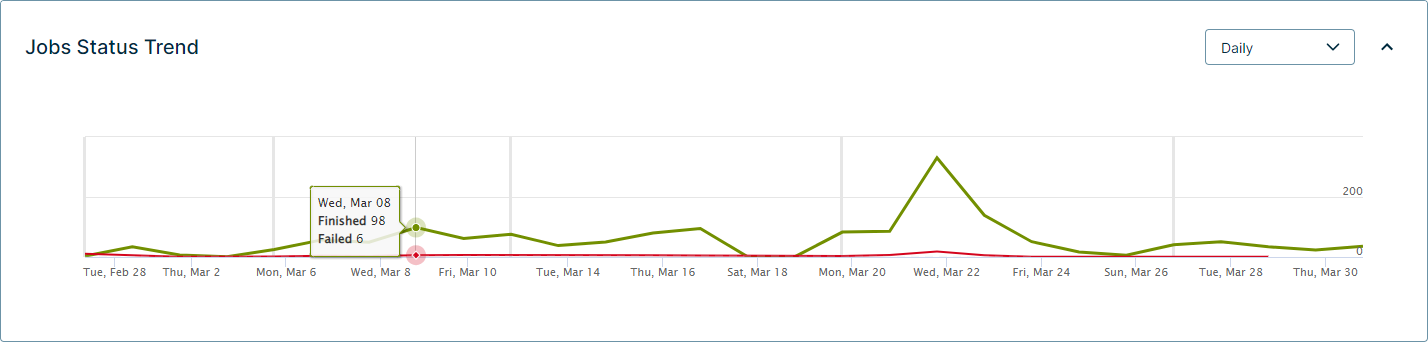
The Job Status Trend is a graph that shows you details about the health of your DQ Job submission statuses over time. You can select the filter in the upper-right side of the graph to control the time period that displays.
Managing the Jobs table
The Jobs table is a list of all of the DQ Jobs with attempts to run. The Jobs table shows run details about the Job and lets you click a dataset to view its findings.
You can search for individual Jobs, filter the Jobs table by Job Status, and apply a Limit to control the number of past DQ Job runs that the list includes.
The following table shows the columns of the Jobs table.
| Column | Description | ||||||||||||||||
|---|---|---|---|---|---|---|---|---|---|---|---|---|---|---|---|---|---|
| Job Id | The automatically generated number that identifies a DQ Job as unique. You cannot edit the Job Id. | ||||||||||||||||
| Agent Id |
The identification number of your agent. Note Because Pushdown Jobs do not require an agent to process the Job, the Agent Id is always 0. |
||||||||||||||||
| Dataset | The name of your dataset. | ||||||||||||||||
| Status |
The completion status of your DQ Job. Use the Job Status filter to filter by statuses as they appear in this column. These statuses include:
|
||||||||||||||||
| Activity | The task that the system performs while it processes the DQ Job. | ||||||||||||||||
| Start Time | The timestamp when the DQ Job starts to run. The format is YYYY-MM-DD HH:MM:SS. | ||||||||||||||||
| Update Ts | The timestamp of the last processing activity. The format is YYYY-MM-DD HH:MM:SS. | ||||||||||||||||
| Job Exception | When an error or exception occurs, a helpful description of the event displays in this column. | ||||||||||||||||
| Username | The username of the person in your organization who ran the DQ Job. | ||||||||||||||||
| Actions | The action you can take to troubleshoot or terminate your DQ Job. |
Tip Click  next to the Limit filter to refresh the Jobs table. Sometimes this is helpful to monitor the activity changes and track the status of a DQ Job.
Exporting details from the Jobs page
You can click  to export the details of the Jobs table to the following formats:
- CSV
- Excel