Delete a view permission
You can delete a view permission if you want to change which users are allowed to see certain resources.
Prerequisites
- You have a resource role with the Edit View Permissions resource permission, for example Community Manager.
- One or more users or user groups have a view permission on the resource.
Steps
- Open a community or domain page.
-
In the tab pane, click
 Responsibilities.
The Responsibilities page appears. - In the View Permissions section, click
 next to the name of the user or group that you want to remove.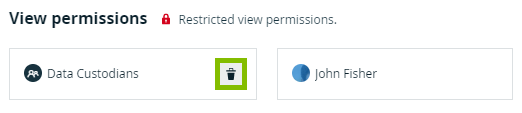
A confirmation message appears. - Click Delete.
One view permission is deleted, so only the remaining users or user groups can see this resource and its children.
If you deleted the last view permission, all users can now see this resource and its children.