Introducing Edge
Edge is a cluster of Linux servers for accessing and processing data close to where it resides. It helps to connect to data sources and process information within your data landscape.
Edge enables Collibra Data Intelligence Cloud to safely connect to your data sources hosted in an on-premise or cloud environment. It processes the data source information on the Edge site and sends the process results to Collibra Data Intelligence Cloud.
The ownership of responsibility over the various Edge components is shared between you and Collibra. The diagram below illustrates which components you are responsible for and have control over, and those which belong to Collibra.
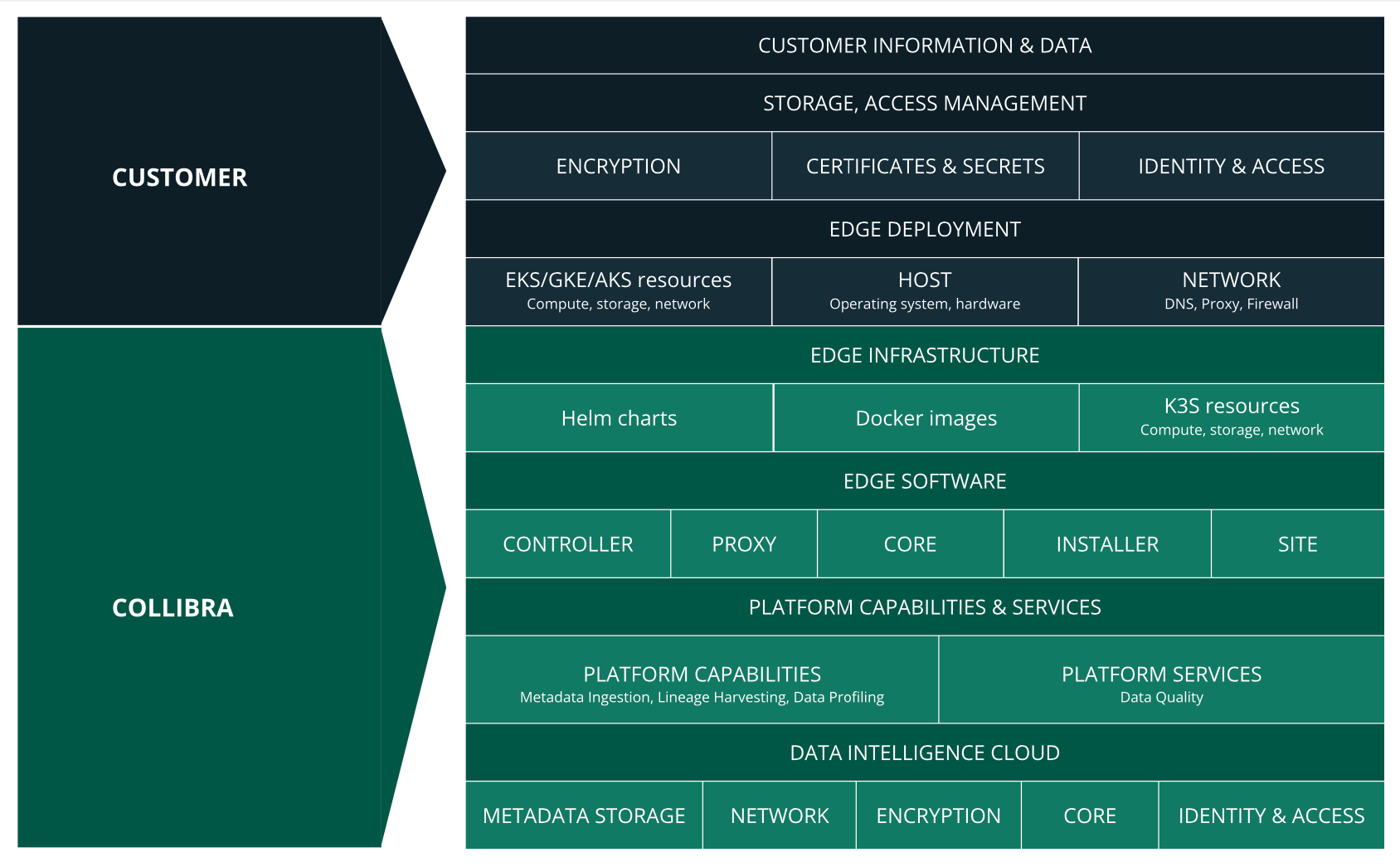
Edge components
Edge consists of three main components:
- An Edge configuration page in Collibra Data Intelligence Cloud to create and install Edge sites.
- An Edge integration capability repository that resides on the Collibra Platform and contains all capabilities that can run on an Edge site.
- An Edge site that is installed close to a data source in the customer's environment, whether it's in the cloud or on the customer's premises.
Integration steps
The following table shows which steps you have to take to set up Edge.
|
Step |
Description |
Required permissions |
|---|---|---|
|
1 |
Create an Edge site via Collibra Data Intelligence Cloud Settings. |
You have a global role with the Manage Edge sites global permission in Collibra Data Intelligence Cloud. |
|
2 |
Install the Edge site close to the data source you want to access. You can only install an Edge site on a Linux system that meets the necessary system requirements. |
You have a global role with the Install Edge sites global permission in Collibra Data Intelligence Cloud. |
|
3 |
Update the credentials of the Edge site user. |
You have a global role with the Connect Edge sites to Collibra global permission in Collibra Data Intelligence Cloud. |