Ownership proposal
In this phase of the asset onboarding process, the user who started the asset proposal workflow proposes ownership of the asset.
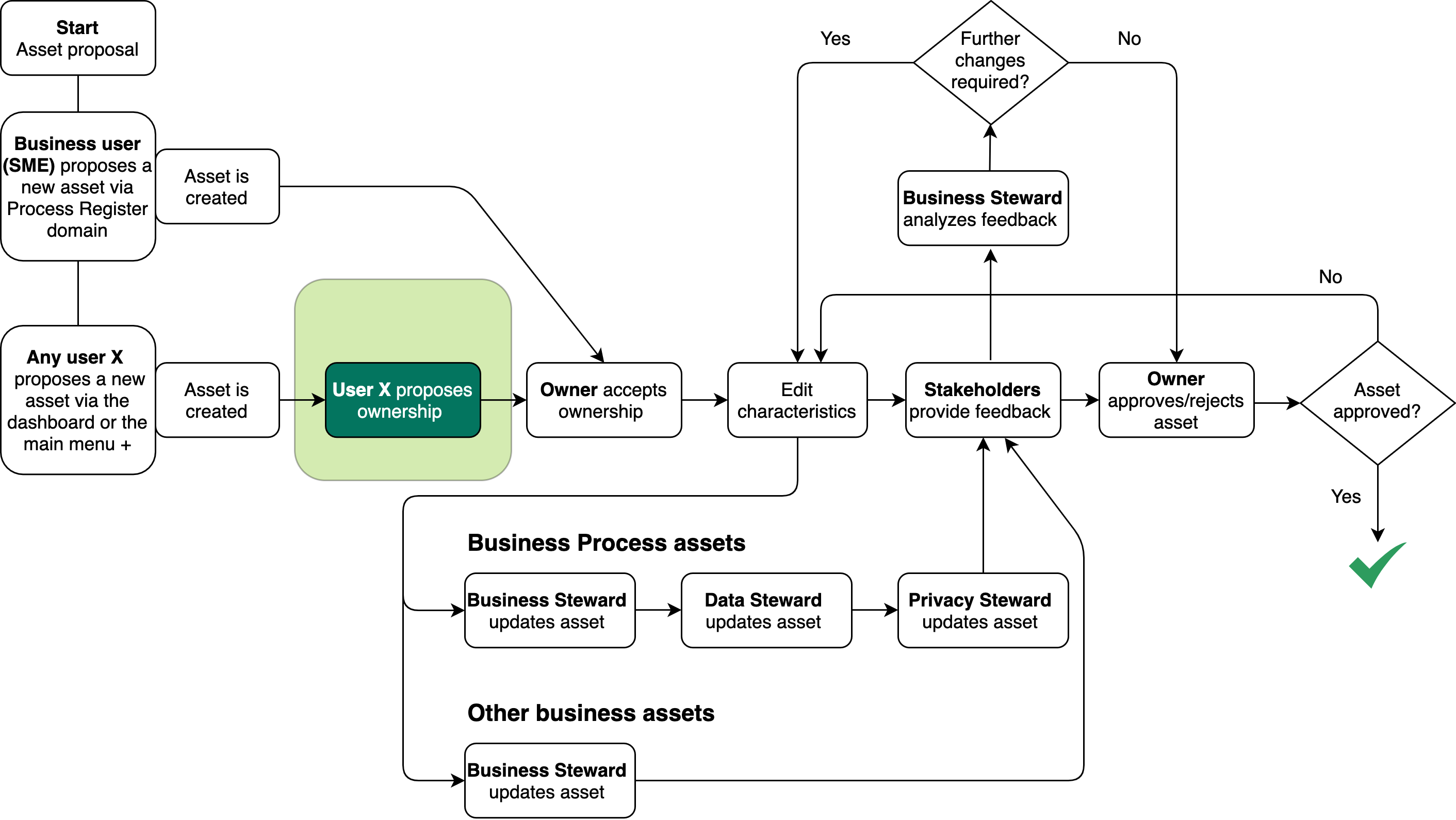
Ownership at the domain level
In the asset proposal workflow, the new asset is created. In this step, the user who proposed the asset proposes the domain in which the asset will be stored long-term. If accepted via the ownership acceptance workflow, the Owner for the proposed domain becomes the Owner for the asset, as the responsibility is inherited from the domain.
Mandatory responsibilities in the target domain
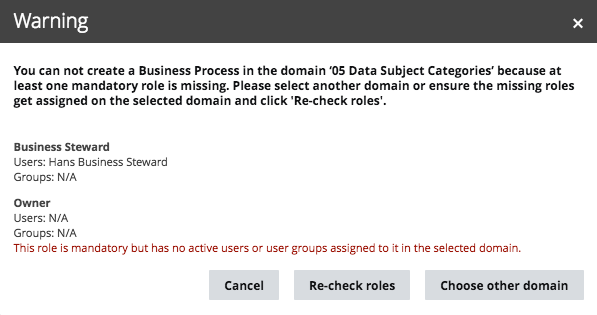
When the user selects a target domain for proposal, Data Privacy verifies that the domain has the responsibilities necessary to complete the onboarding process.
If the proposed domain is lacking the necessary responsibilities, a dialog box shows which responsibilities are missing. The user can then:
- Cancel the ownership proposal.
- Create the necessary responsibilities in the target domain and then click Re-check roles, to continue with the ownership proposal.
- Choose a different target domain.
- Data Protection Officer
- Owner
- Business Steward
- Data Steward
- Privacy Steward
- Community manager
- Issue Manager
- Subject Matter Expert
- Stakeholder
- Requester
Canceling the workflow
To cancel the ownership proposal workflow, the user can click Cancel in the workflow wizard. In this case:
- The task is removed from the user's My Tasks page.
- The asset remains in the default domain, with the status Candidate.
- The ownership proposal workflow can be restarted at any time, from the relevant asset page.
Output and status evolution
The following table shows the status evolution, based on the possible conditions.
| Condition | The status of the asset... |
|---|---|
| Before any action is taken. | Is Candidate. |
| When a user selects a target domain for proposal and confirms the selection. | Becomes Ownership proposed. |