You can edit the dashboard widgets to curate the information shown on the dashboard.
Requirements and permissions
- If you want to manage your own dashboard: You have a global role that has the Manage your own Views, Dashboards, Search filters global permission.
- If you want to manage another user's dashboard: You have a global role that has the Manage shared Views, Dashboard and Search Filter global permission.
Steps
- Access the dashboard containing the widget that you want to edit.
- On the dashboard bar, click
 → Edit widgets.
 - Edit the content of the widget as required.
- Not every widget has the same tabs.
- The Widget tab is the same for each widget. The configuration of the Widget tab defines how the widget is shown on the dashboard.
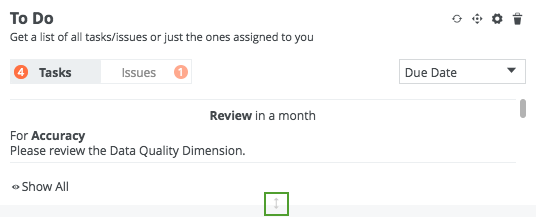
- You can vertically resize a dashboard widget by using the bi-directional arrow located at the bottom of the widget.
- Click Save.
Tip