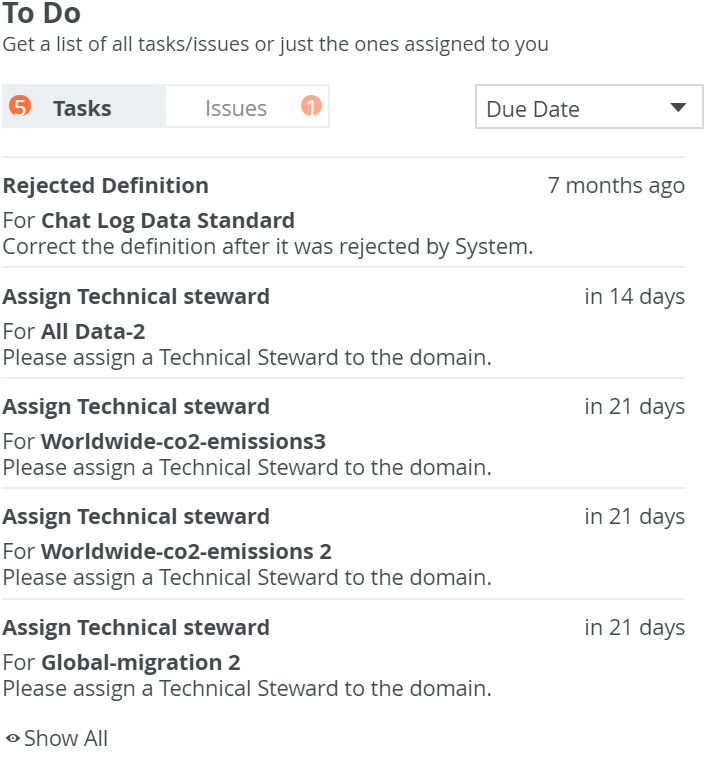
The To Do widget provides a quick overview of open tasks and issues. You can:
- Click the Tasks and Issues buttons, to switch between tasks and issues.
- Click
 in the drop-down list, to sort the tasks by due date, asset and title.
 - Click Show All, to go to the My Tasks page, where all tasks are shown.
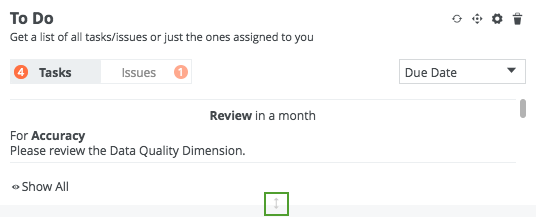
Tip If there are several tasks or issues shown in the widget, you can vertically resize the widget, to see more items without having to scroll as much in the widget. To resize the widget, click the gray, bi-directional arrow at the bottom of the widget and drag it to size.
Note
Issues with the following statuses are not included in the list of open issues:
You cannot add to, or remove, these excluded statuses. This means that if you create your own statuses, you cannot add them to the excluded statuses.
- Resolved
- Invalid
- Obsolete
- Disabled
You cannot add to, or remove, these excluded statuses. This means that if you create your own statuses, you cannot add them to the excluded statuses.