You can create a technical lineage for a particular data source, even if Collibra Data Lineage does not currently support integration of that data source. We refer to this as custom technical lineage.
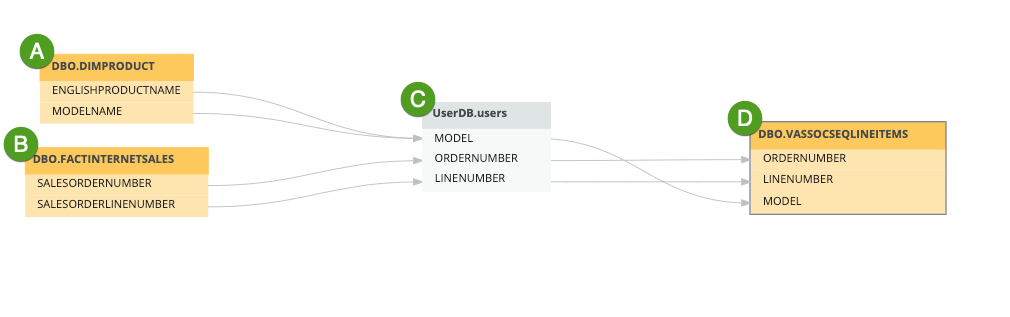
You can use your custom technical lineage JSON files as the only lineage source, or you can harvest metadata from supported data sources, such as Oracle and Tableau, to visualize lineage alongside the custom technical lineage defined by your JSON files.
How to create a custom technical lineage
You can create a custom technical lineage via the lineage harvester or via Edge.
- Go to Create a custom technical lineage via lineage harvester
- Go to Create a technical lineage via Edge
JSON file formatting options: Single-file or batch definition
There are two formatting options for defining your custom technical lineage.
Important The new batch definition option, which introduces several benefits, is in beta. After a successful beta period, we will announce the deprecation of the single-file definition option.
- Batch definition (Beta)
- Single-file definition
To create a custom technical lineage via the batch definition option, you define the custom technical lineage in any number of JSON files, and refer to the directory that contains the files in the lineage harvester configuration file. Collibra Data Lineage generates a technical lineage based on the definitions in your JSON files and, optionally, any source code files you've added in the same directory.
Note With the batch definition option, we no longer draw a distinction between simple and advanced custom technical lineage. You can still choose to include source code files to provide additional details on where the lineage comes from, but we no longer differentiate between a custom technical lineage that includes source code and one that does not.
Benefits
- You can define any number of JSON files, which allows for more efficient processing.
- Multiple organizational teams can contribute to the lineage, without having to merge their definitions into a single JSON file.
- You can show table-level lineage, column-level lineage, and indirect lineage.
- Stitching is natively available for any asset type.
Batch file contents
In a CUSTOM-LINEAGE folder, you need:
-
Exactly one metadata file.
The name of the file must be metadata.json. - Optionally, one or more assets files. These are required if you want to achieve stitching.
File names must follow the format: assets<something unique>.json. - One or more lineage files, describing table-level, column-level, and indirect lineage.
File names must follow the format: lineage<something unique>.json. - Optionally, a source codes subdirectory with source code files. You refer to the source code files from within your lineage files.Note Collibra Data Lineage doesn't parse the files in the source codes directory, meaning it does not extract lineage from the SQL and PY files.
For more information about these JSON files, go to Custom technical lineage JSON file details.
__CUSTOM-LINEAGE__
    ├── metadata.json
    ├── assets_domain1.json
    ├── assets1.json
    ├── lineage.abc.json
    ├── lineage-extra.json
    └── source_codes
        ├── sc1.sql
        └── sc2.py
To create a custom technical lineage via the single-file definition option, you have to define the custom technical lineage in a single JSON file and refer to the JSON file in the lineage harvester configuration file. Collibra Data Lineage generates the technical lineage based on your JSON file and, optionally, any source code files to which you refer.
Limitations
- The custom technical lineage must be defined in a single JSON file. This can be challenging if, for example, you have several organizational teams contributing to the lineage definition.
- You can only show column-level lineage, meaning the target of your lineage relationship always has to be a column.
- Stitching is only available natively for Column assets. Stitching is available for other asset types, but only if those assets are discovered by another scanner.
Simple and advanced custom technical lineage
If you opt for the single-file definition option, there are two types of custom technical lineages that you can create:
- Simple custom technical lineage, which defines a basic object hierarchy and creates a lineage between two or more data objects. To create a simple custom technical lineage, you need to include
assetsandlineagessections in your JSON file. You can add the transformation code in thelineagessection. - Advanced custom technical lineage, which contains a simple custom technical lineage and uses separate source code files that include transformation details, to create the lineage. To create an advanced custom technical lineage, you need to include
assets,lineagesandcodebase_filessections in your JSON file. You add references to the transformation code in source code files in thecodebase_filessection.
Transformation code in both simple and advanced custom technical lineages is shown in the source code pane at the bottom part of the technical lineage graph.
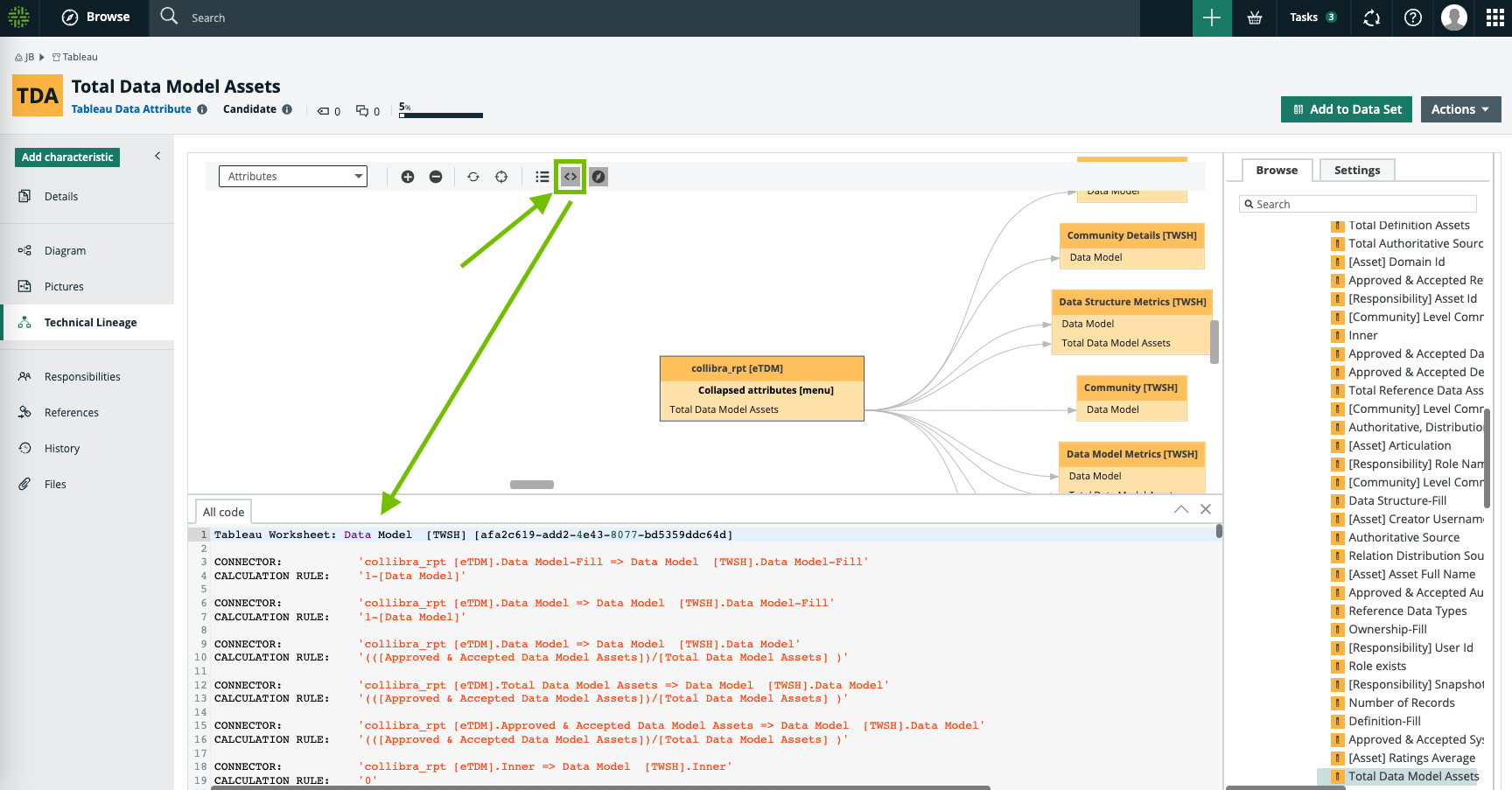
Note With the batch definition option, we no longer draw a distinction between simple and advanced custom technical lineage. You can still include, or not include, source code files to create the lineage, but we no longer differentiate between a custom technical lineage that includes source code and one that does not.