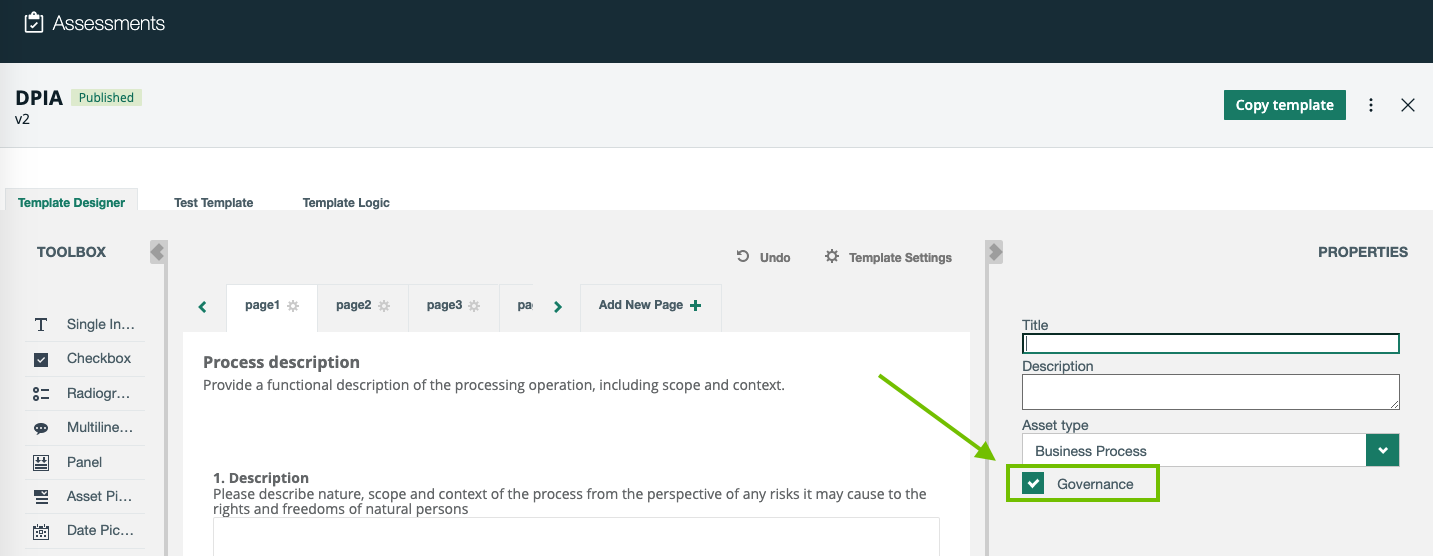
Governance for assessments

The Governance option is available in the PROPERTIES section on the Template Designer tab. The Governance option of an assessment template determines whether or not an assessment conducted from the template will create an asset in your Collibra environment and trigger the Assessments Approval workflow.

The Governance option enables the automatic creation of an asset in Collibra to represent an assessment in Collibra Assessments when the assessment is submitted. The assessment asset created in Collibra can be linked to other assets, for example, Business Process or Data Category.

What happens if the Governance option is selected or cleared?

The following table describes the outcome of selecting and clearing the Governance option on an assessment template.

Status Description
Selected

When you conduct an assessment that uses the template, the Submit button is available.

When you click Submit:

  • The status of the assessment changes from Draft to Submitted.
  • An Assessment Review asset in the Under Review status is created in your Collibra environment in the domain that you selected when submitting the assessment.
  • The Assessments Approval workflow is triggered and a task is assigned to the Business Steward.
    Tip You can configure the Assessments Approval workflow so that the task is assigned to a different resource role.
Cleared

When you conduct an assessment that uses the template, the Complete button is available.

When you click Complete:

  • The status of the assessment changes from Draft to Completed.
  • No asset is created in your Collibra environment.
  • The Assessments Approval workflow is not triggered.