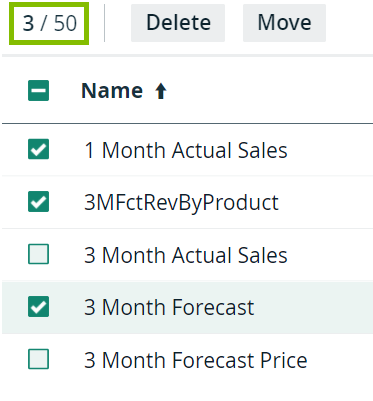
To edit or delete multiple rows in one go, you can select multiple rows in a table.
Note Do not confuse this with highlighting a row by clicking anywhere in the row.
Steps
- Open a view in the table display mode.
- Perform one of the following steps:
If you want to... do... select a single row: Click the checkbox in front of the row.
select all visible rows: Click the checkbox in the header of the column.
clear a selected row: Click a selected checkbox again.
Tip In the table header, you can see how many of the available assets are selected.