When you ingest SQL Server Reporting Services (SSRS) and Power BI Report Server (PBRS) metadata in Data Catalog, you automatically create a technical lineage for SSRS Column assets. Each SSRS Column asset page has a Technical lineage tab page that shows the technical lineage of that asset Column asset.
We cannot access PBRS lineage information. As a result, you can only create a technical lineage for SSRS Column assets.
Note If you ingest SSRS and PBRS for the first time, or if you change your geolocation or cloud provider, you might have to restart the DGC service before you can see your technical lineage.
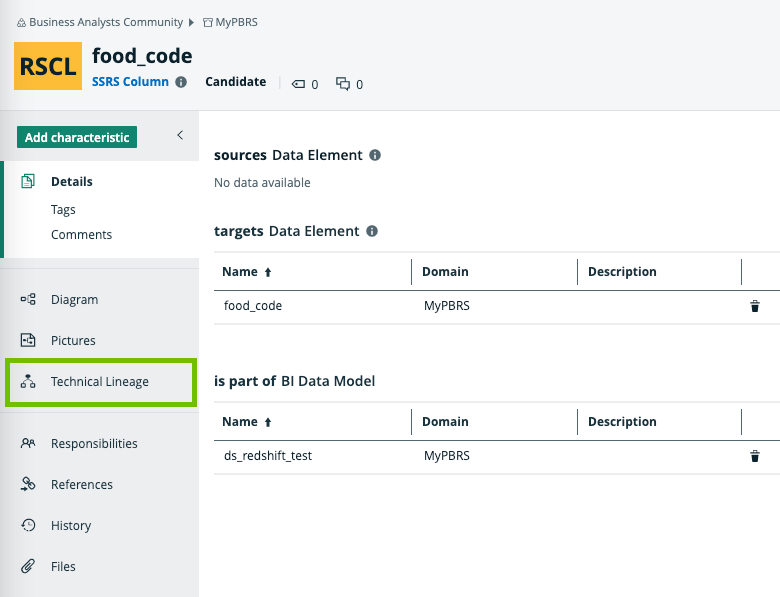
Technical lineage graph
The technical lineage graph shows relations of the type "Column is source for / is target of Data Attribute" between BI assets and other data objects in the data flow, for example Column assets or Power BI Column assets. These relations are created during the ingestion process as a result of automatic stitching.
For more information about the technical lineage, see the Collibra Data Lineage section in the documentation.
Example
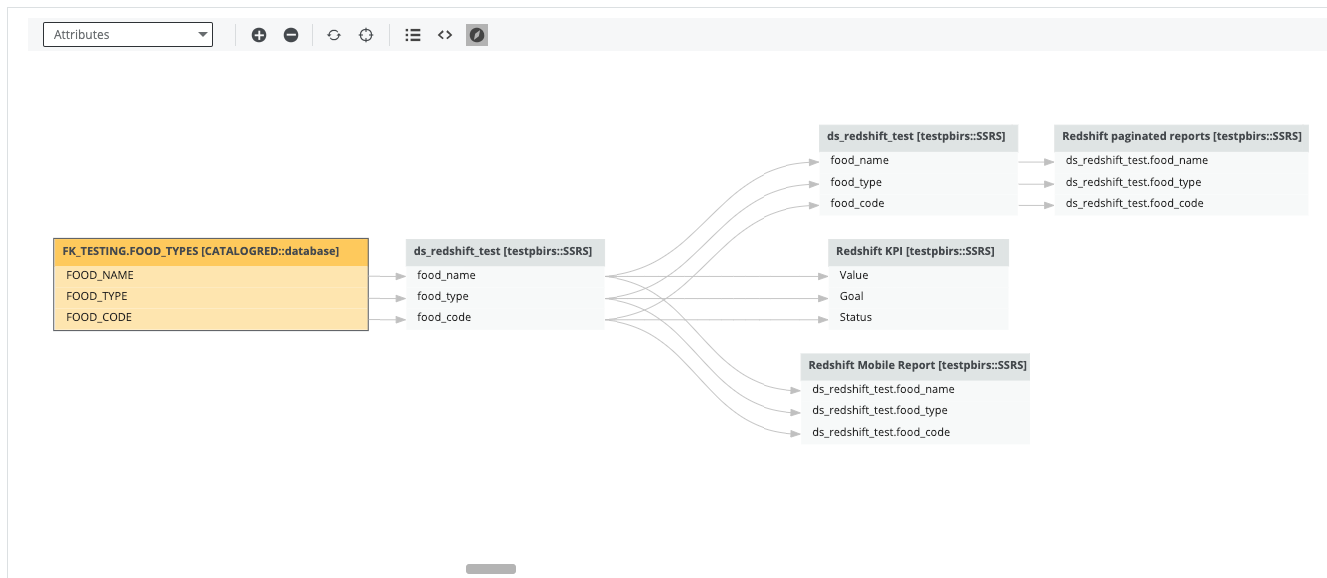
The following technical lineage shows the relation of the type "Data Element sources / targets Data Element" between the Column assets FOOD_NAME, FOOD_TYPE and FOOD_CODE and the SSRS Column assets food_name, food_type and food_code.
Sources tab page
The Sources tab page shows the transformation details that the Collibra Data Lineage service analyzed and processed and the results of this analysis. The success rate of the analysis indicates how complete the technical lineage is.
Important The Collibra Data Lineage service can process most, but not all complex metadata. This means that the success rate of an ingestion job can be very high, but might not be 100%.