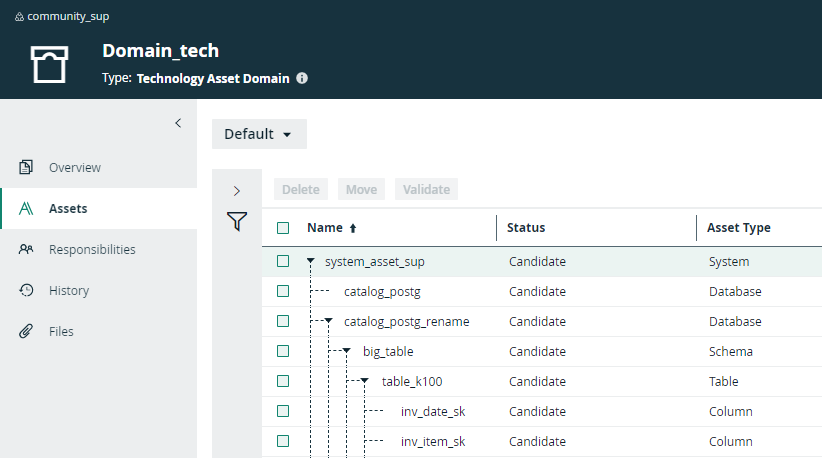
After the synchronization, the resulting Database, Schema, Table and Column assets are available in the domain where the provided System asset is located.
Warning Do not move the assets to another domain. Doing so may lead to errors during future synchronizations.
Tip Databricks synchronization relies on UUIDs.
Note In case of a partial synchronization caused by a temporary communication issue, the status of the assets that cannot be synchronized is set to Missing from source. Their previous status is restored, if they are found in the source system during the next fully successful synchronization.
By default, the assets are shown in a plain list, but you can enable a multi-path hierarchy to show it in a tree structure. For the best result, use the following relations in the multi-path hierarchy:
- Technology Asset groups Technology Asset
- Database contains Table
- Technology Asset has Schema
- Schema contains Table
- Table contains Column
The following image shows the resulting hierarchical table.