Completing a task from My Tasks page
On the My Tasks page, a table contains all of your active tasks.
To complete tasks from here, use one of the following options:
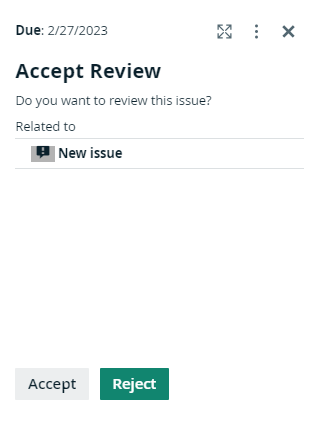
- When you select one of the rows from the table, the task sidebar displays information about the selected task. Click one of the available buttons to complete the task.
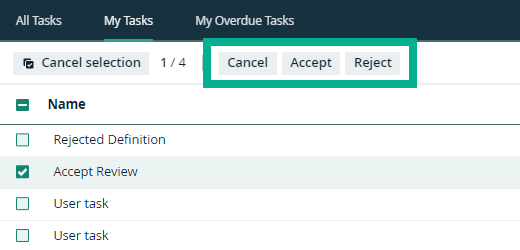
- When you select a check box in front of a task, the actions that are possible for that task appear above the table. Click one of the available buttons to complete the task.
- When you select the check boxes of multiple tasks, only the common actions that are possible for the selected tasks appear above the table. Click one of the available buttons to complete multiple tasks at once.
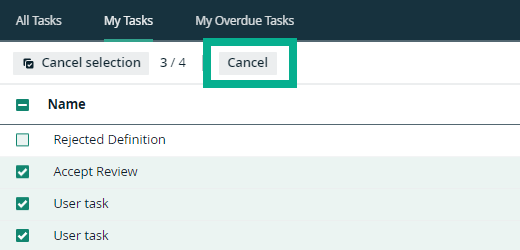
Note Although different tasks have similarly named buttons, the actions they perform might be different. In such cases, those buttons are not available above the table.
Note When there are no common actions for the selected tasks, only the Cancel button is available.
- When you select the check boxes of multiple tasks and you must fill in a form to complete the tasks:
- If the tasks are of the same type, you can complete the form and submit the same information for the selected tasks.
- If the tasks are different, the task sidebar displays the number of tasks that are not qualified and you can only complete the qualifying tasks.