This topic contains examples to describe how Snowflake behaves in relation to certain data protection standards and data access rules.
Introduction
This example describes the behavior in Snowflake when a standard is applied to a data category and a rule is applied to a data set with categorized columns in Protect.
The example considers the following:
- A standard created for the Everyone, Human Resources, Marketing, and Sales groups, to protect the columns in the Personally Identifiable Information data category by default masking.

- A rule created for the Human Resources group and the Employee Data asset, without any protection applied to the columns in the Personally Identifiable Information data category.

Standard
When the standard is synchronized and active, the standard results in 14 masking policies—one policy for each Snowflake data type. The masking policies are created at the schema level with the following naming convention: COLLIBRA/MASKING_POLICY/<asset ID>/<snowflake type>.
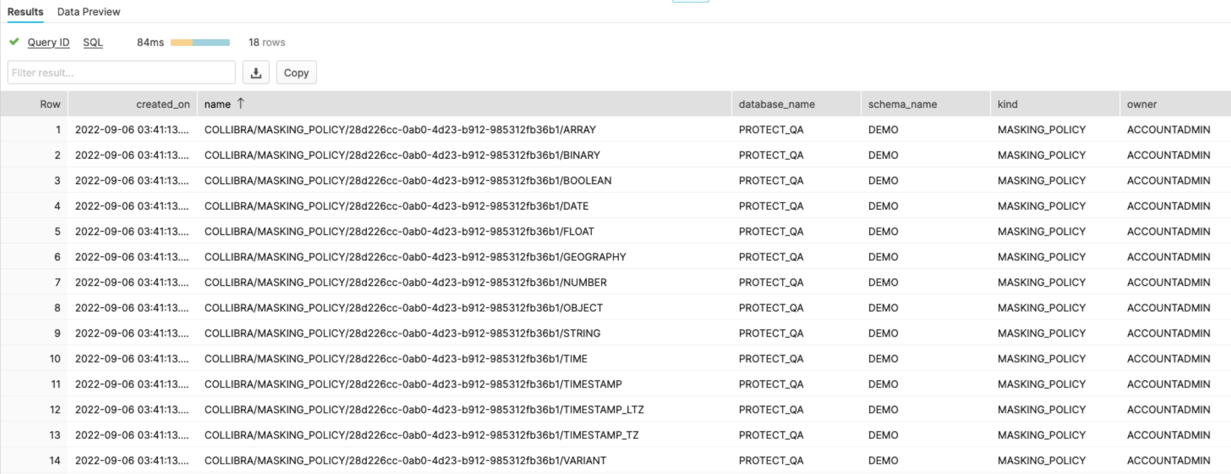
All the masking policies are then associated with the Personally Identifiable Information tag, which is created at the schema level and assigned to those columns that need to be protected. At runtime, Snowflake fetches the right masking policy based on the column data type.

The following image shows a masking policy for the STRING data type. The data that is shown in the policy depends on the masking type selected in the standard. In the policy, val indicates the value as it is stored in the table.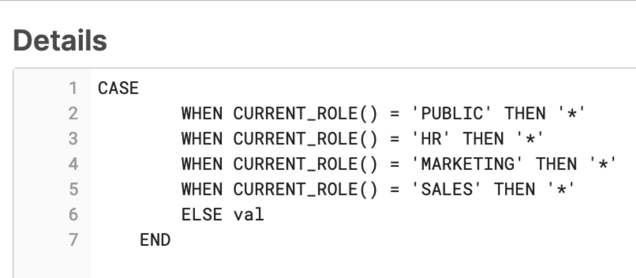
Rule
A rule results in a combination of grant instructions, dynamic masking, and row access policies.
Suppose that the Employee Data data set selected in the rule contains sensitive columns categorized as Personally Identifiable Information.
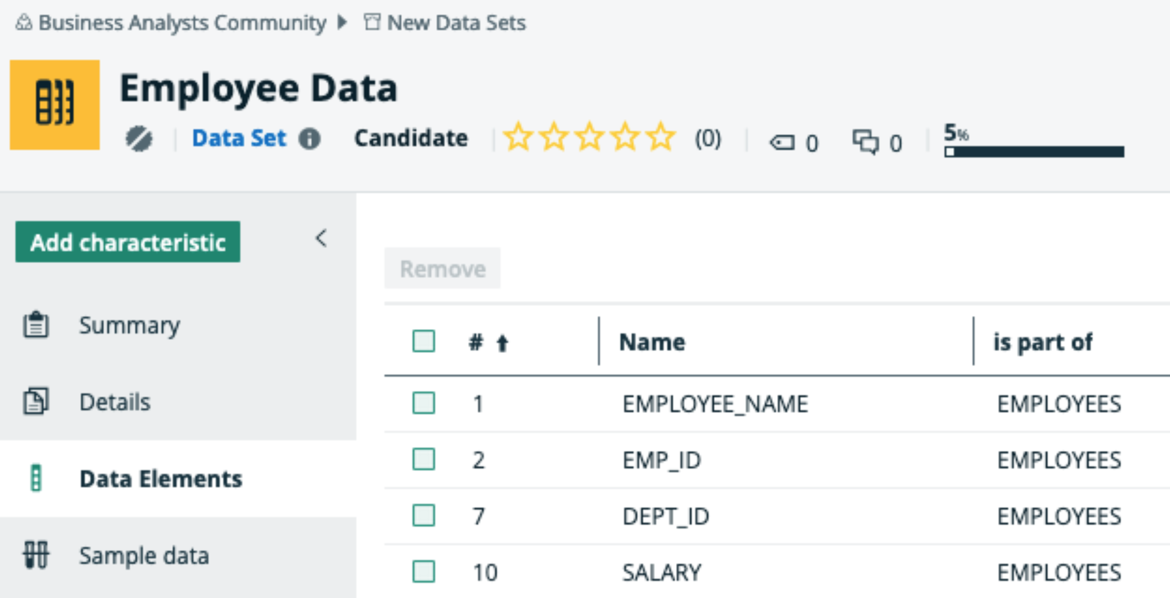
The rule grants access of the Employee Data data set to the Human Resources group, as indicated by the selected Grant access... checkbox in the rule. Then, the corresponding Snowflake role for the group can access each database, schema, and table in the data set. In addition, the column masking policy is applied to those columns that need to be protected.
Consider the EMPLOYEE_NAME column in the Employee Data data set. This column belongs to the EMPLOYEES table within the DEMO schema in the PROTECT_QA database.
In Snowflake, each column that is categorized as Personally Identifiable Information within the Employee Data dataset inherits the masking policy that is applied to the column in Protect. The masking policies created at the schema level use the following naming convention: COLLIBRA/MASKING_POLICY/<asset ID>.

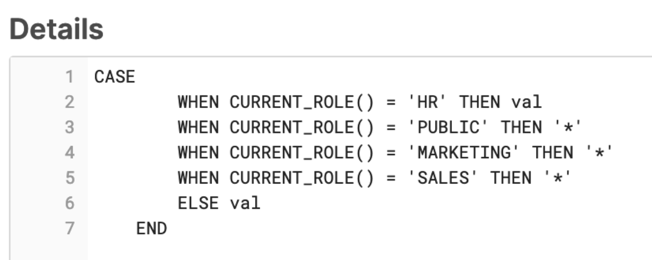
The following image shows the masking policy created for the EMPLOYEE_NAME column.
Behavior
According to the standard, the Everyone, Human Resources, Marketing, and Sales groups have masked access to the data. However, according to the rule, the Human Resources group has unmasked access to the data. As a result, the EMPLOYEE_NAME column has both a policy tag and a column masking policy applied to it via the standard and the rule, respectively.
In Snowflake, if both a policy tag and a column masking policy exist for a column, the column masking policy takes precedence and the policy tag is not assigned to the column. To mitigate this behavior and ensure that the protection defined in the standard is not ignored, the column masking policy also considers the conditions defined in the standard (policy tag).
- The column is not masked for the Human Resources group.
- The column is masked for the Marketing and Sales groups via default masking.
Introduction
This example describes the behavior in Snowflake when multiple standards affect the same column without conflict.
The example considers the following:
- A standard created for the HR group to protect the columns in the Personally Identifiable Information data category by hashing.
- A standard created for the Marketing group to protect the columns in the Personal Information data category by default masking.
- The Personally Identifiable Information and Personal Information data categories share the same column named DOB.
Behavior
Protect creates a tag for each standard and adds a policy to each tag. The two tags are then linked to the DOB column. In addition, Protect creates a masking policy that is an aggregation of the policies from the two tags. This aggregated masking policy, which is then applied to the DOB column, thus contains the content of both the tag policies.
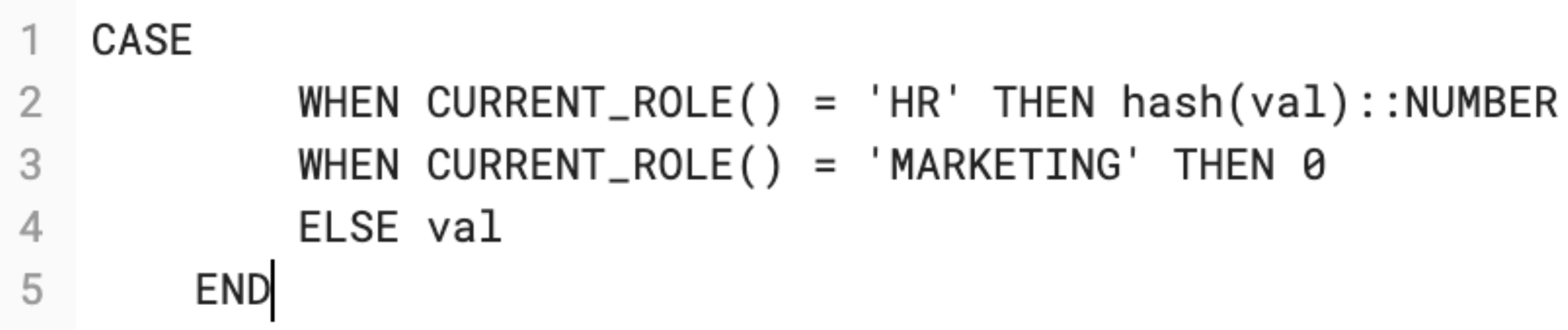
When a policy exists for the DOB column, Snowflake considers only the column masking policy, ignoring all the tag policies associated with the column. Because the column masking policy is an aggregation of all the tag policies, the protection that is defined in the two standards is not ignored.
Thus, Protect handles multiple standards with tag policies for Snowflake by creating a column masking policy, which considers the protection defined in the standards.