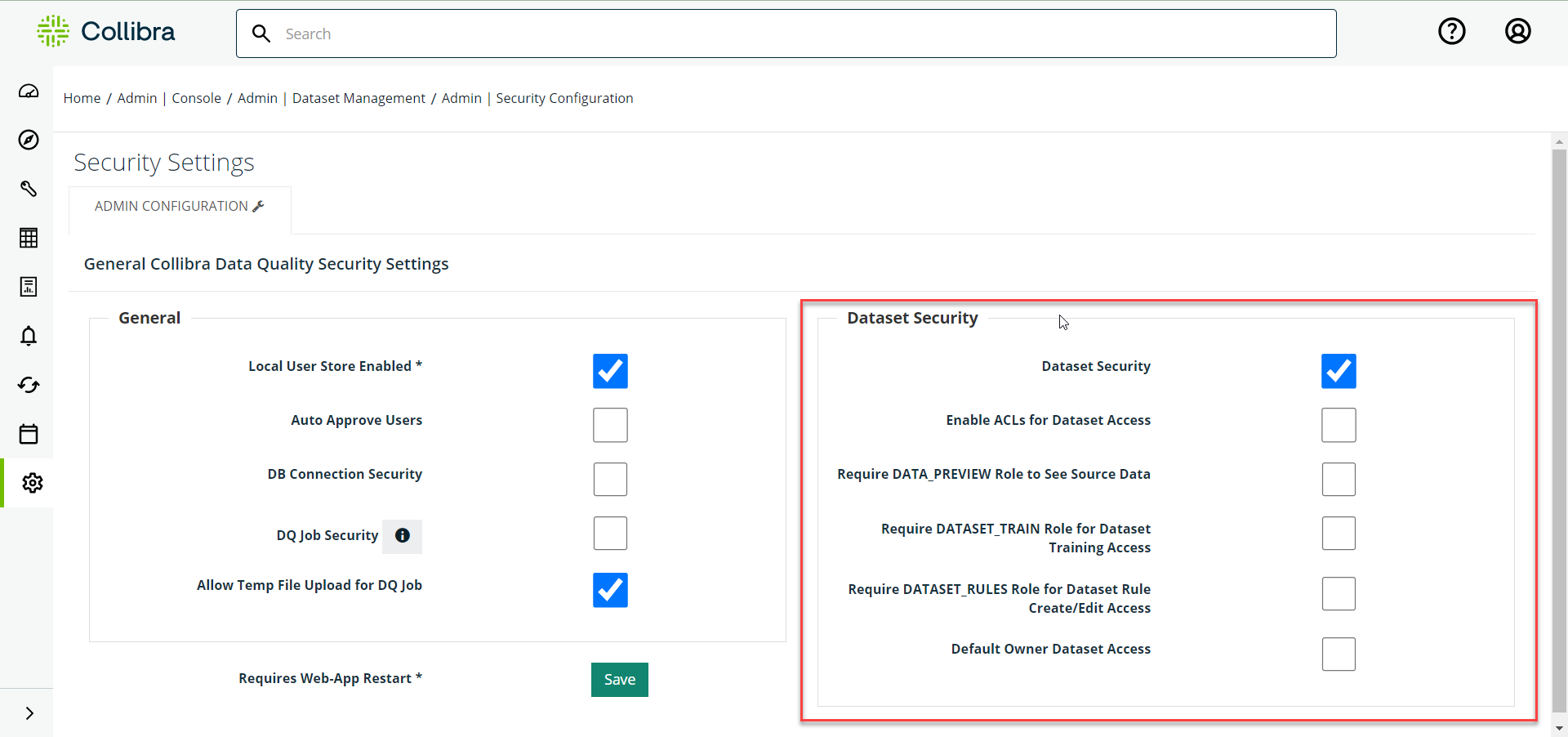
You can configure Dataset Security settings in the Admin console.
Steps
-
Login to the Collibra DQ instance and click the
 gear icon in the left navigation pane.
 -
Click Admin Console.
-
Click Security on the Quick Links page and select Dataset Security.
-
Click Save.
-
Click the
gear icon again. -
Click Admin Console.
-
Click Datasets on the Quick Links page.
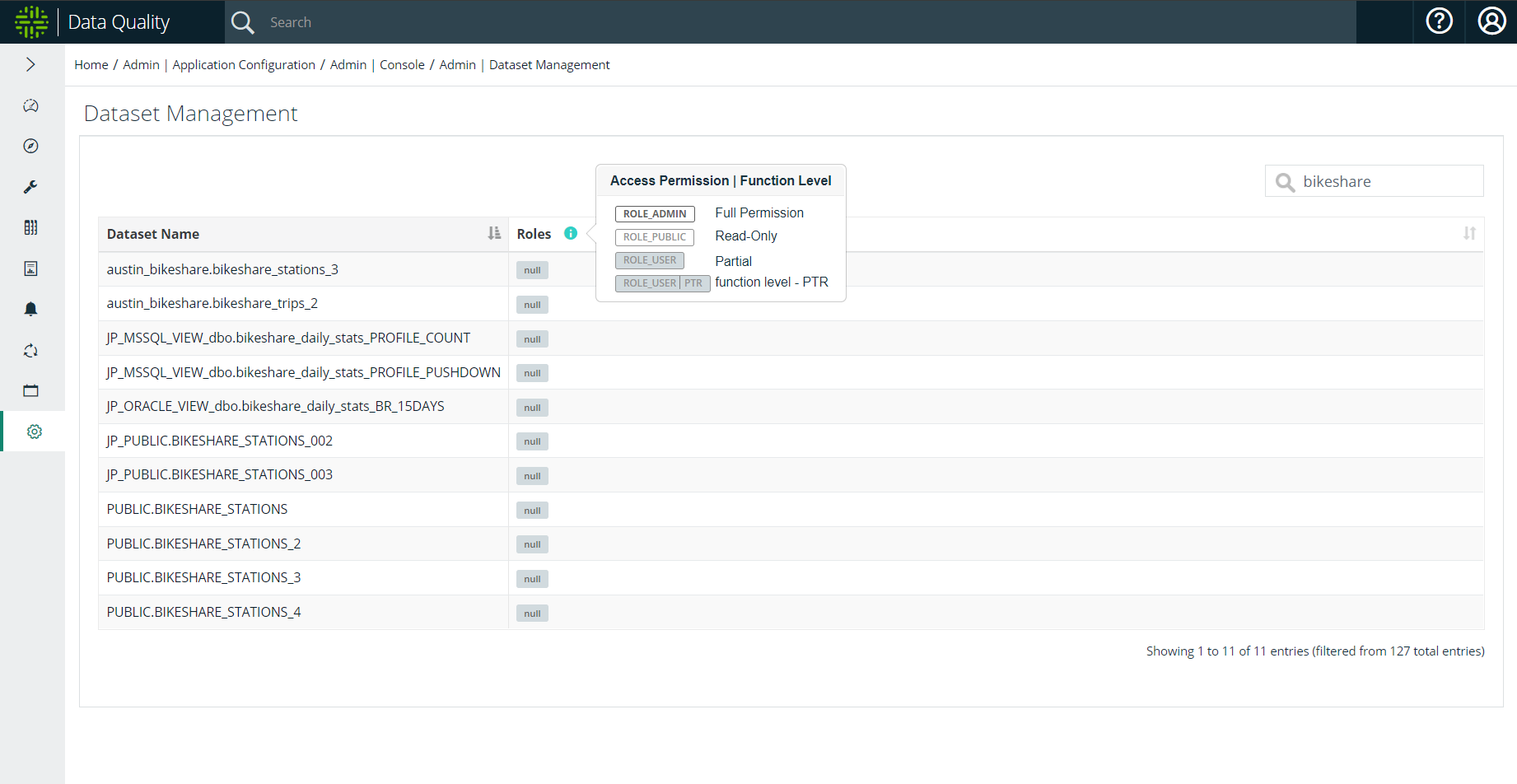
Note When Dataset Security is enabled, dataset access is required to edit, map, or retrieve datasets or business units.
The system fully restricts access to the Findings page for admin users when the following security settings are configured:
-
The Dataset Security setting is enabled.
-
The Default Owner Dataset Access setting is unchecked.
-
The dataset does not belong to any roles, or any roles to which the user has access.
ACL Security
When ACL is enabled/disabled, an administrator can configure the following options in the Dataset Security pane to limit usage/permissions on datasets:
- Data_Preview role limit (role that can view source data)
- Dataset_train role limit (role that can train data sets)
- Dataset_rules role limit (role that can add / edit / delete rules)
Note This configuration is tied to data sets and not connections or jobs.