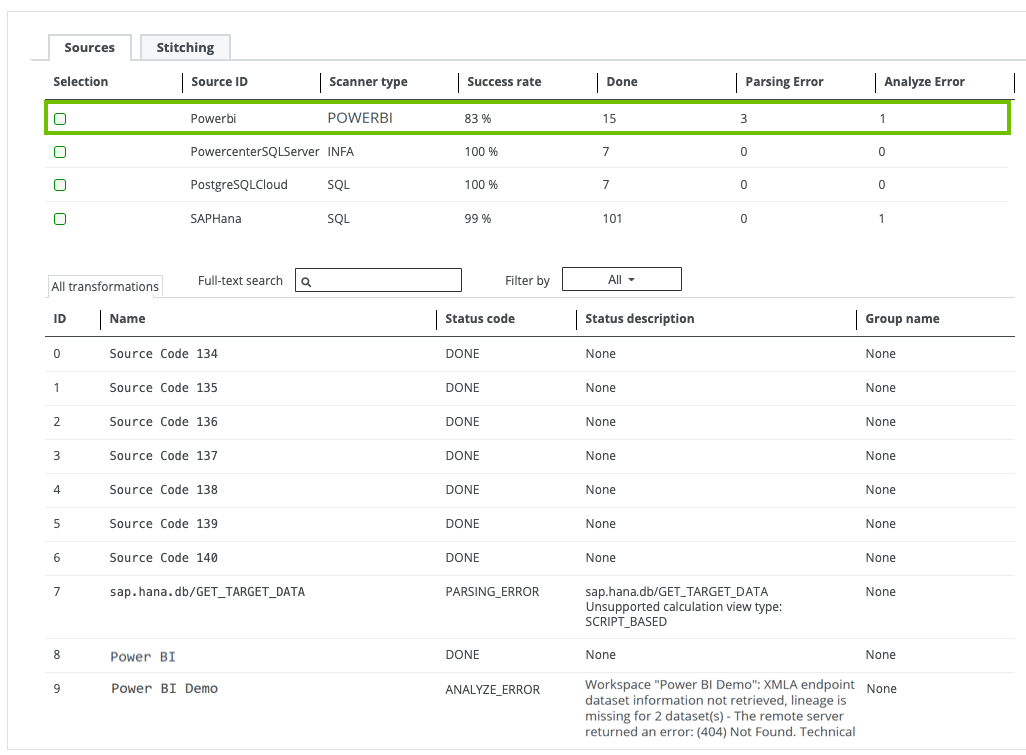
When you ingest Power BI metadata in Data Catalog, you automatically create a technical lineage for Power BI Column assets. Each Power BI Column asset page has a Technical lineage tab page that shows the technical lineage of that Power BI Column asset.
Note If you ingest Power BI for the first time or if you change your geolocation or cloud provider, you have to restart the DGC service before you can see your technical lineage.
Technical lineage graph
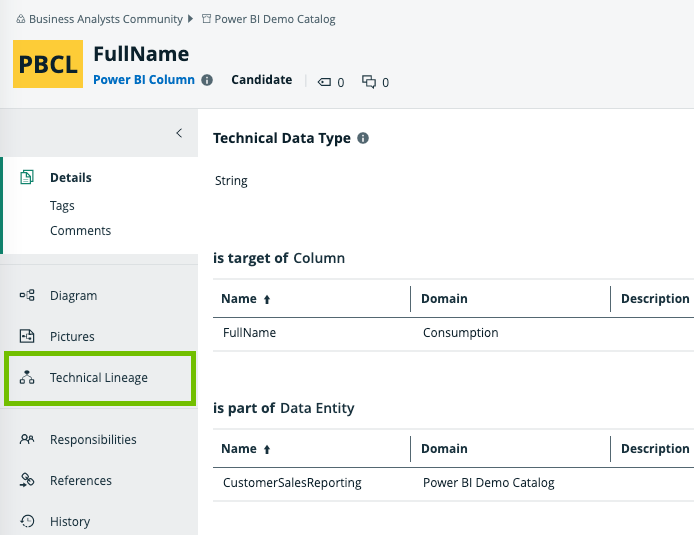
The technical lineage graph shows relations of the type "Data Element targets / sources Data Element" between BI assets and other data objects in the data flow, for example Column assets or Power BI Column assets. These relations are created during the Power BI ingestion process as a result of automatic stitching.
For more information about the technical lineage, see the Collibra Data Lineage section in the user guide.
Example
The following technical lineage shows the relation of the type "Data Element targets / sources Data Element" between the Column asset LISTPRICE and the Power BI Column asset ListPrice.
Sources tab page
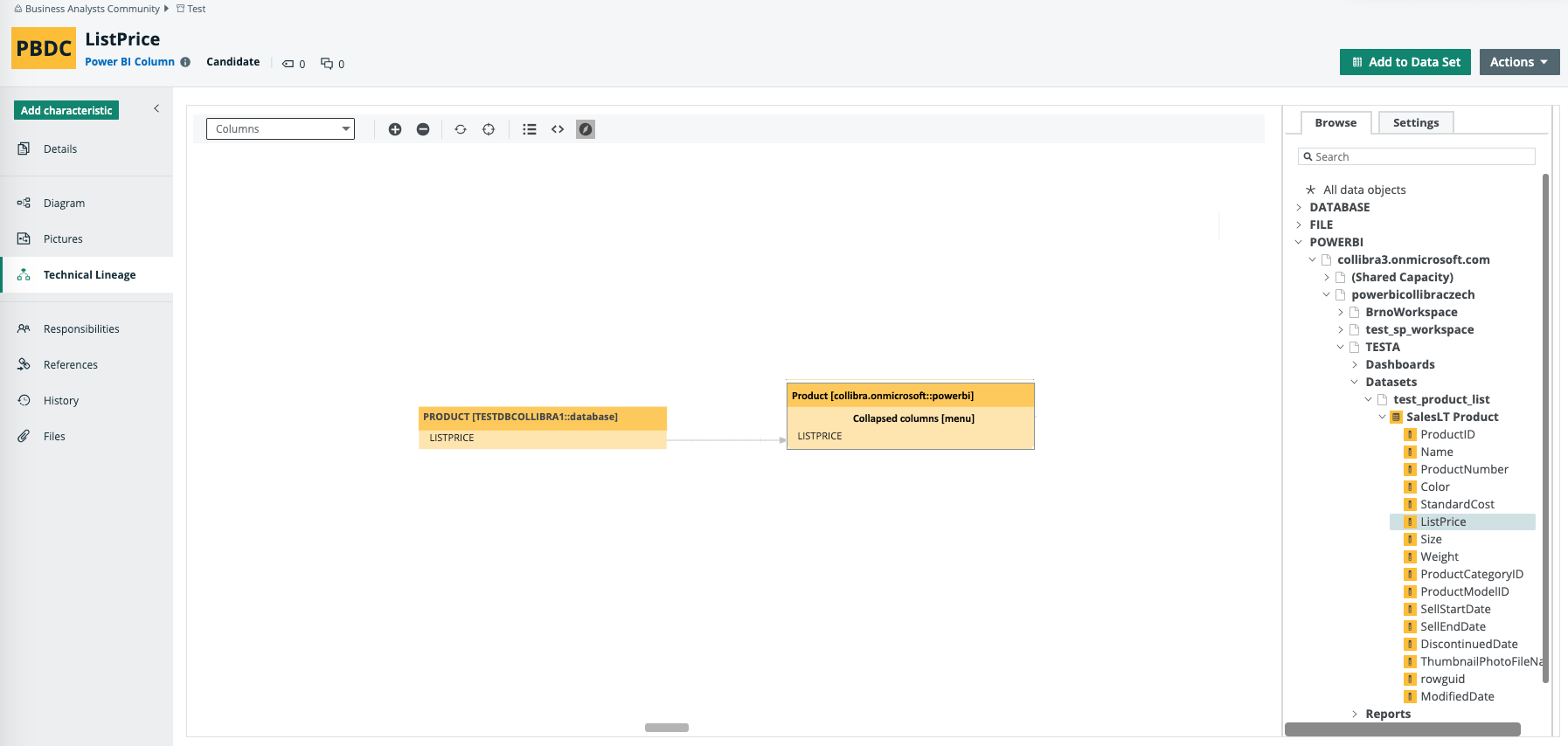
The Sources tab page shows the transformation details that were analyzed and processed on the Collibra Data Lineage server and the results of this analysis. The success rate of the analysis indicates how complete the technical lineage is. There are a few limitations that prevent the Collibra Data Lineage server from processing all Power BI metadata.
Important The Collibra Data Lineage server can process most, but not all, complex Power BI metadata. This means that the success rate of a Power BI ingestion can be very high, but almost never 100%.
Example
The following Sources tab page shows that you have created a technical lineage for four data sources. Power BI has a success rate of 83%. When you use the transformation logs to investigate the errors, you see that the Collibra Data Lineage server couldn't process some elements of the Power BI metadata, for example because they are not supported or there is an issue in the configuration file or the Power BI setup.