Change the diagram process properties
The diagram process properties are essential as they reflect directly in Collibra:
- Id: The process ID must be unique at the Collibra environment level.
Warning Uploading a workflow with the same process ID as an existing workflow in Collibra replaces the existing workflow.
Tip Consider using reverse domain name notation for the process ID.
- Name: The name is displayed as the workflow name in Collibra.
Warning Collibra does not accept two workflows with the same display name.
- Documentation: The contents of the field will become the description of the workflow in Collibra.
Example
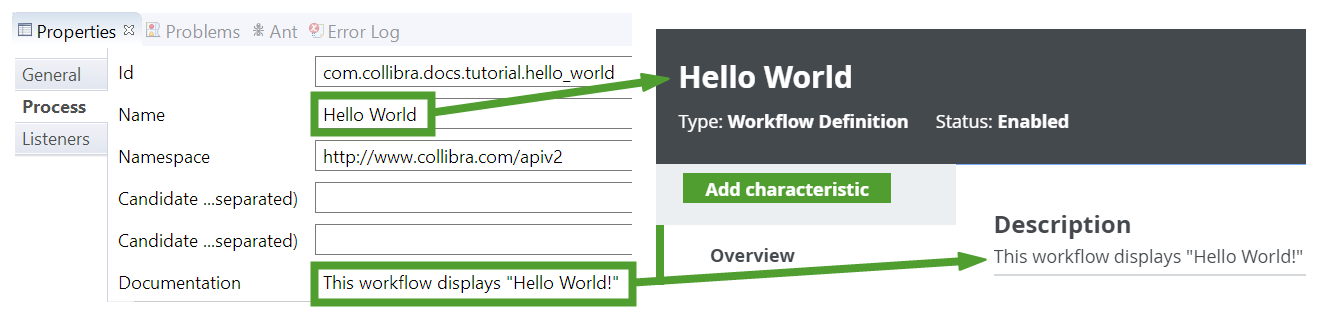
Steps
- In the shared area, click the vertical bar of the pool to select it.
-
- In the Id field, enter a unique ID for the process, for example com.collibra.propose_business_term.
- In the Name field, enter a name for the process. The name is displayed as the workflow name in Collibra.
- In the Namespace field, enter http://www.collibra.com/apiv2.
- In the Documentation field, enter a description of the process.
