Stat Rules
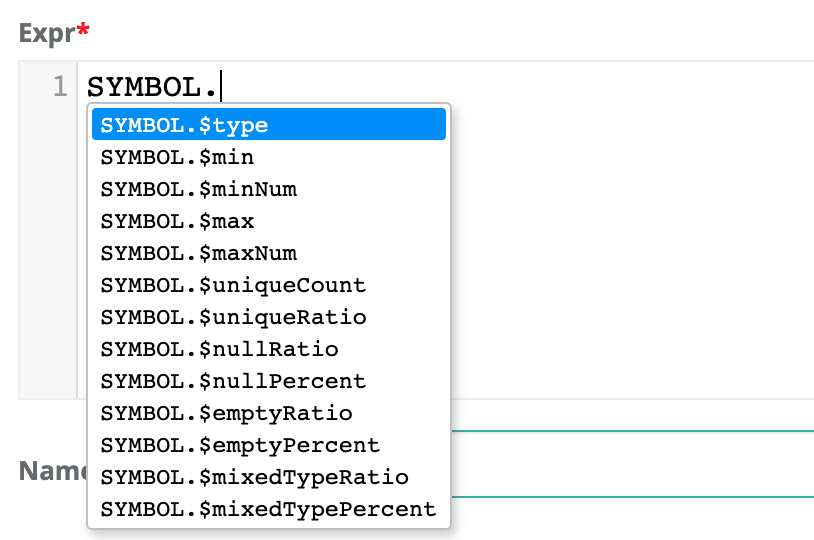
One really powerful technique is to access the profile statistics in your rules. These are typically sub-second operations that do not require scanning or iterating. There are several cases where SQL struggles to support rules, such as: isNull but not "null count" or nullRatio or nullPercent. Or having access to types without doing crazy cast() operations. These are simplified below, i.e. fname.$type == 'String'
select * from @dataset where
fname.$type != 'String' AND $rowCount < 800
| Dataset Level Stat | Rule Example | Description |
|---|---|---|
| $totalTimeInSeconds | $totalTimeInSeconds > 25 | Alert when DQ job runs longer than 25 seconds. |
| $totalTimeInMinutes | $totalTimeInMinutes > 5 | Alert when DQ job runs longer than 5 minutes. |
| $totalTimeInHours | $totalTimeInHours > 1 | Alert when DQ job runs longer than 1 hour. |
| $rowCount | $rowCount < 9000 | Alert when row count less than 9,000. |
| $runDate | $runDate='2020-01-24' | Use the ${rd} variable in rules. |
| $daysWithoutData | $daysWithoutData > 4 | Alert when a dataset has missing or no rows for 5 days. |
| $runsWithoutData | $runsWithoutData > 4 | Alert when a dataset runs but has missing or no rows for 5 days. |
| $daysSinceLastRun | $daysSinceLastRun > 4 | Alert when a dataset has not run for 5 days. |
| Column Level Stat | Rule Example | Description |
|---|---|---|
| .$type | fname.$type != 'String' | Alert when fname is not a string. |
| .$min | fname.$min > 'apple' | Lexicographical sort works for strings and numbers. |
| .$minNum | age.$minNum > 13 |
Type casted to a numeric for simple number checks. |
| .$mean | row_id.$mean > '4.500' | Alert when the mean is greater than a given value. |
| .$max | fname.$max > 'apple' | Alert when the max is greater than a given value. |
| .$maxNum | age.$maxNum > 13 | Alert when the numeric value falls outside an acceptable range. |
| .$uniqueCount | id.$uniqueCount != $rowCount | Alert when the uniqueCount of a field doesn't match the rowCount. |
| .$uniqueRatio | gender.$uniqueRatio between .4 and .6 | Alert when the ratio of uniqueCounts of a given field doesn't match the rowCount. |
| .$nullRatio | lname.$nullRatio not between .4 and .6 | Alert when the ratio of nulls no longer falls within acceptable range. |
| .$nullPercent | lname.$nullPercent not between 40 and 60 | Alert when the percent of nulls no longer falls within acceptable range |
| .$nullCount | lname.$nullCount >= 1 | Test for a single null. |
| .$emptyRatio | nc.$emptyRatio > 0.2 | Alert when the ratio of empties no longer falls within acceptable range. |
| .$emptyPercent | nc.$emptyPercent > 20 | Alert when the percent of empties no longer falls within an acceptable range. |
| .$emptyCount | Alert when the emptyCounts of a field no longer fall within an acceptable range. | |
| .$mixedTypeRatio | nc.$mixedTypeRatio > 0.2 | Alert when the ratio of mixed data types no longer falls within an acceptable range. For example, Strings and Ints in the same field. |
| .$mixedTypePercent | nc.$mixedTypeRatio > 20 |
Alert when the percent of mixed data types no longer falls within an acceptable range. |
| .$mixedTypeCount | id.$mixedTypeCount >= 1 | Alerts when the mixed data typeCount no longer falls within an acceptable range. For example, Strings and Ints in the same field. |
Known limitation. Cannot combine stat rules or distribution rules with regex rules in the same rule. Example car_vin rlike '$[asdf][0-9]' and car_vin.$uniqueCount
Distribution Rule
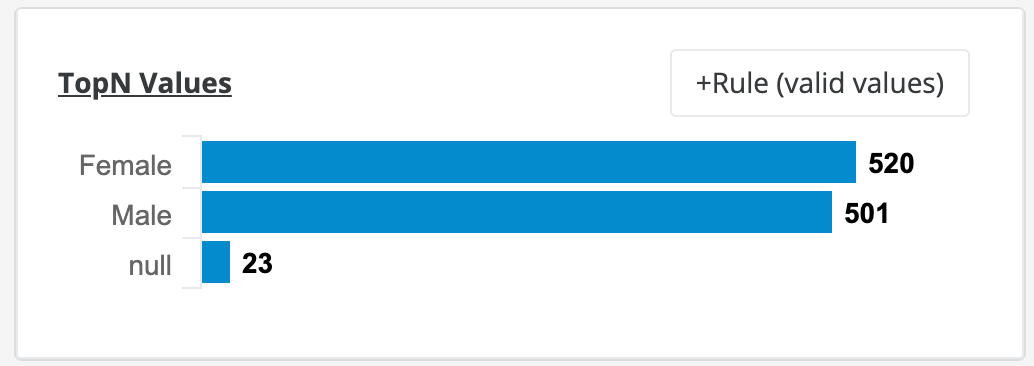
There is a common case in DQ where you want to know the distribution of a column's value. Consider gender. It can be expected that a column named gender consists of roughly 40-60% males and roughly 40-60% females if the data set is large and represents the population. This can be difficult to express in plain SQL, but it is very easy with the below syntax.
gender['Male'].$uniquePercent between 40 and 60| Column Value Level | Rule |
|---|---|
| .$uniqueCount | credit_rating['FAIR'].$uniqueCount > 7 |
| .$uniquePercent | credit_rating['GOOD'].uniquePercent between 40 and 60 |