Examples
This topic explains how certain configuration settings can affect the search results.
- Help Collibra Data Intelligence Cloud administrators understand how the search configuration settings affect the search results.
- Help other Collibra users understand why certain search queries might not provide the expected results.
For more information, go to the respective sections on customizing the search index, boosting, stop words, and the exact match features.
Prerequisite
An asset named On The Go exists in your Collibra environment.
Search text
Enter the following search text: On The Go
Result
The asset On The Go is found.
In the following image, the word Go is shown in green. This indicates that Go is the match that produced the result. The words On The, which are shown in black, did not produce a match.
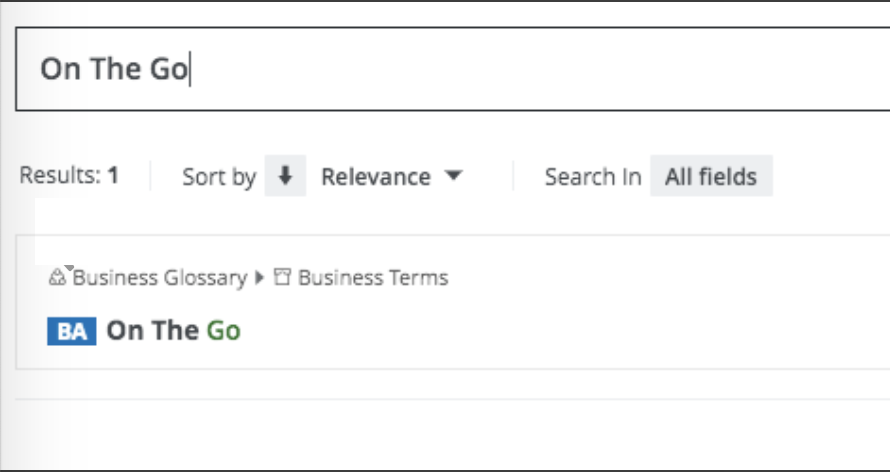
Furthermore, if you enter the search text On The, the asset On The Go or any other asset is not found. This is because "on" and "the" are stop words, which are filtered from indexing and searches.
Tip The best way to ensure thorough and intuitive search results is to name your assets, domains, and communities as thoughtfully as possible.
Search text
Enter the following search text: marketing team summit
The search engine interprets your search text as follows: "marketing" OR "team" OR "summit*"
Notice the wildcard (asterisk) at the end of the word "summit". This is determined by the default UI search appends wildcard setting, which adds the wildcard to the end of the search text.
Result
- An asset named marketing_campaign_xyz is not found.
- An asset named team123 is not found.
- An asset named summit_planning is found.
To find the assets named marketing_campaign_xyz and team123, you must add the wildcard after each word as follows: marketing* team* summit. The search engine then interprets your search text as follows: "marketing*" OR "team*" OR "summit*".
Prerequisites
- A resource, user, or user group with the name verylongname exists in your Collibra environment.
- Edit the resource type boost factors in Collibra Console as follows:
- Asset: 2
- Community: 4
- Domain: 6
- User: 8
- User group: 10
Search text
Enter the following search text: verylongname
Result
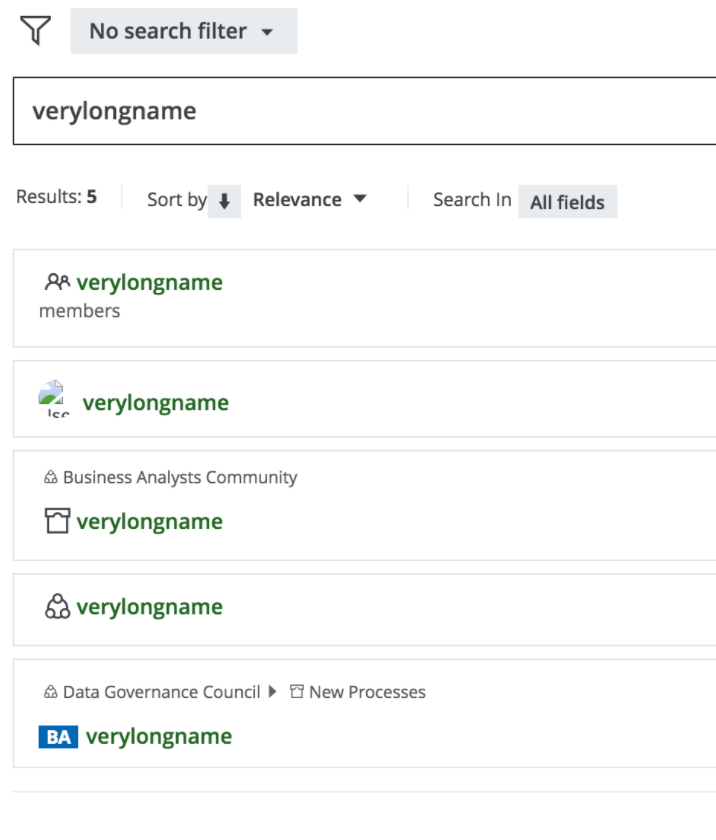
The search results are ordered in accordance with the boost factor values of the respective resource types. The user group resource type, with a boost factor of 10, is the most relevant of the results. Asset, with a boost factor of 2, is the least relevant resource type.
Prerequisites
- The following assets exist in your Collibra environment:
- An asset named superfeature
- An asset named asset1, with the following tag: superfeature
- An asset named asset2, with the following comment: superfeature
- Edit the property boost factors in Collibra Settings as follows:
- Name: 1
- Comment: 5
- Tag: 10
Search text
Enter the following search text: superfeature
Result
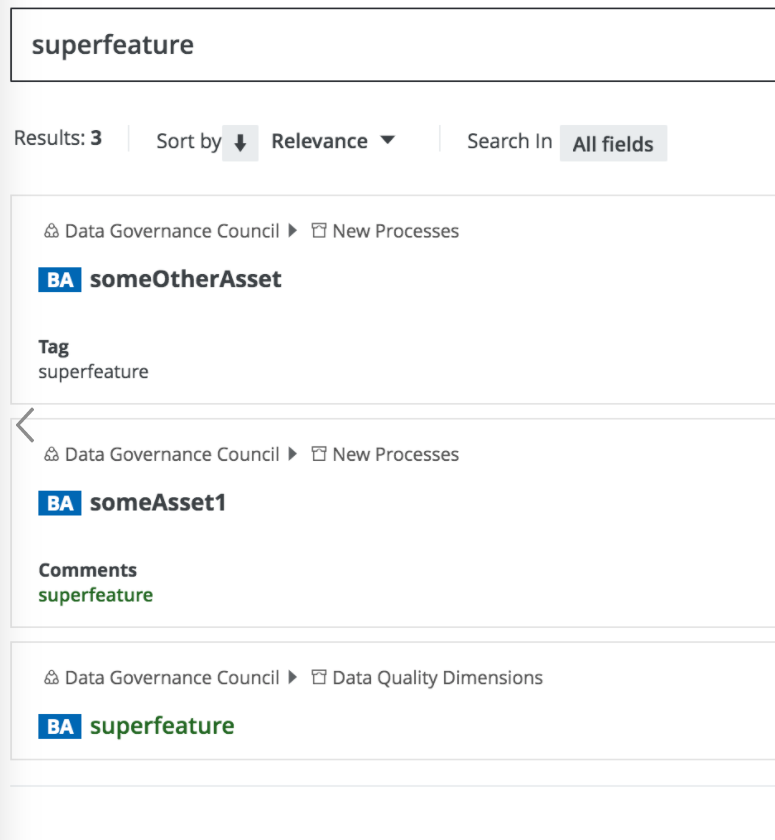
The search results are ordered in accordance with the boost factor values of the respective fields. The tag field, with a boost factor of 10, is the most relevant of the results. Name, with a boost factor of 1, is the least relevant field.
Prerequisites
- The following assets exist in your Collibra environment:
- An asset with the description terminator
- An asset with the definition terminator
- An asset with the note definition
- Edit the attribute boost factors in Collibra Console as follows:
- Description: 1
- Definition: 2
- Note: 3
Search text
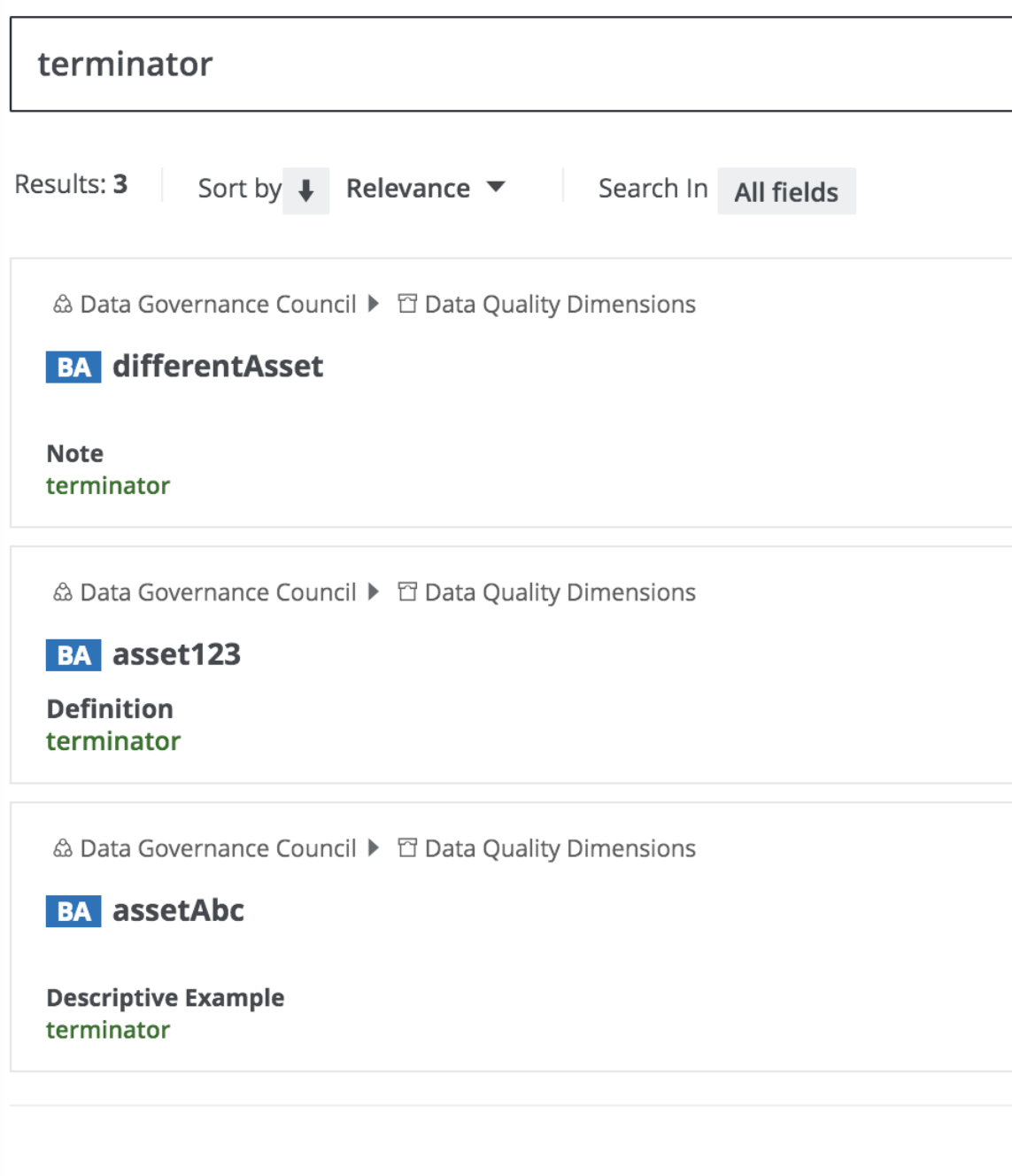
Enter the following search text: terminator
Result
The search results are ordered in accordance with the boost factor values of the respective attributes. The note attribute, with a boost factor of 3, is the most relevant of the results. Description, with a boost factor of 1, is the least relevant attribute.
Prerequisites
- The following assets exist in your Collibra environment:
- A Business Term asset with the name Payment
- A Data Attribute asset with the name Payment Type
- A Policy asset with the name Payments
- Edit the attribute boost factors in Collibra Console as follows:
- Business Term: 3
- Data Attribute: 2
- Policy: 1.5
Search text
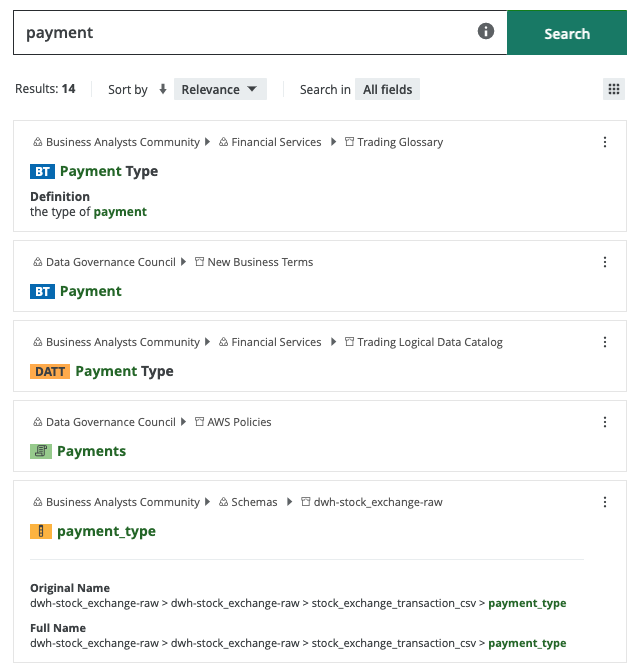
Enter the following search text: payment
Result
The search results are ordered in accordance with the boost factor values of the respective asset types. The Business Term asset type, with a boost factor of 3, is the most relevant of the results. Policy, with a boost factor of 1.5, is the least relevant asset type of the three boosted asset types.
Prerequisites
- The following assets exist in your Collibra environment:
- A Schema asset with the name Payment
- A Business Term asset with the name Payment Type
- A Data Attribute asset with the name Payment Type
- A Policy asset with the name Payments
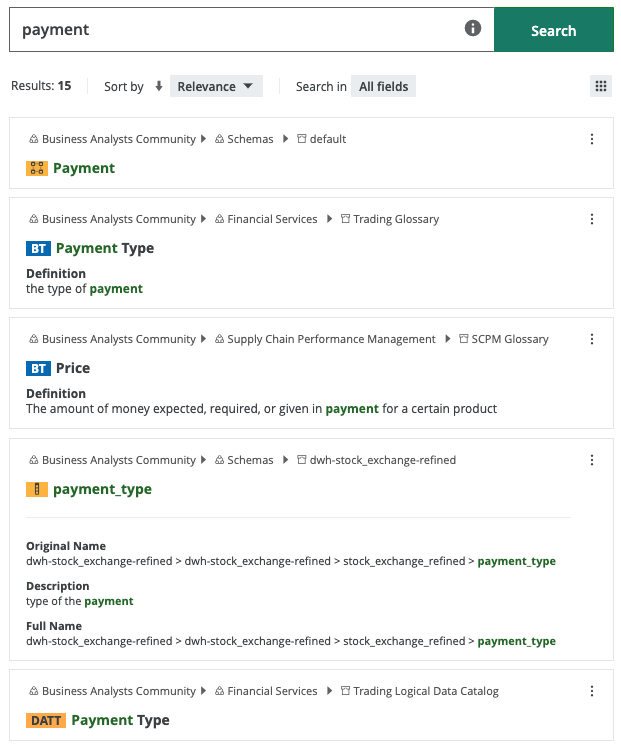
- Other assets, as shown in the following image
- Edit the asset type boost factors in Collibra Console as follows:
- Business Term: 3
- Data Attribute: 2
- Policy: 1.5
Search text
Enter the following search text: payment
Results
The resources that match the exact search text in the Name attribute of the resource are shown first. In this example, there is only one exact match—the Schema asset with the name Payment.
After the exact matches, the search results are sorted in order of descending relevance.
Prerequisites
- Several assets, each with a variation of jedi in the name, exist in your Collibra environment.
- Default boost factors for all resource types, properties, and attributes.
Search text
Enter the following search text: jedi
Result
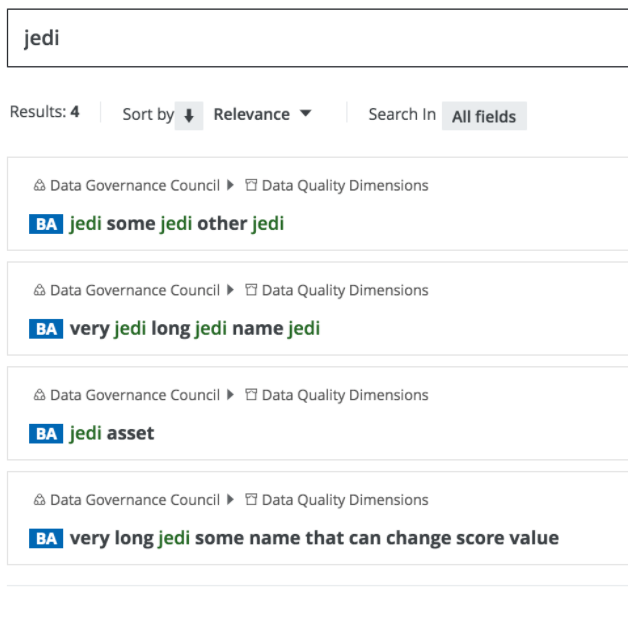
The search results are ranked as shown in the following image. A combination of the total number of matches in a name and the percentage of matches per total words in a name affect relevance scoring of the results.