Install Protect
This topic describes how to install Protect.
Before you begin
- Add the Catalog ingestion capability to the Edge site and register the required data source.
- Add the required Protect capability to the Edge site. When adding the capability, in the Capability template field, select one of the following values, as applicable: Collibra Protect for Google BigQuery or Collibra Protect for Snowflake
Tip
- If you selected Collibra Protect for Snowflake, in the Snowflake Connection field, you can select the Snowflake connection that was used for performing catalog ingestion, if the connection allows Protect to write to your database.
- The following image shows an ingested Snowflake database.
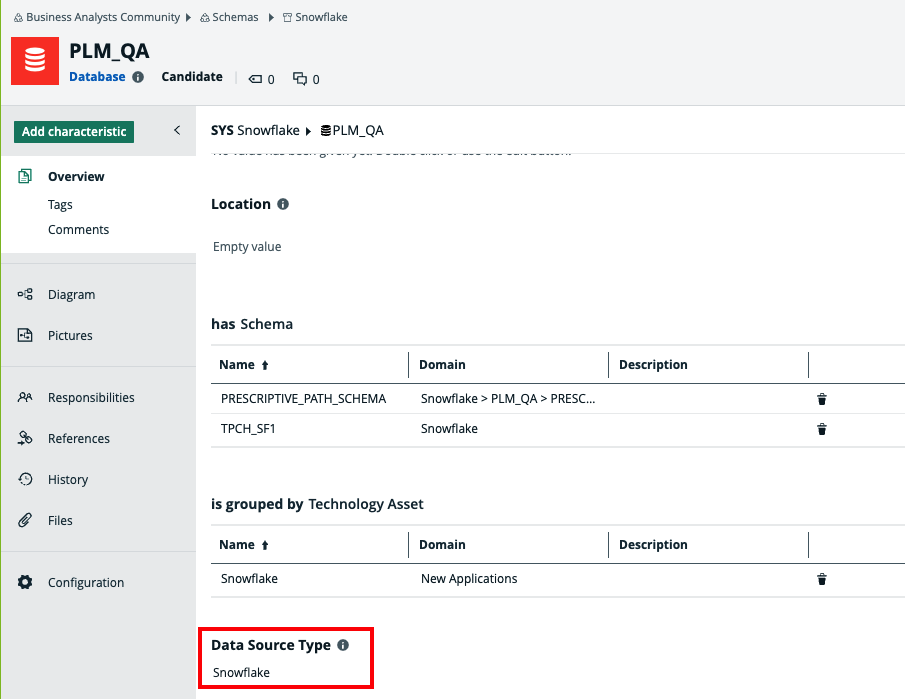
The Data Source Type attribute is added to the database asset only after the catalog ingestion process is complete.
Steps
- Contact Collibra support or your representative to enable Protect on your Collibra environment.
- Ensure that global roles and global permissions for Protect are correctly set.
Protect is installed. On the main menu, if you click
 , Protect is shown.