Requesting input to a Process Register domain
As the Business Steward, Privacy Steward or Data Protection Officer for a Process Register domain, you can invite business users to participate in the development of the domain, by reviewing any existing Business Process assets in the domain and proposing any business processes that do not yet exist as assets.
The Request input button, which is available in every Process Register domain, triggers the Invite to Business Process Register workflow. The workflow includes a form that can be used to write an invitation email and select recipients.
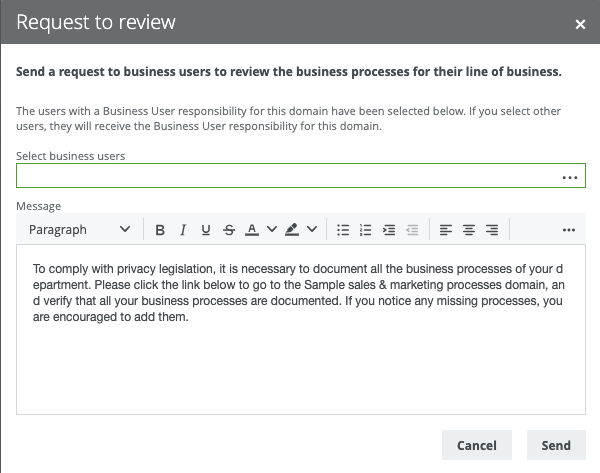
The form contains:
- A default set of email recipients, which is all the users that have the Subject Matter Expert responsibility for the domain.
- A default message, which you can edit and format as you like.
The following image shows an example of an invitation email:
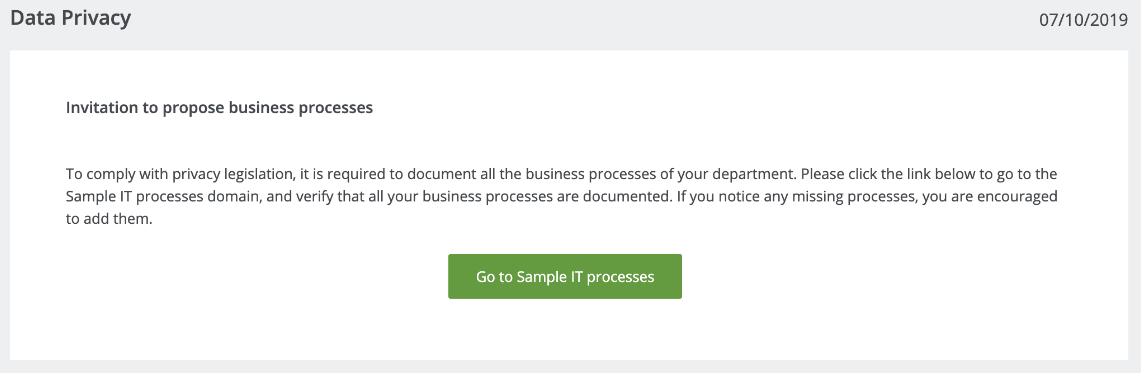
The button in the invitation email leads to the Business User Interface, a webpage that shows all of the Business Process assets in the domain.
Tip You can also access the Business User Interface directly via any Process Register domain, by clicking the Business User Interface button.