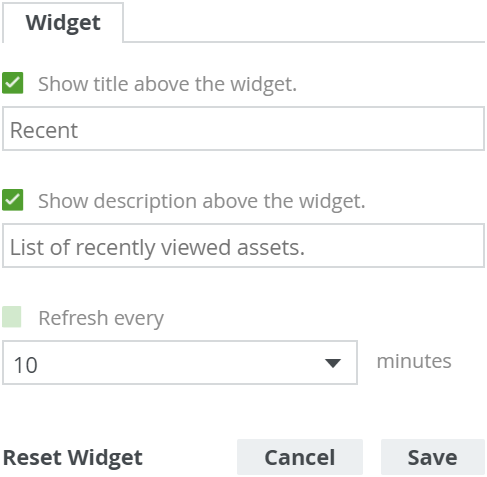
The Widgets tab

All widgets have:

  • A specific tab for configuring and editing the widget.
  • The Widget tab, which is common to all widgets and contains the common configuration options.

Field

Explanation

Show title above the widget

  • True: A title is shown above the widget.
    In this case, specify a title.
  • False: No title is shown above the widget.

Show description above the widget

  • True: A description is shown above the widget.
    In this case, the packaged description is shown.
  • False: No description is shown above the widget.

Refresh every

  • True: The counter is refreshed according to the refresh rate you specify.
    In this case, specify the refresh rate. Possible values are: 5, 10, 25, 50 or 100 minutes.
  • False: The counter is not automatically refreshed.
Example