The Data Class side pane
The Data Class side pane provides extra data class information. When you click the row of a data class in the Data Classification Dashboard, the data class information appears in the side pane.
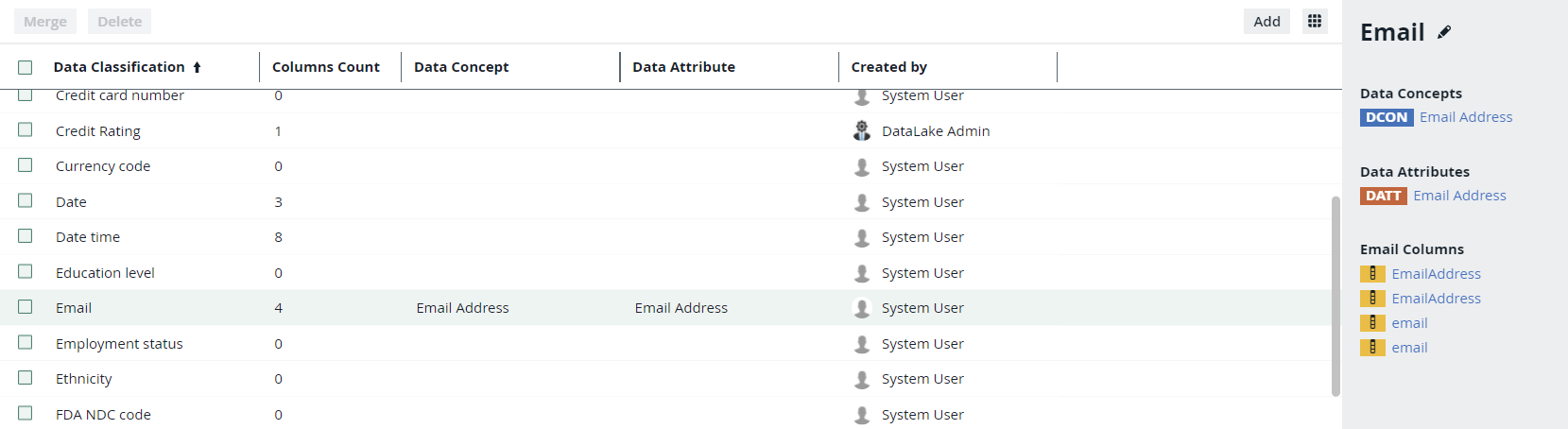
In the side pane, you find the following information:
|
Attribute |
Description |
|---|---|
| Data class name | The name of the selected data class. You can edit the name by clicking  . . |
| Data Concepts |
The list of data concepts that are associated with the data class. |
| Data Attributes |
The list of data attributes that are associated with the data class. |
|
<Data class> Columns |
The list of columns that are classified with the selected data class. When there are too many columns to show, you can follow a See all link. This opens a search results page with all corresponding columns. |