Data profiling charts
The data profiling process provides a view on the registered data by means of bar charts, distribution data and histograms.
Tip
- In each chart, you can zoom in by selecting the area of your preference. Click the Reset zoom button to return to the original chart view.
- Charts are not available for every data type. See Data profiling information.
Bar chart
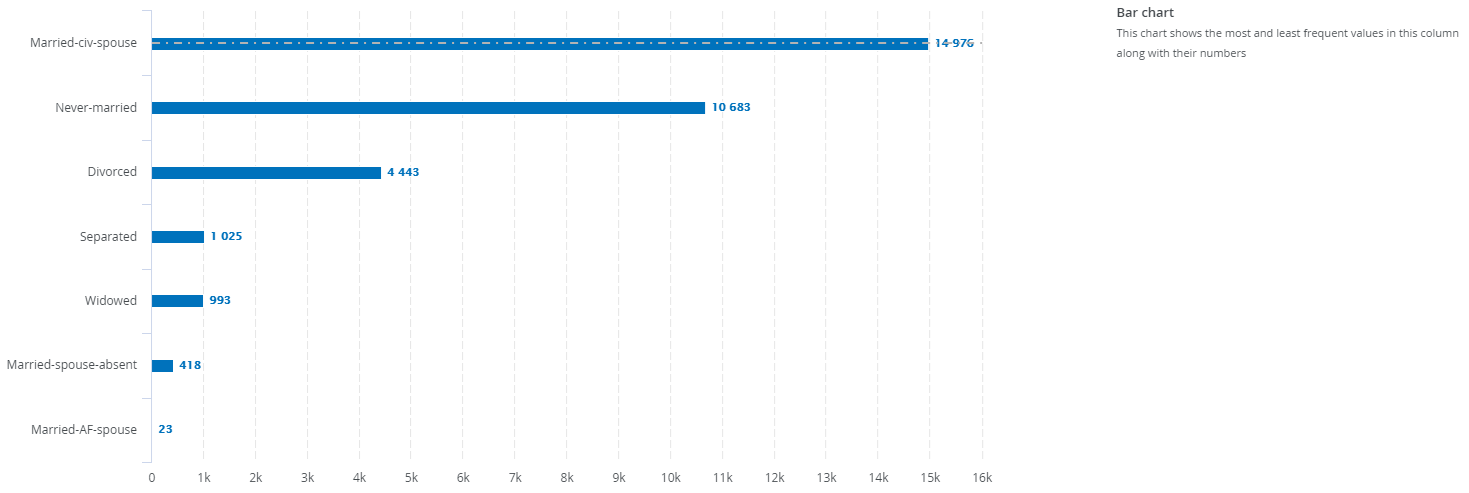
A bar chart is created when the data type is text. It displays the most and least frequent values of a column along with their number of occurrences.
Data distribution
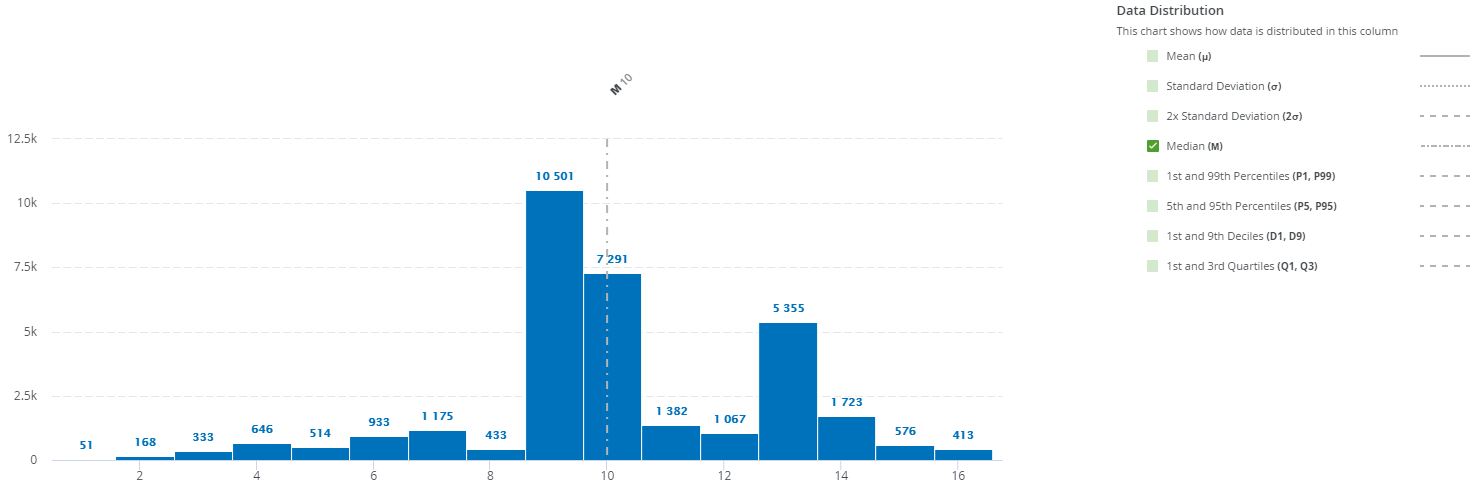
The data distribution chart is created when the data type is numerical. It displays how the data is distributed.
In this chart, you can add extra information such as the mean, standard deviation and so on, by selecting the option at the right of the graph.