Add a repository service to a cluster
When you have created a repository cluster, you have to add repository services to it, whereby one service becomes the master and one or more other repository services become a slave.
You can add a repository service to a cluster in the following ways:
- Add a service via the global Add / Create button.
- Add a service via the repository cluster details.
- Add services in the create repository cluster wizard.
Tip You can only add services if the environment to which the cluster belongs is stopped.
Via the Add / Create button
- Open Collibra Console with a user profile that has the SUPER role.
Collibra Console opens with the Infrastructure page.Tip- The default address to access Collibra Console is <server hostname>:4402, but you may have set another port during the installation of Collibra Console. Keep in mind that a firewall of your operating system can block the access to Collibra Console.
- The default credentials to sign in to Collibra Console are Admin / admin. We highly recommend that you edit the Collibra Console administrator's password after signing in for the first time.
-
In the tab pane, click
Add / Create.
The Add / Create dialog box appears. - Click Add services to environment / cluster.
The Select environment dialog box appears. - Select the Repository cluster option and select the repository cluster from the drop-down list.

- Click Next.
The Add services dialog box appears. - Select the Master option and select one repository service from the drop-down list.
 Note If the node that hosts the service you want to add is not yet available in Collibra Console, click Add services from a new node under the drop-down list and add the node details.
 - Click Add services.
The added service is set as master of the cluster. - Click Add another service.
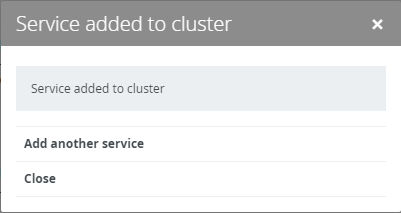
- Select the Slave option and select one or more repository services from the drop-down list.
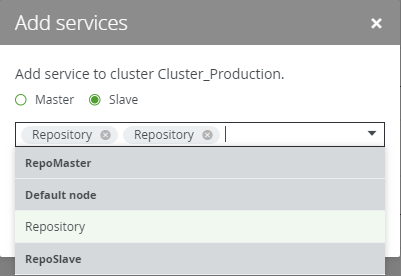 Note If the node that hosts the service you want to add is not yet available in Collibra Console, click Add services from a new node under the drop-down list and add the node details.
 - Click Add services.
The added services are set as slaves of the cluster. - Click Close.
Via the cluster details
- Open Collibra Console with a user profile that has the SUPER role.
Collibra Console opens with the Infrastructure page. -
In the tab pane, click
the name of your repository cluster.
The repository cluster details appear. - On the details page, click Set master.
The Add services dialog box appears. - Select the Master option and select one repository service from the drop-down list.Note If the node that hosts the service you want to add is not yet available in Collibra Console, click Add services from a new node under the drop-down list and add the node details.
- Click Add services.
The added service is set as master of the cluster. - Click Close.Tip If you click Add another service, skip the following step and continue with step 8.
- On the details page, click Add services.
The Add services dialog box appears. - Select the Slave option and select one or more repository services from the drop-down list.Note If the node that hosts the service you want to add is not yet available in Collibra Console, click Add services from a new node under the drop-down list and add the node details.
- Click Add services.
The added services are set as slaves of the cluster. - Click Close.