Install 5.8.0 with an old 5.x backup
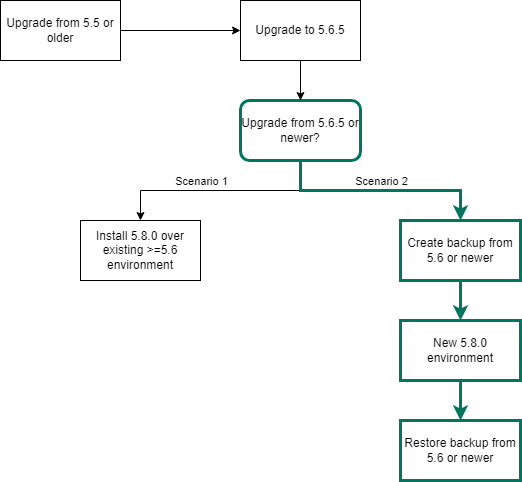
In this upgrade scenario, you will upgrade a Collibra Data Governance Center 5.6.5 or newer environment to 5.8.0 by installing a new Collibra DGC 5.8.0 and restoring a 5.6.5 or newer backup.
Tip If you use nodes on which there are already one more services installed, you have to install the new version in a new installation directory, unless the node has never been added to a Collibra Console, then you can overwrite the existing installation.
Prerequisites
- Make sure that your environment is at version 5.6.5 or newer.
- The status of your repository is Green or Orange.
Warning If the status of the repository is Red, do not start the upgrade procedure but contact Collibra Support.
Steps
- Create a full backup of your Collibra DGC 5.6.5 or newer environment.
- Install a new Collibra DGC 5.8.0 environment on Linux or Windows.
- Restore your backup.
This action automatically updates the database of the backup to the new version.Tip If the environment ends up in Error state, it is most likely because starting the DGC service takes too much time. See Environment in error state during the upgrade.
- Reindex Collibra.
If your environment is configured with SAML and it is no longer functional after the upgrade, consult the troubleshooting section.