Install the lineage harvester
Before you can use the lineage harvester, you have to download it and install it.
Note We highly recommend that you always install and use the newest lineage harvester.
Where you choose to install the lineage harvester depends on the database that the lineage harvester will access to harvest the metadata. You can install it either:
- On the MicroStrategy server, to access the local PostgreSQL database.
- Close to your data source, to access a remote PostgreSQL database.
Important If you have a MicroStrategy on-premises environment, you can install the lineage harvester on a server that has access to the MicroStrategy server or on the MicroStrategy server itself. If you use MicroStrategy cloud, you have to install the lineage harvester on the MicroStrategy server.
Install the lineage harvester on the MicroStrategy server
For local database access, only PostgreSQL databases are supported. The MicroStrategy Intelligence Server has an embedded PostgreSQL repository, as its default repository. For complete information, see the MicroStrategy repository documentation.
Prerequisites
- You have Collibra Data Intelligence Cloud 2021.07 or newer.
- You have MicroStrategy 2021 or newer.
- You meet the minimum lineage harvester system requirements.
- Java Runtime Environment version 11 or newer or OpenJDK 11 or newer.
- You have added Firewall rules so that the lineage harvester can connect to:
- All Collibra Data Lineage servers within your geographical location:
- 15.222.200.199 (techlin-aws-ca)
- 18.198.89.106 (techlin-aws-eu)
- 54.242.194.190 (techlin-aws-us)
- 51.105.241.132 (techlin-azure-eu)
- 20.102.44.39 (techlin-azure-us)
- 35.197.182.41 (techlin-gcp-au)
- 34.152.20.240 (techlin-gcp-ca)
- 35.205.146.124 (techlin-gcp-eu)
- 34.87.122.60 (techlin-gcp-sg)
- 35.234.130.150 (techlin-gcp-uk)
- 34.73.33.120 (techlin-gcp-us)
- The host names of all databases in the lineage harvester configuration file.
Steps
- Download the lineage harvester.
- Sign in to the MicroStrategy web portal.
- Click Remote Desktop Gateway.
- Sign in to Apache Guacamole.
- Click Platform Instance VNC.
- Copy the lineage harvester ZIP file to the Platform Instance VNC home directory.
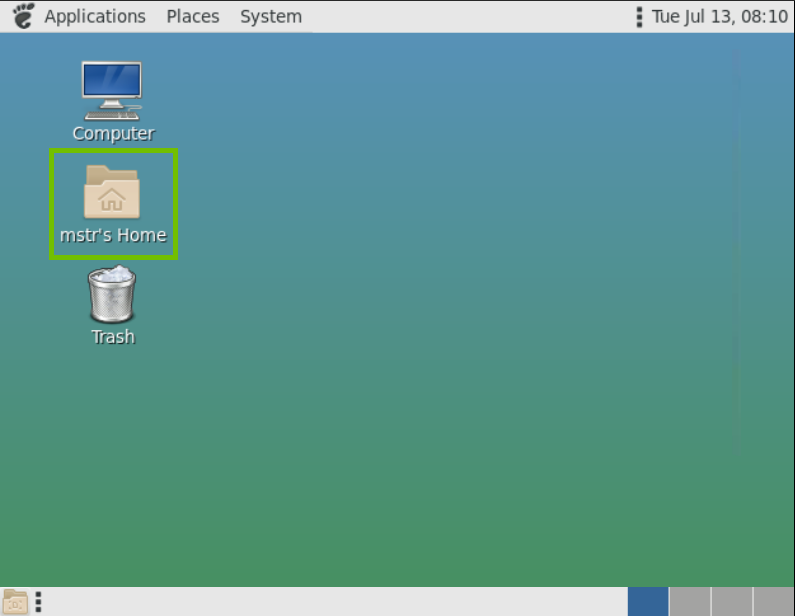
- Unzip the archive. You can now access the lineage harvester folder.
- Run the following command line to start the lineage harvester:
- Windows:
.\bin\lineage-harvester.bat
- For other operating systems:
chmod +x bin/lineage-harvesterand thenbin/lineage-harvester
An empty configuration file is created in the config folder.
- Windows:
./bin/lineage-harvester --help. Install the lineage harvester close to your data source
To access a remote PostgreSQL database, install the lineage harvester close to the data source.
Prerequisites
- You have Collibra Data Intelligence Cloud 2021.07 or newer.
- You have MicroStrategy 2021 or newer.
- You meet the minimum lineage harvester system requirements.
- Java Runtime Environment version 11 or newer or OpenJDK 11 or newer.
- You have added Firewall rules so that the lineage harvester can connect to:
- All Collibra Data Lineage servers within your geographical location:
- 15.222.200.199 (techlin-aws-ca)
- 18.198.89.106 (techlin-aws-eu)
- 54.242.194.190 (techlin-aws-us)
- 51.105.241.132 (techlin-azure-eu)
- 20.102.44.39 (techlin-azure-us)
- 35.197.182.41 (techlin-gcp-au)
- 34.152.20.240 (techlin-gcp-ca)
- 35.205.146.124 (techlin-gcp-eu)
- 34.87.122.60 (techlin-gcp-sg)
- 35.234.130.150 (techlin-gcp-uk)
- 34.73.33.120 (techlin-gcp-us)
- The host names of all databases in the lineage harvester configuration file.
Steps
- Download the lineage harvester.
- Unzip the archive. You can now access the lineage harvester folder.
- Run the following command line to start the lineage harvester:
- Windows:
.\bin\lineage-harvester.bat - For other operating systems:
chmod +x bin/lineage-harvesterand thenbin/lineage-harvester
An empty configuration file is created in the config folder. - Windows:
./bin/lineage-harvester --help.