Restore a backup from a previous version
If you want to upgrade Collibra Data Intelligence Cloud to 2022.01, you can restore the backup from a previous version on a newly installed 2022.01 environment.
- If you restore a backup, you will lose all current Collibra data.
- Backups from versions older than 5.5.x do no include certificates. You have to reinstall any necessary certificates, for example for secure communication with the Jobserver.
-
If you restore a backup that does not include history and was made from a version older than 5.7.x, the data quality metrics will not work correctly. To solve this issue, after you restore the backup in your latest environment, upgrade the data, create a new backup and restore the new backup in the same environment.
Steps
- Open Collibra Console with a user profile that has at least the ADMIN role.
Collibra Console opens with the Infrastructure page. - Click the name of an environment to show its details.
- Click More → Restore from a previous version.
- Click the version of the backup:
Previous version
Substeps
4.5.x or 4.6.x - Accept the limitations for restoring this backup. See Limitations of the upgrade from 4.5.x / 4.6.x.
- Click Next.
- Upload or drop the backup in the Upload backup box.
- Click Restore backup and upgrade.
The backup is restored and the upgrade of the repository is automatically started.
5.x - Select the Upload backup option:
- Upload backup: Upload or drop the backup in the Upload backup box.
- Choose an existing backup: Select the backup that you want to restore from the Backup drop-down menu.
- Click Restore backup and upgrade.
- Select the options that you want to restore.
- Click Restore backup.
The backup is restored and the upgrade of the repository is automatically started.
If you look in the upgrade logs (upgrade-task.log), you will see one of the following lines near the end:
INFO - COMPLETED Upgrade the database version to [5.2]INFO - *** Results of upgrade from version 5.1 to version 5.2 ***
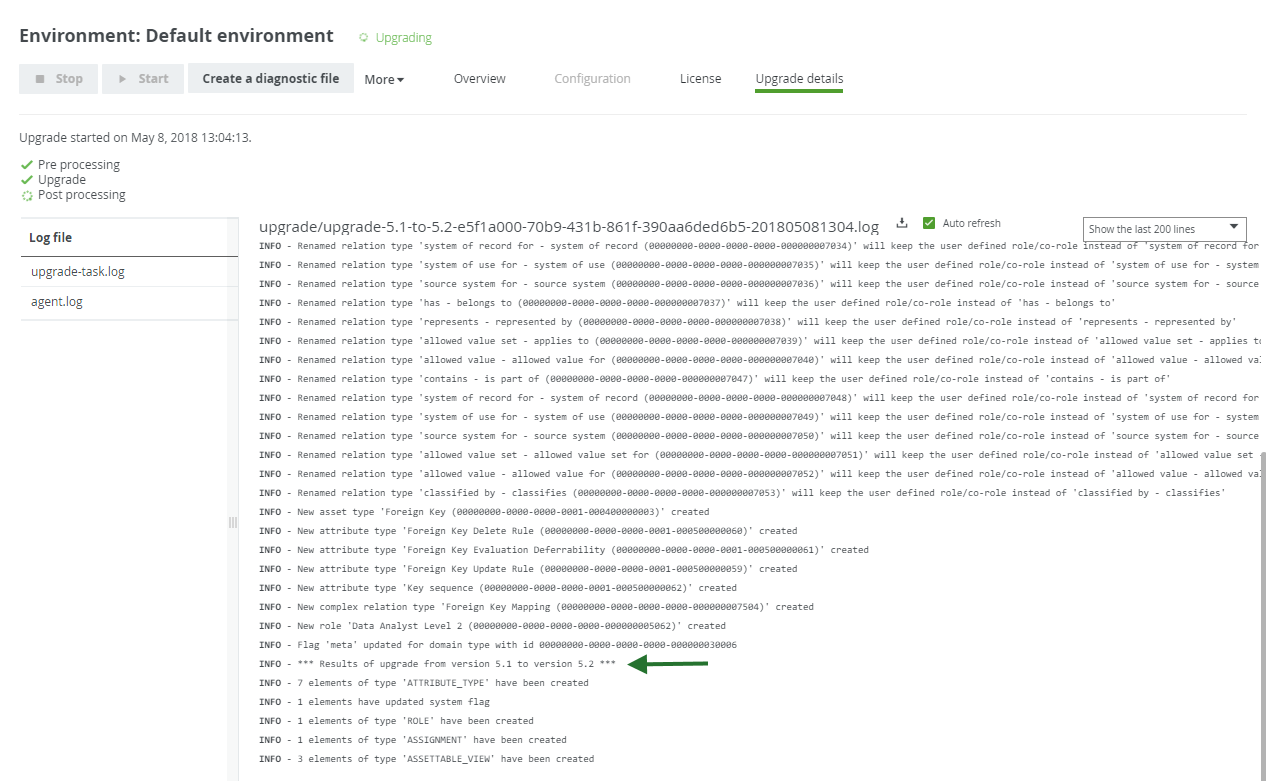
This means that the repository has upgraded to 5.2 at this point. The upgrade to a later version, for example 5.7.11, is performed during the start of the DGC service and is therefore not logged in this log file, but in dgc.log, which you can find in the diagnostic file.