Logic settings in the Template Designer tab
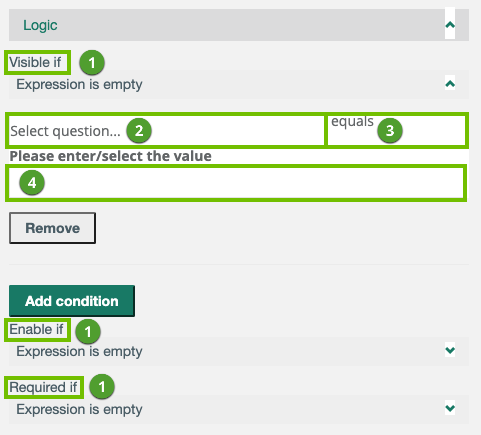
The following image shows the logic settings in the Template Designer tab.
|
Number |
Setting | Description |
|---|---|---|
|
1 |
Visible if
|
Note This logic condition overrides the Is visible? setting in the General section in Properties. |
| Enable if
|
|
|
| Required if
|
Note This logic condition overrides the Is required? setting in the General section in Properties. |
|
|
2 |
Select question... | The question that determines whether or not the action will happen. |
|
3 |
Logical operator |
All or some of the following, based on the question type of the selected question.
|
|
4 |
Value | The response to the question that determines whether or not the action will happen. |