Tableau operating model
Synchronizing Tableau data means ingesting metadata from Tableau to your Collibra Data Intelligence Cloud environment. The metadata is represented as assets of specific types and their characteristics.
- The assets have the same names as their counterparts in Tableau.
- Some asset types are only created if the Tableau user has specific permissions.
- There may be differences between the hierarchy of assets in Data Catalog and in Tableau. For example, Tableau, shows the relation from a parent project to a child project. In Data Catalog, this relation does not exist. Instead, all projects are shown on the Tableau Site asset page and the hierarchy of projects is shown in the Full name of the Tableau Project asset and the name of its Domain.
- If the Tableau data has tags, they are also added to the corresponding assets in Collibra with the prefix Tableau_.
- Relations that were created between Tableau assets and other assets via a relation type in the Tableau operating model, are deleted after synchronization.
Tableau operating model
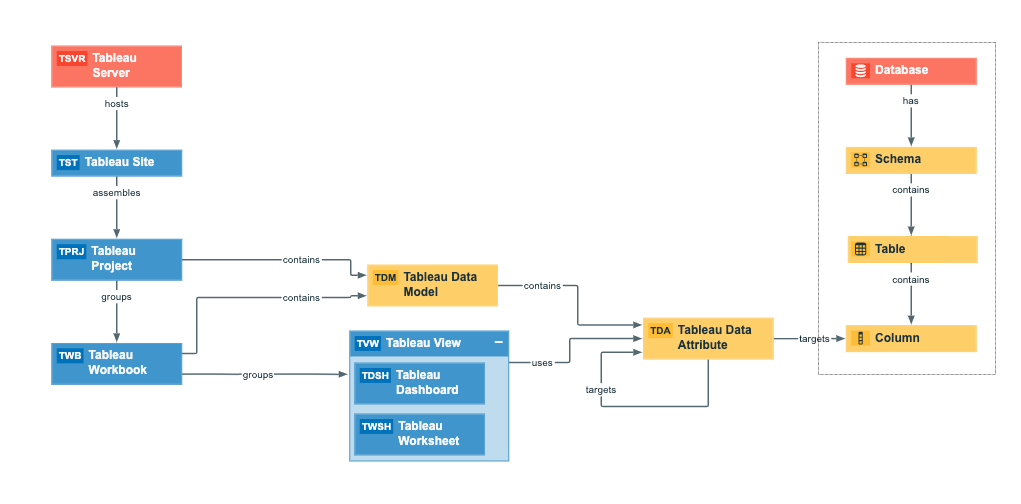
The following image shows the relations between Tableau asset types and the cardinality of the relation types in the assets' assignment.
Harvested metadata per asset type
This table shows the metadata for each Tableau asset type.
|
Asset type |
Synchronized metadata |
|---|---|
|
Tableau Server |
|
| Tableau Site |
|
| Tableau Project |
|
| Tableau Workbook |
|
| Tableau View |
Note Assets of this type are only created if the Tableau user does not have the Download/Save As permission on the workbook. |
|
Tableau Dashboard |
Note Assets of this type are only created if the Tableau user has the Download/Save As permission on the workbook. |
|
Tableau Worksheet |
Note Assets of this type are only created if the Tableau user has the Download/Save As permission on the workbook. |
|
Tableau Data Attribute |
Note Assets of this type are only created if the Tableau user has the Download/Save As permission on the data source. |
|
Tableau Data Model |
Note Assets of this type are only created if the Tableau user has the Download/Save As permission on the data source. |
Examples of ingested metadata
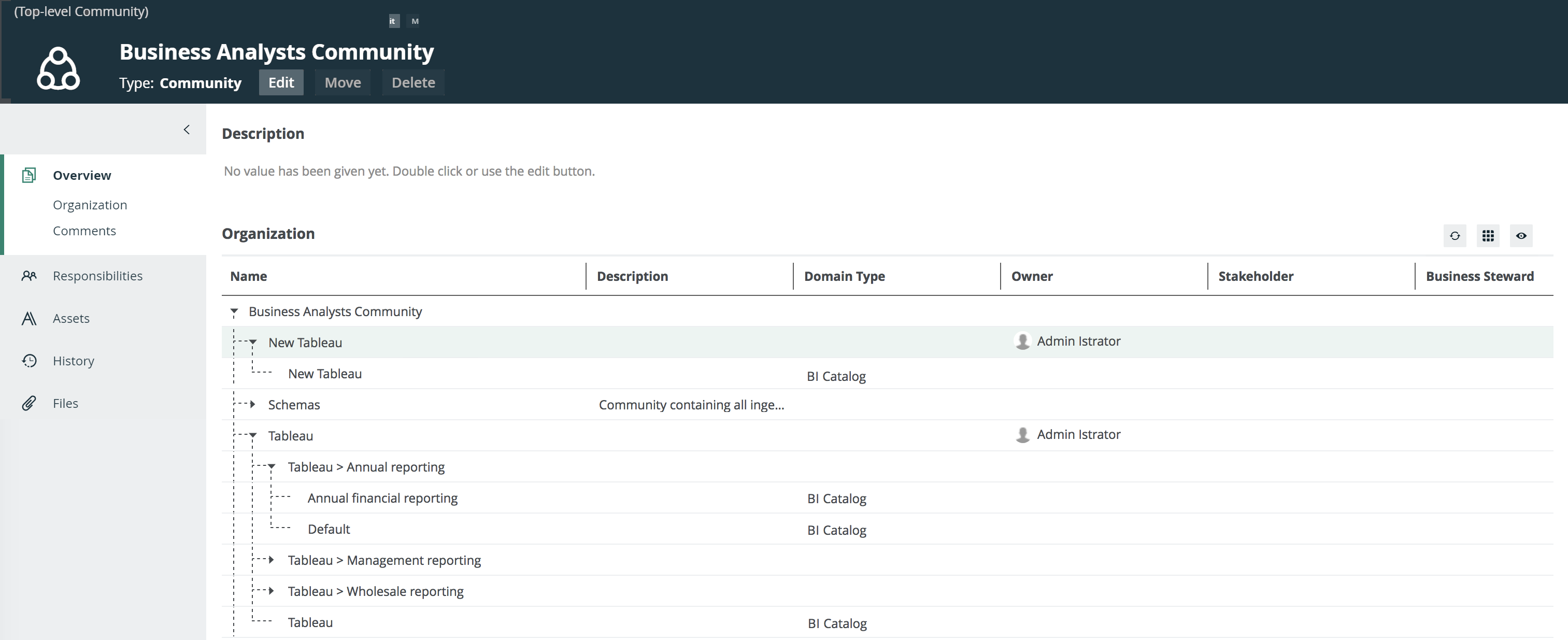
The following image shows an example structure after synchronizing Tableau.