About the Physical Data Connector
The Physical Data Connector shows a table with a high-level overview of database information. The table has a tree-like structure that enables you to drill down to the column level of a database. It shows the connection between the physical data layer and the logical data layer and enables you to find Data Attribute assets that relate to individual Column assets.
You access the Physical Data Connector via the Physical Data Connector subpage on the Stewardship tab.
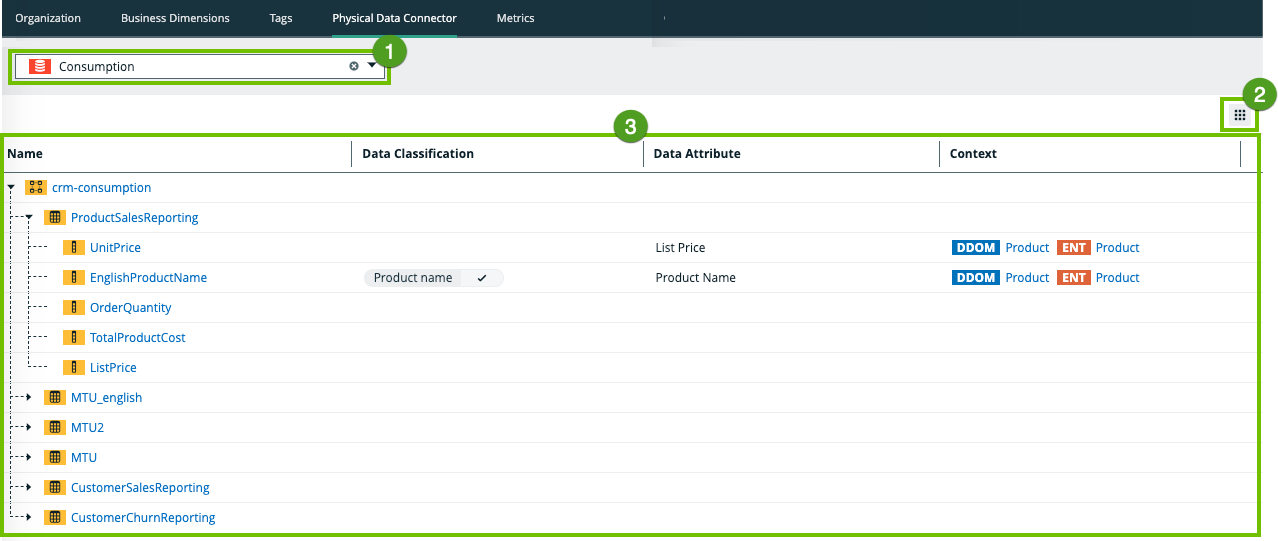
|
No. |
Name |
Description |
|---|---|---|
| 1 | Drop-down | A drop-down list to filter on a specific database. |
|
2 |
Table menu |
The table menu contains buttons for actions you can perform on the table. |

|
A button to manage the columns shown. |
|
|
3 |
Table with database information |
A table that shows the content of the registered database and the connections between the physical data layer and logical data layer. |
|
Name
|
The name of the asset and the icon of the asset type. If you click on the asset, the asset page opens. To sort assets alphabetically, click on the column header. |
|
|
Data Classification
|
The data class of an asset. You can manually add, edit or remove the data class of a Column asset. You can also approve or reject suggested classes |
|
|
Data Attribute
|
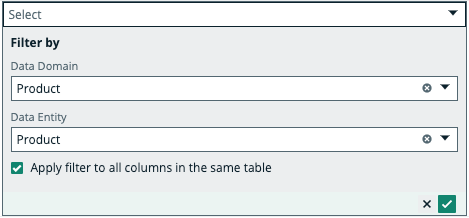
The Data Attribute asset linked to the Column asset via relation type "Data Attribute represents / represented by Column". When you filter on a Data Domain or Data Entity, the other drop-down lists dynamically update to only show content that relates to your filter. You can select the Apply filter to all columns in the same table checkbox to use the same filters to link a Data Attribute to other Column assets in the same table.
Tip The physical data connector enables you to quickly connect Data Attribute assets to Column assets. However, you can also connect the physical data layer to the logical data layer via Data Catalog's asset pages by adding a relation of the type Data Attribute represents / represented by Column. |
|
|
Context
|
The context of the data. This field is read-only and is filled with the Data Domain asset and Data Entity asset related to the Data Attribute asset, if a relation exists. |
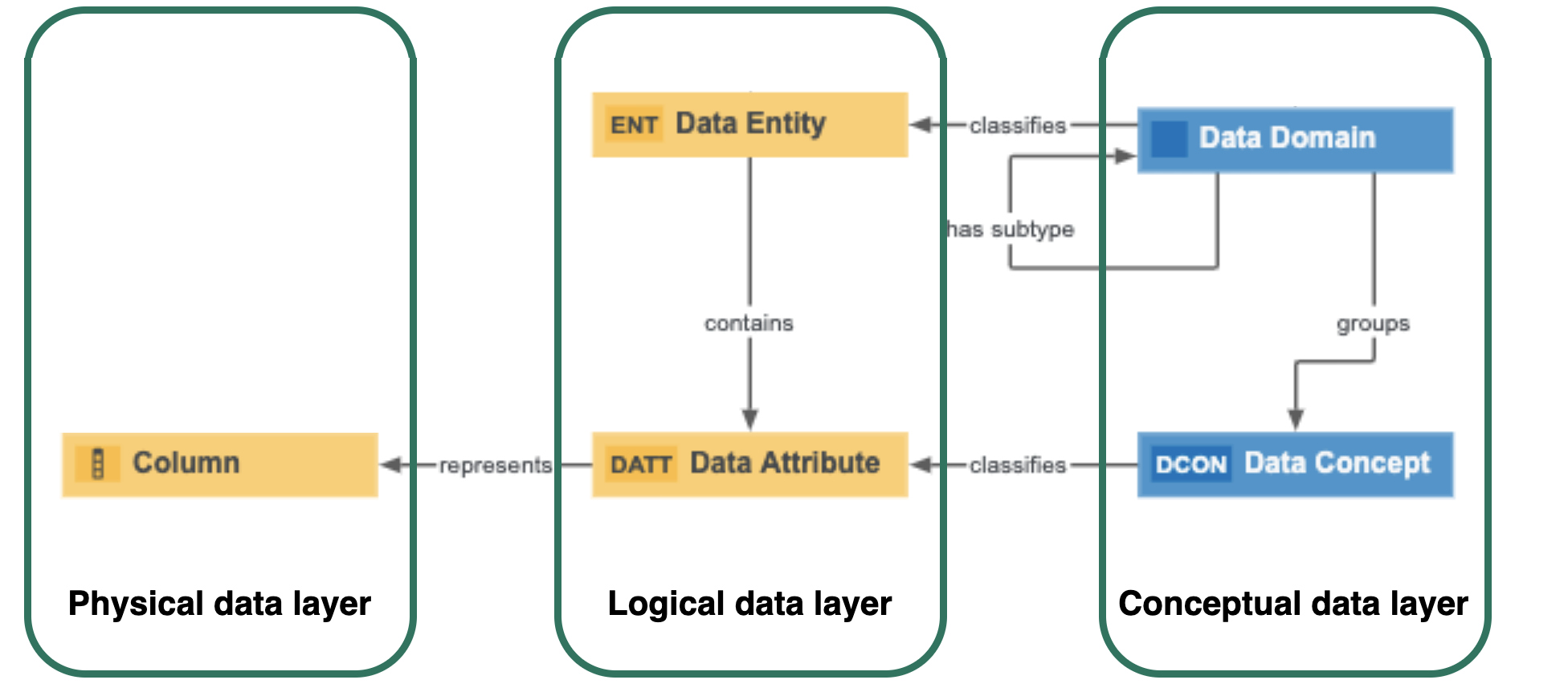
Physical Data Connector relation types
The Physical Data Connector enables you to easily connect the physical data layer to the logical data layer by filtering on the conceptual data layer.
The Physical Data Connector uses the following relation types to connect assets from the different data layers:
- Business Dimension (Data Domain) classifies / is classified by Asset (Data Entity)
- Business Asset (Data Domain) groups / grouped by Business Asset (Data Concept)
- Data Domain has subtype / is subtype of Data Domain
- Business Dimension (Data Concept) classifies Asset (Data Attribute)
- Data Entity contains Data Attribute
- Data Attribute represents Column