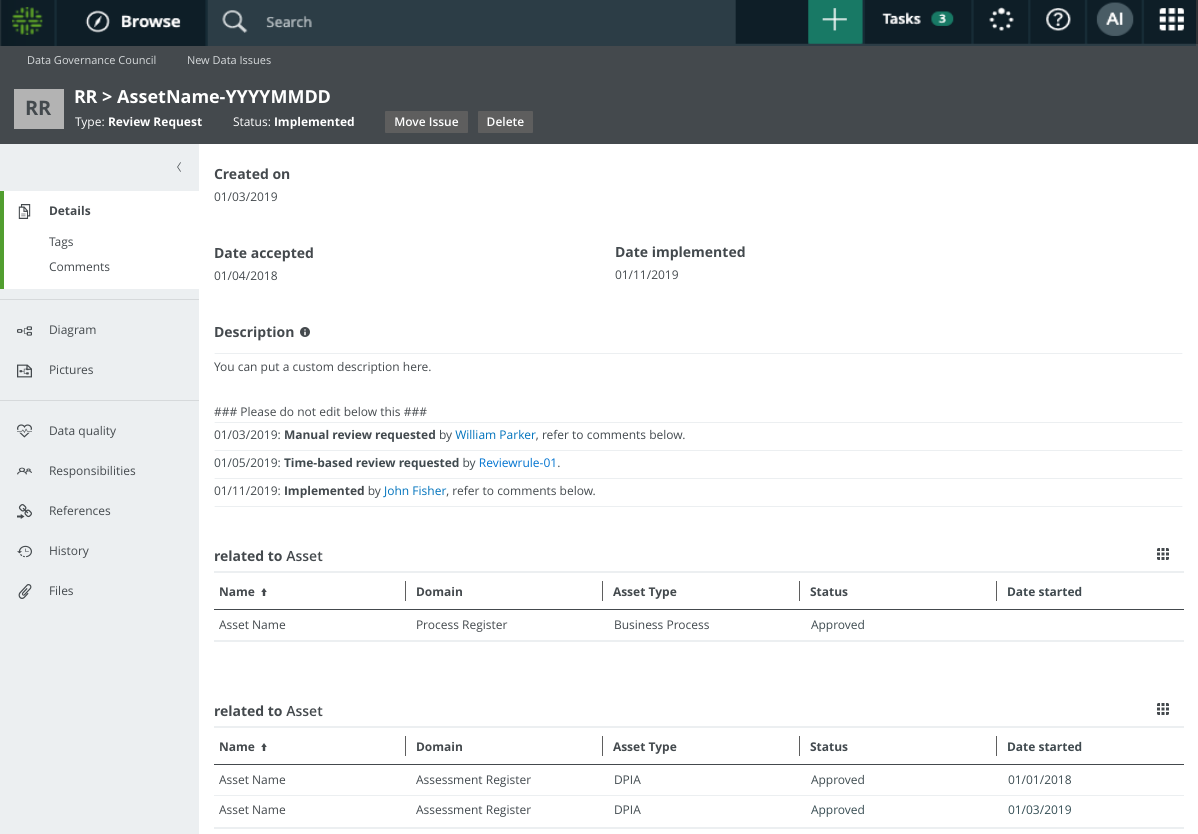
Review Request asset
When an asset review is triggered, either manually or via a Time-based or Event-based Review Rule, a Review Request asset is created and the Review Request Handler workflow is started.
The following is true of the Review Request asset:
- It is created in a domain of type Issue Vocabulary, in the community of the related asset.Warning The Issue Vocabulary domain is a "hidden" domain that exists in every community. This means it doesn't appear in the Collibra Browser, which helps to avoid it being inadvertently deleted. For some workflows to work correctly, it is imperative that you not delete such hidden domains. You can view all the assets in hidden domains via the Data Helpdesk.
- The name of the asset is formatted as: [RR] <related asset name> - creation date of Review Request asset
For example: [RR] Invoicing - 2019/04/15 - It has the status New.
- It is linked to the related asset by the relation type [Asset] impacts / is impacted by [Issue].
Multiple review requests for a single asset
Over the lifetime of any privacy-related asset, the asset may need to be reviewed and updated. It is possible to have multiple, simultaneous review requests for a single asset. Keep in mind, however, that if there are multiple Review Request assets for a single asset, only one will have the status New, Accepted, or Rejected. All others will have the status Obsolete.
Let's say that a user finds the description of an approved Business Process asset to be misleading. The user manually triggers a review request and a Review Request asset is created. At this point:
- The Review Request Handler workflow is triggered.
- The status of the Business Process asset is Approved.
- The status of the Review Request asset is New.
- The relation [Issue] impacts / is impacted by [Asset] is automatically added between the two assets.
The Business Steward reviews the request, agrees that a change is warranted, and the Business Process asset follows the asset change management process.
- The status of the Business Process asset becomes In review.
- The status of the Review Request asset is In review.
However, before the changes to the Business Process asset are approved, two more review requests are triggered for the same Business Process asset. Because the recent changes have not yet been approved, no new Review Request assets are created for the two new review requests. Rather, the details of the new requests are added as comments in the existing Review Request asset, and the Business Steward is notified of the new requests.
Eventually all of the changes to the Business Process asset are made and formally approved via the approval workflow. At this point:
- The status of the Business Process asset becomes Approved.
- The status of the Review Request asset becomes Implemented.
- For audit purposes, the relation between the two assets is maintained.
Now let's say that a new review request is triggered for the same Business Process. In this case:
- A new Review Request asset is created.
- The Business Process asset is now:
- related to the new Review Request asset, which has the status New.
- related to the original Review Request asset, the status of which goes from Implemented to Obsolete.
The relations between the Business Process asset and its related Review Request assets will be maintained for the life of the Business Process asset. If there are multiple Review Request assets related to the Business Process asset, exactly one will have the status New, In review, or Rejected. All others will have the status Obsolete.
Review Request asset page
The Review Request asset page contains all of the details about the review request.
If additional review requests are triggered for an asset that is already under review, the details of each additional request are added as comments on the Review Request asset page.